Surfaces
Every block rune exposes one or two decorable surfaces, and a small, universal vocabulary styles them — the same attributes on a card, a figure, a hero, or a bento-cell. A card, for example, has two: its self surface (the card box) and a media surface (its image/embed slot). No per-rune attributes to learn.
| Attribute | Surface | What it does |
|---|---|---|
elevation | self | the depth of the box — recessed, flat, or lifted on a shadow |
prominence | self | the weight of a section header — quiet up to display size |
width | layout | how wide the rune sits in the page — contained to full-bleed |
spacing | layout | vertical rhythm around the rune (see below) |
inset | layout | padding within the rune (see below) |
reading | text | how the body text reads — UI text vs long-form prose |
frame / frame-* | media | present the media — aspect, crop, silhouette shadow, displacement |
substrate / substrate-* | self (default) | a generated pattern (dots, grid, …) |
tint | colour | recolour the surface (see tint) |
bg | image | an image/video layer behind content (see bg) |
Universal, but not unconditional. Some of these axes need something to act on: prominence needs a rune with a section header, reading and dropcap need one whose body holds prose (a datatable's main region is a table, so neither applies there), the frame-* facets need a media surface. A rune that has none of those never honoured the attribute — {% grid reading="prose" %} did nothing at all. Since 0.32.0 the rune's schema says so, so writing one where it cannot apply is a build error (Invalid attribute: 'reading') rather than silence. Nothing about what renders changed; only whether you are told.
To see what a given rune accepts, run refrakt reference <rune> — it lists that rune's real universal attributes and names the reason for each axis it leaves out (prominence: this rune has no page-section header). Editor completion reads the same schema, so typing {% grid offers only what applies.
The page walks the model along its four editorial axes:
- Chrome — the depth, header weight, and framing that shape a surface.
- Fills — the colour, pattern, and gradient layers that paint it.
- Cover — the poster layout, where content overlays the media.
- Posture — how a clickable surface treats the guests inside it.
Everything here is one or two attributes on an ordinary rune. Nothing is a bespoke component.
Chrome — the surface axes and the frame
Three independent axes shape a rune's self surface, and one set of facets shapes its media. Two of the three — elevation and prominence — are surface axes: they change how the box itself reads. The third, width, is a layout axis: it changes how wide the box sits in the page. All three compose freely, so the same content rune reads as a contained card or a full-bleed hero with no rune fork — {% recipe elevation="flush" width="full" prominence="display" %} (see the worked example below).
elevation — the depth ladder
elevation is a depth ladder, from recessed to lifted:
| Rung | Surface |
|---|---|
sunken | recessed — a darker, inset fill (charts, diagrams) |
flush | no boundary — sits flat on the page (hints, nav, banners) |
flat | a bordered surface, no shadow — the card baseline |
raised | flat plus a small resting shadow |
floating | a larger lift |
overlay | the highest z-height (menus, popovers) |
Each rune ships a sensible default — a card is flat, a hint is flush, a chart is sunken — so you only set elevation to deviate.
{% card elevation="flat" %}
### `flat`
A bordered surface, no shadow — the default card.
{% /card %}

{% card elevation="raised" %}
### `raised`
Lifted on a small resting shadow.
{% /card %}

{% card elevation="floating" %}
### `floating`
A clear float — higher z-height.
{% /card %}<div data-rune="card" data-rune-fields="{"media-position":"top"}" elevation="flat">
<div data-name="body">
<h3 id="flat" data-name="title">
<code>flat</code>
</h3>
<p>A bordered surface, no shadow — the default card.</p>
</div>
</div>
<div data-rune="card" data-rune-fields="{"media-position":"top"}" elevation="raised">
<div data-name="body">
<h3 id="raised" data-name="title">
<code>raised</code>
</h3>
<p>Lifted on a small resting shadow.</p>
</div>
</div>
<div data-rune="card" data-rune-fields="{"media-position":"top"}" elevation="floating">
<div data-name="body">
<h3 id="floating" data-name="title">
<code>floating</code>
</h3>
<p>A clear float — higher z-height.</p>
</div>
</div>flat
A bordered surface, no shadow — the default card.
raised
Lifted on a small resting shadow.
floating
A clear float — higher z-height.
<div class="rf-card" data-media-position="top" data-elevation="flat" data-rune="card" data-density="full">
  <div data-name="content" class="rf-card__content">
    <div data-name="body" class="rf-card__body" data-section="body">
      <h3 id="flat" data-name="title" class="rf-card__title">
        <code>flat</code>
      </h3>
      <p>A bordered surface, no shadow — the default card.</p>
    </div>
  </div>
</div>
<div class="rf-card" data-media-position="top" data-elevation="raised" data-rune="card" data-density="full">
  <div data-name="content" class="rf-card__content">
    <div data-name="body" class="rf-card__body" data-section="body">
      <h3 id="raised" data-name="title" class="rf-card__title">
        <code>raised</code>
      </h3>
      <p>Lifted on a small resting shadow.</p>
    </div>
  </div>
</div>
<div class="rf-card" data-media-position="top" data-elevation="floating" data-rune="card" data-density="full">
  <div data-name="content" class="rf-card__content">
    <div data-name="body" class="rf-card__body" data-section="body">
      <h3 id="floating" data-name="title" class="rf-card__title">
        <code>floating</code>
      </h3>
      <p>A clear float — higher z-height.</p>
    </div>
  </div>
</div>
The old
elevation="none|sm|md|lg"shadow scale is superseded. The deprecated values still resolve —none→flat,sm/md→raised,lg→floating— with a build warning; runrefrakt migrate elevation <path>to update authored content. The codemod touches theelevationattribute only:frame-shadowreuses the identicalnone/sm/md/lgvalues on the media surface and is left untouched.
prominence — the section-header family
prominence scales the weight of a rune's section header — its title type size — without touching the rest of the surface. It applies only to runes that carry a page-section header (a title/preamble), running quiet → normal → prominent → display. normal is the rune's resting title size, and the steps ramp relative to it rather than to fixed sizes — so display is always larger than the rune's default and quiet always smaller, whether the rune rests at the density default (a section), above it (a hero) or below it (a bento-cell):
{% section prominence="quiet" %}
## Quiet
A smaller title — recedes into a dense list.
{% /section %}

{% section prominence="display" %}
## Display
A hero-scale title.
{% /section %}<section data-field="content-section" data-rune="section" data-rune-fields="{"align":"start"}" prominence="quiet">
<header>
<h2 id="quiet" data-name="headline">Quiet</h2>
<p data-name="blurb">A smaller title — recedes into a dense list.</p>
</header>
<div data-name="body"></div>
</section>
<section data-field="content-section" data-rune="section" data-rune-fields="{"align":"start"}" prominence="display">
<header>
<h2 id="display" data-name="headline">Display</h2>
<p data-name="blurb">A hero-scale title.</p>
</header>
<div data-name="body"></div>
</section>Quiet
A smaller title — recedes into a dense list.
Display
A hero-scale title.
<section data-field="content-section" class="rf-section rf-section--start" data-align="start" data-prominence="quiet" data-rune="section" data-density="full">
  <header data-name="preamble" class="rf-section__preamble" data-section="preamble">
    <h2 id="quiet" data-name="headline" class="rf-section__headline" data-section="title">Quiet</h2>
    <p data-name="blurb" class="rf-section__blurb" data-section="description">A smaller title — recedes into a dense list.</p>
  </header>
  <div data-name="body" class="rf-section__body"></div>
</section>
<section data-field="content-section" class="rf-section rf-section--start" data-align="start" data-prominence="display" data-rune="section" data-density="full">
  <header data-name="preamble" class="rf-section__preamble" data-section="preamble">
    <h2 id="display" data-name="headline" class="rf-section__headline" data-section="title">Display</h2>
    <p data-name="blurb" class="rf-section__blurb" data-section="description">A hero-scale title.</p>
  </header>
  <div data-name="body" class="rf-section__body"></div>
</section>
width — the layout axis
width is not a surface treatment — it sets how wide the rune sits in the page measure: compact | narrow | (default) | wide | full. Because it is a layout axis, it composes with any elevation: a flush rune at width="full" becomes an edge-to-edge band, while a flat card at width="wide" breaks gently out of the text column.
How the content sits when a rune bleeds wider than the text measure depends on the rune. Page sections (hero, cta, feature) are anchored — their content stays at the text measure and only the surface/background bleeds, so width="wide" widens the band while the headline stays readable, exactly as width="full" already does. Content runes (card, table, bento) fill the wider track — the breakout above. A theme sets this per rune with contentMeasure: 'anchored' | 'fill' (default fill). width="full" always anchors content into a band regardless, which is what lets any rune compose into a hero (elevation="flush" width="full").
frame — the media surface
elevation and frame-shadow are the same physical property (a shadow) on different surfaces, so they carry two names and never collide: elevation lifts the self surface (the whole tile); frame-shadow traces the media guest's silhouette.
frame decorates the media surface. Apply a named preset (frame="screenshot") or set facets inline — they also work without a preset.
| Facet | Values | Effect |
|---|---|---|
frame-aspect | e.g. 16/9, 1/1 | aspect ratio |
frame-shadow | none|sm|md|lg | silhouette drop-shadow |
frame-displace | top|bottom|end|bottom-end|top-end | move the guest toward an edge |
frame-displace-mode | peek (default) | bleed | how the displacement renders — see below |
frame-offset | none|sm|md|lg|xl|2xl|3xl|4xl | displacement distance (non-linear named scale: sm–xl ride block-spacing tokens, 2xl–4xl ride section-spacing tokens) |
frame-oversize | scale factor | guest exceeds its slot (clipped) |
frame-place | left top, … | alignment within the slot |
frame-anchor | object-position | crop focal point |
frame-overflow | clip (default) | bleed | a too-wide guest: clip inside the frame, or bleed to the screen — see below |
On a figure or showcase the frame lands on the rune itself; on a card or bento-cell it lands on the media zone. Because a card's media zone is a clipping host, a displaced or oversized guest is cropped into a peek rather than spilling out:
{% card elevation="raised" frame-aspect="16/9" frame-anchor="top" %}

---
### Framed media
`frame-aspect` sets the shape; `frame-anchor` picks the focal point of the crop.
{% /card %}
{% card frame-aspect="16/9" frame-displace="top-end" frame-offset="md" frame-oversize="1.15" frame-shadow="md" %}

---
### Displaced peek + silhouette shadow
`frame-displace` + `frame-oversize` push the guest past its slot; the host clips it to a peek, and `frame-shadow` traces the cropped silhouette — not the card.
{% /card %}<div data-rune="card" data-rune-fields="{"media-position":"top"}" elevation="raised">
<div data-section="media" data-name="media">
<img src="https://picsum.photos/seed/galleryframe/800/600" alt="Framed, top-anchored crop">
</div>
<div data-name="body">
<h3 id="framed-media" data-name="title">Framed media</h3>
<p>
<code>frame-aspect</code>
sets the shape;
<code>frame-anchor</code>
picks the focal point of the crop.
</p>
</div>
<meta data-field="frame-aspect" content="16/9">
<meta data-field="frame-anchor" content="top">
</div>
<div data-rune="card" data-rune-fields="{"media-position":"top"}">
<div data-section="media" data-name="media">
<img src="https://picsum.photos/seed/gallerypeek/800/600" alt="A displaced peek with silhouette shadow">
</div>
<div data-name="body">
<h3 id="displaced-peek-silhouette-shadow" data-name="title">Displaced peek + silhouette shadow</h3>
<p>
<code>frame-displace</code>
+
<code>frame-oversize</code>
push the guest past its slot; the host clips it to a peek, and
<code>frame-shadow</code>
traces the cropped silhouette — not the card.
</p>
</div>
<meta data-field="frame-aspect" content="16/9">
<meta data-field="frame-displace" content="top-end">
<meta data-field="frame-offset" content="md">
<meta data-field="frame-oversize" content="1.15">
<meta data-field="frame-shadow" content="md">
</div>Framed media
frame-aspect sets the shape; frame-anchor picks the focal point of the crop.
Displaced peek + silhouette shadow
frame-displace + frame-oversize push the guest past its slot; the host clips it to a peek, and frame-shadow traces the cropped silhouette — not the card.
<div class="rf-card" data-media-position="top" data-elevation="raised" data-rune="card" data-density="full">
  <div data-section="media" data-name="media" class="rf-card__media" data-guest-fit="clip" style="--frame-aspect: 16/9; --frame-anchor: top">
    <img src="https://picsum.photos/seed/galleryframe/800/600" alt="Framed, top-anchored crop" />
  </div>
  <div data-name="content" class="rf-card__content">
    <div data-name="body" class="rf-card__body" data-section="body">
      <h3 id="framed-media" data-name="title" class="rf-card__title">Framed media</h3>
      <p>
        <code>frame-aspect</code>
         sets the shape;
        <code>frame-anchor</code>
         picks the focal point of the crop.
      </p>
    </div>
  </div>
</div>
<div class="rf-card" data-media-position="top" data-rune="card" data-density="full">
  <div data-section="media" data-name="media" class="rf-card__media" data-guest-fit="clip" data-displace="top-end" data-frame-shadow="md" style="--frame-aspect: 16/9; --frame-offset: var(--rf-spacing-md); --frame-oversize: 1.15">
    <img src="https://picsum.photos/seed/gallerypeek/800/600" alt="A displaced peek with silhouette shadow" />
  </div>
  <div data-name="content" class="rf-card__content">
    <div data-name="body" class="rf-card__body" data-section="body">
      <h3 id="displaced-peek-silhouette-shadow" data-name="title" class="rf-card__title">Displaced peek + silhouette shadow</h3>
      <p>
        <code>frame-displace</code>
         +
        <code>frame-oversize</code>
         push the guest past its slot; the host clips it to a peek, and
        <code>frame-shadow</code>
         traces the cropped silhouette — not the card.
      </p>
    </div>
  </div>
</div>
Whether a displaced or oversized guest spills out or is cropped into a peek is decided by the host, not the guest — see host-owned clip.
Peek vs bleed
frame-displace-mode picks the rendering model:
peek(default) — translates the guest visually inside its frame target; the host's clip crops it into a partial reveal. Correct forcard,bento-cell, and other contained wells.bleed— puts a negative margin on the media zone instead, so following layout pulls up and the guest sits at its natural position while the host's edge moves above it. The guest extends past the host with no gap above. Use this on section-like hosts (hero,cta) where the guest is meant to overflow downward. The host needs to unclip its media zone for the spill to be visible —herodoes this automatically when a displaced guest is present.
The block-tier offsets (sm–xl, 0.5–3rem) suit peek granularity inside a card. The section-tier offsets (2xl–4xl, 4–8rem) are sized to clear a section's padding-block so a bleed-mode displacement actually overhangs the host edge.
frame-overflow — a too-wide guest
frame-displace moves the whole guest; frame-overflow is about a guest whose content is wider than the frame — a fixed-width or naturally wide component (a sandbox, a wide table). By default (clip) it's clipped at the frame's rounded inset edge. frame-overflow="bleed" instead runs an overflowing guest's inline-end out to the layout edge on a narrow viewport and squares those corners, so the component reads as cropped by the screen — a real component at its natural size, continuing off-frame.
It's content-aware and host-gated: the guest signals when its content actually overruns the frame (the sandbox measures its iframe), and the bleed only fires when it does — a guest that fits stays inset and rounded. Because the over-width can only escape a host that doesn't clip its media well, frame-overflow="bleed" is meaningful only on a bleed host (hero, feature); on a clip host (card, bento-cell) the well crops the over-width, so it's a no-op and emits a build warning. The bleed reaches the layout's edge, not the raw viewport — a chrome'd layout (docs) caps it at the content row, never under the sidebar/TOC.
{% hero frame-overflow="bleed" %}
{% sandbox src="pricing-table" /%}

---

# Our plans
{% /hero %}
Card vs hero
The axes earn their keep when one content rune does two jobs. A recipe is a bordered card by default — elevation="flat" (its config default), contained width, a density-sized title:
{% recipe prepTime="PT5M" servings=1 difficulty="easy" %}
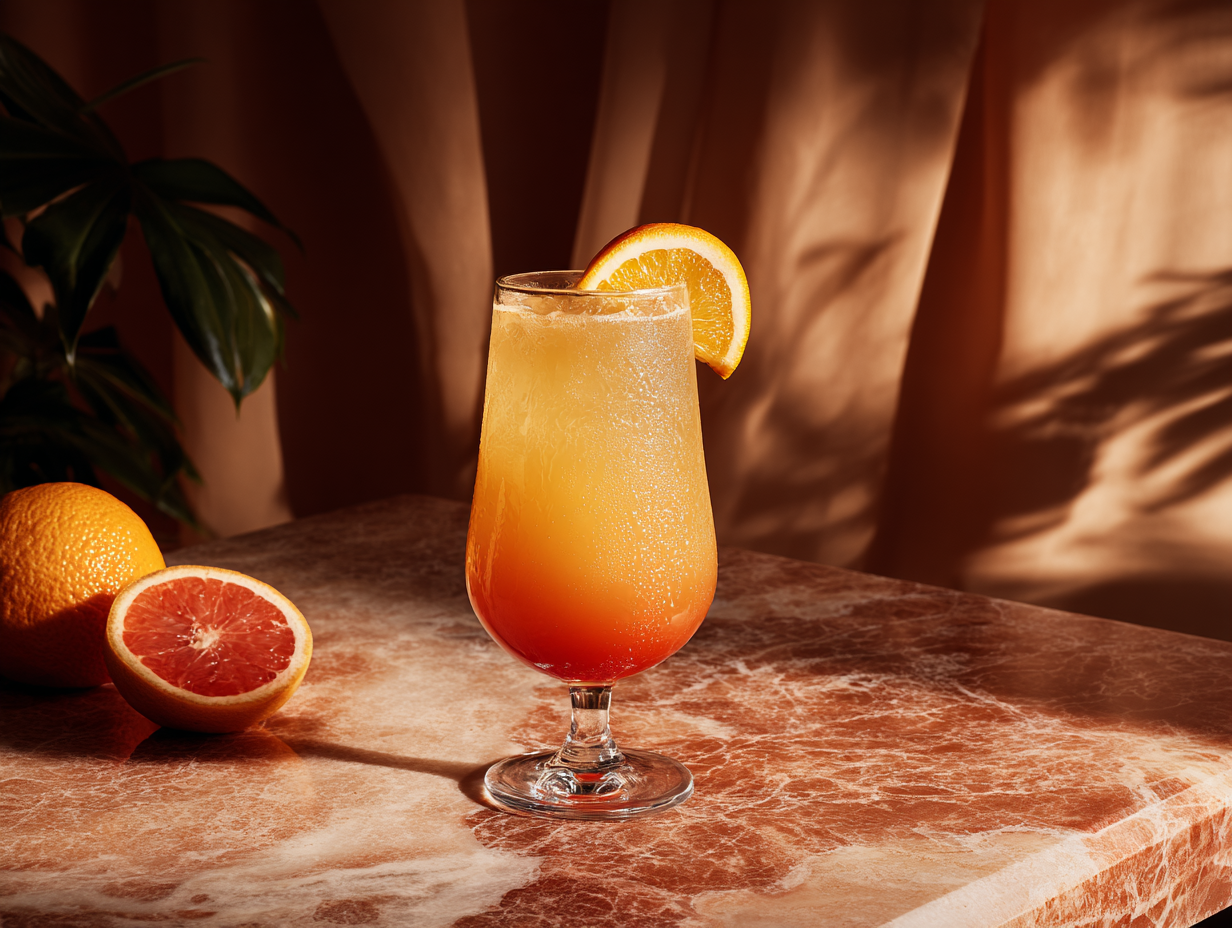
---
A cocktail classic
## Tequila Sunrise
A layered showstopper that runs from deep orange to golden yellow.
- 60ml tequila
- 120ml fresh orange juice
- 15ml grenadine
1. Fill a tall glass with ice; pour in tequila and orange juice.
2. Pour grenadine over the back of a spoon so it sinks.
{% /recipe %}<article data-field="content-section" data-rune="recipe" typeof="Recipe" data-rune-fields="{"prepTime":"PT5M","cookTime":"","servings":"1","difficulty":"easy","media-position":"top"}">
<meta content="PT5M" property="prepTime">
<meta content="1" property="recipeYield">
<div data-name="media">
<img src="https://assets.refrakt.md/tequila-sunrise.png" alt="A tequila sunrise cocktail" property="image">
</div>
<p data-name="eyebrow">A cocktail classic</p>
<h2 id="tequila-sunrise" data-name="headline" property="name">Tequila Sunrise</h2>
<p data-name="blurb" property="description">A layered showstopper that runs from deep orange to golden yellow.</p>
<ul data-name="ingredients">
<li data-name="ingredient" property="recipeIngredient">60ml tequila</li>
<li data-name="ingredient" property="recipeIngredient">120ml fresh orange juice</li>
<li data-name="ingredient" property="recipeIngredient">15ml grenadine</li>
</ul>
<ol data-name="steps">
<li data-name="step" typeof="HowToStep" property="recipeInstructions">
<p property="text">Fill a tall glass with ice; pour in tequila and orange juice.</p>
</li>
<li data-name="step" typeof="HowToStep" property="recipeInstructions">
<p property="text">Pour grenadine over the back of a spoon so it sinks.</p>
</li>
</ol>
</article>
A cocktail classic
Tequila Sunrise
A layered showstopper that runs from deep orange to golden yellow.
- 60ml tequila
- 120ml fresh orange juice
- 15ml grenadine
Fill a tall glass with ice; pour in tequila and orange juice.
Pour grenadine over the back of a spoon so it sinks.
<article data-field="content-section" typeof="Recipe" class="rf-recipe rf-recipe--easy" data-media-position="top" data-prep-time="PT5M" data-cook-time="" data-servings="1" data-difficulty="easy" data-elevation="flat" data-rune="recipe" data-density="full">
  <div data-name="media" class="rf-recipe__media" data-section="media" data-media="cover" data-guest-fit="clip">
    <img src="https://assets.refrakt.md/tequila-sunrise.png" alt="A tequila sunrise cocktail" property="image" />
  </div>
  <div data-name="content" class="rf-recipe__content">
    <header data-name="preamble" class="rf-recipe__preamble" data-section="preamble">
      <p data-name="eyebrow" class="rf-recipe__eyebrow">A cocktail classic</p>
      <h2 id="tequila-sunrise" data-name="headline" property="name" class="rf-recipe__headline" data-section="title">Tequila Sunrise</h2>
      <p data-name="blurb" property="description" class="rf-recipe__blurb" data-section="description">A layered showstopper that runs from deep orange to golden yellow.</p>
    </header>
    <dl data-name="metadata" data-zone="metadata" data-zone-layout="definition-list" class="rf-recipe__metadata">
      <div data-name="row" data-field="prepTime" class="rf-recipe__row">
        <dt data-meta-label="">Prep</dt>
        <dd data-meta-type="temporal">5m</dd>
      </div>
      <div data-name="row" data-field="servings" class="rf-recipe__row">
        <dt data-meta-label="">Serves</dt>
        <dd data-meta-type="quantity">1</dd>
      </div>
      <div data-name="row" data-field="difficulty" class="rf-recipe__row">
        <dt data-meta-label="">Difficulty</dt>
        <dd>
          <span class="rf-badge" data-meta-type="category" data-meta-sentiment="positive">easy</span>
        </dd>
      </div>
    </dl>
    <ul data-name="ingredients" class="rf-recipe__ingredients">
      <li data-name="ingredient" property="recipeIngredient" class="rf-recipe__ingredient">60ml tequila</li>
      <li data-name="ingredient" property="recipeIngredient" class="rf-recipe__ingredient">120ml fresh orange juice</li>
      <li data-name="ingredient" property="recipeIngredient" class="rf-recipe__ingredient">15ml grenadine</li>
    </ul>
    <ol data-name="steps" class="rf-recipe__steps" data-sequence="numbered">
      <li data-name="step" typeof="HowToStep" property="recipeInstructions" class="rf-recipe__step">
        <p property="text">Fill a tall glass with ice; pour in tequila and orange juice.</p>
      </li>
      <li data-name="step" typeof="HowToStep" property="recipeInstructions" class="rf-recipe__step">
        <p property="text">Pour grenadine over the back of a spoon so it sinks.</p>
      </li>
    </ol>
  </div>
  <meta content="PT5M" property="prepTime" />
  <meta content="1" property="recipeYield" />
</article>
Set three attributes and the same recipe becomes a full-bleed hero — elevation="flush" drops the card chrome, width="full" takes it edge-to-edge, prominence="display" scales the title up. No rune fork, no duplicated content — the switch is composition, not configuration:
{% recipe prepTime="PT5M" servings=1 difficulty="easy" elevation="flush" width="full" prominence="display" %}

---
A cocktail classic
## Tequila Sunrise
A layered showstopper that runs from deep orange to golden yellow.
- 60ml tequila
- 120ml fresh orange juice
- 15ml grenadine
1. Fill a tall glass with ice; pour in tequila and orange juice.
2. Pour grenadine over the back of a spoon so it sinks.
{% /recipe %}<article data-field="content-section" data-rune="recipe" typeof="Recipe" data-rune-fields="{"prepTime":"PT5M","cookTime":"","servings":"1","difficulty":"easy","media-position":"top"}" width="full" elevation="flush" prominence="display">
<meta content="PT5M" property="prepTime">
<meta content="1" property="recipeYield">
<div data-name="media">
<img src="https://assets.refrakt.md/tequila-sunrise.png" alt="A tequila sunrise cocktail" property="image">
</div>
<p data-name="eyebrow">A cocktail classic</p>
<h2 id="tequila-sunrise" data-name="headline" property="name">Tequila Sunrise</h2>
<p data-name="blurb" property="description">A layered showstopper that runs from deep orange to golden yellow.</p>
<ul data-name="ingredients">
<li data-name="ingredient" property="recipeIngredient">60ml tequila</li>
<li data-name="ingredient" property="recipeIngredient">120ml fresh orange juice</li>
<li data-name="ingredient" property="recipeIngredient">15ml grenadine</li>
</ul>
<ol data-name="steps">
<li data-name="step" typeof="HowToStep" property="recipeInstructions">
<p property="text">Fill a tall glass with ice; pour in tequila and orange juice.</p>
</li>
<li data-name="step" typeof="HowToStep" property="recipeInstructions">
<p property="text">Pour grenadine over the back of a spoon so it sinks.</p>
</li>
</ol>
</article>A cocktail classic
Tequila Sunrise
A layered showstopper that runs from deep orange to golden yellow.
- 60ml tequila
- 120ml fresh orange juice
- 15ml grenadine
Fill a tall glass with ice; pour in tequila and orange juice.
Pour grenadine over the back of a spoon so it sinks.
<article data-field="content-section" typeof="Recipe" class="rf-recipe rf-recipe--easy rf-recipe--full" data-media-position="top" data-prep-time="PT5M" data-cook-time="" data-servings="1" data-difficulty="easy" data-width="full" data-elevation="flush" data-prominence="display" data-rune="recipe" data-density="full">
  <div data-name="media" class="rf-recipe__media" data-section="media" data-media="cover" data-guest-fit="clip">
    <img src="https://assets.refrakt.md/tequila-sunrise.png" alt="A tequila sunrise cocktail" property="image" />
  </div>
  <div data-name="content" class="rf-recipe__content">
    <header data-name="preamble" class="rf-recipe__preamble" data-section="preamble">
      <p data-name="eyebrow" class="rf-recipe__eyebrow">A cocktail classic</p>
      <h2 id="tequila-sunrise" data-name="headline" property="name" class="rf-recipe__headline" data-section="title">Tequila Sunrise</h2>
      <p data-name="blurb" property="description" class="rf-recipe__blurb" data-section="description">A layered showstopper that runs from deep orange to golden yellow.</p>
    </header>
    <dl data-name="metadata" data-zone="metadata" data-zone-layout="definition-list" class="rf-recipe__metadata">
      <div data-name="row" data-field="prepTime" class="rf-recipe__row">
        <dt data-meta-label="">Prep</dt>
        <dd data-meta-type="temporal">5m</dd>
      </div>
      <div data-name="row" data-field="servings" class="rf-recipe__row">
        <dt data-meta-label="">Serves</dt>
        <dd data-meta-type="quantity">1</dd>
      </div>
      <div data-name="row" data-field="difficulty" class="rf-recipe__row">
        <dt data-meta-label="">Difficulty</dt>
        <dd>
          <span class="rf-badge" data-meta-type="category" data-meta-sentiment="positive">easy</span>
        </dd>
      </div>
    </dl>
    <ul data-name="ingredients" class="rf-recipe__ingredients">
      <li data-name="ingredient" property="recipeIngredient" class="rf-recipe__ingredient">60ml tequila</li>
      <li data-name="ingredient" property="recipeIngredient" class="rf-recipe__ingredient">120ml fresh orange juice</li>
      <li data-name="ingredient" property="recipeIngredient" class="rf-recipe__ingredient">15ml grenadine</li>
    </ul>
    <ol data-name="steps" class="rf-recipe__steps" data-sequence="numbered">
      <li data-name="step" typeof="HowToStep" property="recipeInstructions" class="rf-recipe__step">
        <p property="text">Fill a tall glass with ice; pour in tequila and orange juice.</p>
      </li>
      <li data-name="step" typeof="HowToStep" property="recipeInstructions" class="rf-recipe__step">
        <p property="text">Pour grenadine over the back of a spoon so it sinks.</p>
      </li>
    </ol>
  </div>
  <meta content="PT5M" property="prepTime" />
  <meta content="1" property="recipeYield" />
</article>
The same three attributes turn any page-section-header rune into a hero — a playlist, a howto, a section. For a poster layout where the content overlays the image instead of stacking below it, reach for cover mode below.
Reading — how the body text reads
Where width sets a rune's footprint, reading sets how its running text reads. It's one attribute with three registers:
reading | For | Treatment |
|---|---|---|
fine | captions, footnotes, asides | smaller, quieter |
ui (default) | cards, nav, form help — interface text | terse, full container width |
prose | articles, pullquotes, long-form | line length capped to a readable measure, editorial rhythm, drop-cap eligible |
Most of the time you don't set it: editorial runes (pullquote, lore, textblock) are prose already, captions are fine, and a blog-article page reads its body as prose with zero markup. Set reading= only to override — e.g. force a card's body to read as prose.
Only runes whose body holds prose accept it. A rune declares that about itself, so reading and dropcap appear on a card, a blog, an accordion answer or a storytelling entity, and not on a datatable, showcase, form, api or symbol — those have a main content region, but it holds a table, a viewport, fields or a signature rather than running text. refrakt reference <rune> says which, and why.
reading is independent of width. A full-bleed band can still hold its text at a readable line length — the editorial-header spread:
{% blog elevation="flush" width="full" prominence="display" reading="prose" %}
Drop cap. On a prose body, add dropcap to enlarge the opening letter — the classic article opener. It's honoured only where the body reads as prose:
{% textblock dropcap=true %}
The invention of the printing press revolutionised the spread of information…
{% /textblock %}
Fills — colour, pattern, gradient
Three fill layers paint the surface itself. tint recolours a rune to a named palette — the whole surface, border, and text shift together (and tint-mode can pin the scheme):
{% card tint="catppuccin" %}
### `tint="catppuccin"`
The card adopts the named palette — surface, border, and text in one move.
{% /card %}

{% card tint="solarized" %}
### `tint="solarized"`
Same card, a different registered tint. See [tint](/runes/tint) for the palette registry.
{% /card %}<div data-rune="card" data-rune-fields="{"media-position":"top"}">
<div data-name="body">
<h3 id="tintcatppuccin" data-name="title">
<code>tint="catppuccin"</code>
</h3>
<p>The card adopts the named palette — surface, border, and text in one move.</p>
</div>
<meta data-field="tint" content="catppuccin">
</div>
<div data-rune="card" data-rune-fields="{"media-position":"top"}">
<div data-name="body">
<h3 id="tintsolarized" data-name="title">
<code>tint="solarized"</code>
</h3>
<p>
Same card, a different registered tint. See
<a href="/runes/tint">tint</a>
for the palette registry.
</p>
</div>
<meta data-field="tint" content="solarized">
</div>tint="catppuccin"
The card adopts the named palette — surface, border, and text in one move.
tint="solarized"
Same card, a different registered tint. See tint for the palette registry.
<div class="rf-card rf-card--tinted" data-media-position="top" data-tint="catppuccin" data-tint-dark="" data-rune="card" data-density="full" style="--tint-bg: #eff1f5; --tint-surface: #e6e9ef; --tint-text: #4c4f69; --tint-muted: #6c6f85; --tint-primary: #1e66f5; --tint-border: #dce0e8; --tint-dark-bg: #1e1e2e; --tint-dark-surface: #181825; --tint-dark-text: #cdd6f4; --tint-dark-muted: #a6adc8; --tint-dark-primary: #89b4fa; --tint-dark-border: #313244">
<div data-name="content" class="rf-card__content">
<div data-name="body" class="rf-card__body" data-section="body">
<h3 id="tintcatppuccin" data-name="title" class="rf-card__title">
<code>tint="catppuccin"</code>
</h3>
<p>The card adopts the named palette — surface, border, and text in one move.</p>
</div>
</div>
</div>
<div class="rf-card rf-card--tinted" data-media-position="top" data-tint="solarized" data-tint-dark="" data-rune="card" data-density="full" style="--tint-bg: #fdf6e3; --tint-surface: #eee8d5; --tint-text: #657b83; --tint-muted: #93a1a1; --tint-primary: #268bd2; --tint-border: #eee8d5; --tint-dark-bg: #002b36; --tint-dark-surface: #073642; --tint-dark-text: #839496; --tint-dark-muted: #586e75; --tint-dark-primary: #268bd2; --tint-dark-border: #073642">
<div data-name="content" class="rf-card__content">
<div data-name="body" class="rf-card__body" data-section="body">
<h3 id="tintsolarized" data-name="title" class="rf-card__title">
<code>tint="solarized"</code>
</h3>
<p>
Same card, a different registered tint. See
<a href="/runes/tint">tint</a>
for the palette registry.
</p>
</div>
</div>
</div>substrate prints a token-generated pattern — no image asset — from a fixed vocabulary.
| Facet | Values | Effect |
|---|---|---|
substrate | dots|grid|lines|cross|checker|none | the pattern |
substrate-size | sm|md|lg | cell size |
substrate-opacity | sm|md|lg | ink strength |
substrate-fill | inherit (default) / inset | sit on the surface, or the recessed inset fill |
A substrate fills the rune's self surface by default — a banner pattern covers the whole banner. Opt into the media well with substrate-target="media". substrate-fill="inset" lays it over a slightly recessed fill that still tracks the surface colour:
{% card substrate="dots" %}
### dots
A generated dot grid — default size and opacity.
{% /card %}

{% card substrate="grid" %}
### grid
Two tiled gradients.
{% /card %}

{% card substrate="lines" substrate-opacity="lg" %}
### lines · opacity="lg"
Diagonal hatching at heavier ink strength.
{% /card %}

{% card substrate="checker" substrate-size="lg" %}
### checker · size="lg"
Alternating filled cells, scaled up via `substrate-size`.
{% /card %}

{% card substrate="cross" substrate-fill="inset" %}
### cross · fill="inset"
Pattern over a recessed, tint-tracking fill.
{% /card %}<div data-rune="card" data-rune-fields="{"media-position":"top"}">
<div data-name="body">
<h3 id="dots" data-name="title">dots</h3>
<p>A generated dot grid — default size and opacity.</p>
</div>
<meta data-field="substrate" content="dots">
</div>
<div data-rune="card" data-rune-fields="{"media-position":"top"}">
<div data-name="body">
<h3 id="grid" data-name="title">grid</h3>
<p>Two tiled gradients.</p>
</div>
<meta data-field="substrate" content="grid">
</div>
<div data-rune="card" data-rune-fields="{"media-position":"top"}">
<div data-name="body">
<h3 id="lines-opacitylg" data-name="title">lines · opacity="lg"</h3>
<p>Diagonal hatching at heavier ink strength.</p>
</div>
<meta data-field="substrate" content="lines">
<meta data-field="substrate-opacity" content="lg">
</div>
<div data-rune="card" data-rune-fields="{"media-position":"top"}">
<div data-name="body">
<h3 id="checker-sizelg" data-name="title">checker · size="lg"</h3>
<p>
Alternating filled cells, scaled up via
<code>substrate-size</code>
.
</p>
</div>
<meta data-field="substrate" content="checker">
<meta data-field="substrate-size" content="lg">
</div>
<div data-rune="card" data-rune-fields="{"media-position":"top"}">
<div data-name="body">
<h3 id="cross-fillinset" data-name="title">cross · fill="inset"</h3>
<p>Pattern over a recessed, tint-tracking fill.</p>
</div>
<meta data-field="substrate" content="cross">
<meta data-field="substrate-fill" content="inset">
</div>dots
A generated dot grid — default size and opacity.
grid
Two tiled gradients.
lines · opacity="lg"
Diagonal hatching at heavier ink strength.
checker · size="lg"
Alternating filled cells, scaled up via substrate-size.
cross · fill="inset"
Pattern over a recessed, tint-tracking fill.
<div class="rf-card" data-media-position="top" data-substrate="dots" data-rune="card" data-density="full">
<div data-name="content" class="rf-card__content">
<div data-name="body" class="rf-card__body" data-section="body">
<h3 id="dots" data-name="title" class="rf-card__title">dots</h3>
<p>A generated dot grid — default size and opacity.</p>
</div>
</div>
</div>
<div class="rf-card" data-media-position="top" data-substrate="grid" data-rune="card" data-density="full">
<div data-name="content" class="rf-card__content">
<div data-name="body" class="rf-card__body" data-section="body">
<h3 id="grid" data-name="title" class="rf-card__title">grid</h3>
<p>Two tiled gradients.</p>
</div>
</div>
</div>
<div class="rf-card" data-media-position="top" data-substrate="lines" data-rune="card" data-density="full" style="--substrate-opacity: 0.85">
<div data-name="content" class="rf-card__content">
<div data-name="body" class="rf-card__body" data-section="body">
<h3 id="lines-opacitylg" data-name="title" class="rf-card__title">lines · opacity="lg"</h3>
<p>Diagonal hatching at heavier ink strength.</p>
</div>
</div>
</div>
<div class="rf-card" data-media-position="top" data-substrate="checker" data-rune="card" data-density="full" style="--substrate-cell: 24px">
<div data-name="content" class="rf-card__content">
<div data-name="body" class="rf-card__body" data-section="body">
<h3 id="checker-sizelg" data-name="title" class="rf-card__title">checker · size="lg"</h3>
<p>
Alternating filled cells, scaled up via
<code>substrate-size</code>
.
</p>
</div>
</div>
</div>
<div class="rf-card" data-media-position="top" data-substrate="cross" data-substrate-fill="inset" data-rune="card" data-density="full">
<div data-name="content" class="rf-card__content">
<div data-name="body" class="rf-card__body" data-section="body">
<h3 id="cross-fillinset" data-name="title" class="rf-card__title">cross · fill="inset"</h3>
<p>Pattern over a recessed, tint-tracking fill.</p>
</div>
</div>
</div>Gradient fills are token-driven — from/to take semantic colour names that resolve to var(--rf-color-*), so the gradient tracks the theme. A gradient-only card needs an intrinsic height to show:
{% card height="md" bg-gradient="to-br" bg-from="primary" bg-to="info" %}
### Gradient fill
A two-stop linear gradient from token colours — no image needed.
{% /card %}

{% card height="md" bg-gradient="to-t" bg-from="surface" bg-via="primary" bg-to="info" bg-gradient-type="radial" %}
### Radial, three stops
`bg-gradient-type="radial"` with a `via` middle stop.
{% /card %}<div data-rune="card" data-rune-fields="{"media-position":"top","height":"md"}">
<div data-name="body">
<h3 id="gradient-fill" data-name="title">Gradient fill</h3>
<p>A two-stop linear gradient from token colours — no image needed.</p>
</div>
<meta data-field="bg-gradient" content="to-br">
<meta data-field="bg-from" content="primary">
<meta data-field="bg-to" content="info">
</div>
<div data-rune="card" data-rune-fields="{"media-position":"top","height":"md"}">
<div data-name="body">
<h3 id="radial-three-stops" data-name="title">Radial, three stops</h3>
<p>
<code>bg-gradient-type="radial"</code>
with a
<code>via</code>
middle stop.
</p>
</div>
<meta data-field="bg-gradient" content="to-t">
<meta data-field="bg-from" content="surface">
<meta data-field="bg-to" content="info">
<meta data-field="bg-via" content="primary">
<meta data-field="bg-gradient-type" content="radial">
</div>Gradient fill
A two-stop linear gradient from token colours — no image needed.
Radial, three stops
bg-gradient-type="radial" with a via middle stop.
<div class="rf-card rf-card--has-bg" data-media-position="top" data-height="md" data-bg="" data-rune="card" data-density="full">
<div data-name="bg" style="--bg-image: linear-gradient(to bottom right, var(--rf-color-primary), var(--rf-color-info))" class="rf-card__bg"></div>
<div data-name="content" class="rf-card__content">
<div data-name="body" class="rf-card__body" data-section="body">
<h3 id="gradient-fill" data-name="title" class="rf-card__title">Gradient fill</h3>
<p>A two-stop linear gradient from token colours — no image needed.</p>
</div>
</div>
</div>
<div class="rf-card rf-card--has-bg" data-media-position="top" data-height="md" data-bg="" data-rune="card" data-density="full">
<div data-name="bg" style="--bg-image: radial-gradient(var(--rf-color-surface), var(--rf-color-primary), var(--rf-color-info))" class="rf-card__bg"></div>
<div data-name="content" class="rf-card__content">
<div data-name="body" class="rf-card__body" data-section="body">
<h3 id="radial-three-stops" data-name="title" class="rf-card__title">Radial, three stops</h3>
<p>
<code>bg-gradient-type="radial"</code>
with a
<code>via</code>
middle stop.
</p>
</div>
</div>
</div>The full fill vocabulary lives in tint and bg.
Cover — the poster layout
media-position="cover" is a one-attribute switch from a normal card into a poster: the media fills the interior and the content overlays it. Cover mode turns on a legibility scrim automatically, so text stays readable over any photo — a directional gradient by default, or a frosted-glass band with scrim-type="frost". content-place anchors the overlay; height (or aspect) gives the poster its shape:
{% card href="/runes/learning/recipe" media-position="cover" height="lg" %}

---
Brunch classic
### Tequila Sunrise
A bright, layered cocktail — five minutes, no shaker.
{% /card %}
{% card media-position="cover" content-place="center center" height="lg" %}

---
### Centred hero
`content-place="center center"` pins the overlay; the gradient scrim follows as a centred radial spot.
{% /card %}<div data-rune="card" data-rune-fields="{"media-position":"cover","height":"lg"}">
<div data-section="media" data-name="media">
<img src="https://assets.refrakt.md/tequila-sunrise.png" alt="A tequila sunrise cocktail">
</div>
<p data-name="eyebrow">Brunch classic</p>
<div data-name="body">
<h3 id="tequila-sunrise" data-name="title">Tequila Sunrise</h3>
<p>A bright, layered cocktail — five minutes, no shaker.</p>
</div>
<a data-name="link" href="/runes/learning/recipe" aria-hidden="true" tabindex="-1"></a>
</div>
<div data-rune="card" data-rune-fields="{"media-position":"cover","content-place":"center center","height":"lg"}">
<div data-section="media" data-name="media">
<img src="https://picsum.photos/seed/gallerycover/800/1000" alt="A coastal scene">
</div>
<div data-name="body">
<h3 id="centred-hero" data-name="title">Centred hero</h3>
<p>
<code>content-place="center center"</code>
pins the overlay; the gradient scrim follows as a centred radial spot.
</p>
</div>
</div>Brunch classic
Tequila Sunrise
A bright, layered cocktail — five minutes, no shaker.
Centred hero
content-place="center center" pins the overlay; the gradient scrim follows as a centred radial spot.
<div class="rf-card rf-card--cover" data-media-position="cover" data-height="lg" data-rune="card" data-density="full" data-cover-scope="full">
<div data-section="media" data-name="media" class="rf-card__media" data-guest-fit="clip" data-guest-posture="presentational">
<img src="https://assets.refrakt.md/tequila-sunrise.png" alt="A tequila sunrise cocktail" />
</div>
<div data-name="content" class="rf-card__content" data-color-scheme="dark">
<p data-name="eyebrow" class="rf-card__eyebrow">Brunch classic</p>
<div data-name="body" class="rf-card__body" data-section="body">
<h3 id="tequila-sunrise" data-name="title" class="rf-card__title">Tequila Sunrise</h3>
<p>A bright, layered cocktail — five minutes, no shaker.</p>
</div>
</div>
<a data-name="link" href="/runes/learning/recipe" aria-hidden="true" tabindex="-1" class="rf-card__link"></a>
</div>
<div class="rf-card rf-card--cover" data-media-position="cover" data-content-place="center center" data-height="lg" data-rune="card" data-density="full" data-cover-scope="full" style="--cover-place-block: center; --cover-place-inline: center; --cover-scrim-image: radial-gradient(ellipse farthest-side at center, rgb(0 0 0 / 0.55) 40%, transparent 100%); --cover-scrim-mask: radial-gradient(ellipse farthest-side at center, #000 50%, transparent 100%)">
<div data-section="media" data-name="media" class="rf-card__media" data-guest-fit="clip" data-guest-posture="presentational">
<img src="https://picsum.photos/seed/gallerycover/800/1000" alt="A coastal scene" />
</div>
<div data-name="content" class="rf-card__content" data-color-scheme="dark">
<div data-name="body" class="rf-card__body" data-section="body">
<h3 id="centred-hero" data-name="title" class="rf-card__title">Centred hero</h3>
<p>
<code>content-place="center center"</code>
pins the overlay; the gradient scrim follows as a centred radial spot.
</p>
</div>
</div>
</div>A recipe uses header scope: the same media-position="cover" switch, but only the title block overlays the image while the ingredients and steps flow below on the page palette:
{% recipe prepTime="PT5M" servings=1 difficulty="easy" media-position="cover" scrim-type="frost" scrim-blur="md" %}

---
A cocktail classic
## Tequila Sunrise
A layered showstopper that transitions from deep orange to golden yellow.
- 60ml tequila
- 120ml fresh orange juice
- 15ml grenadine
- Orange slice and cherry to garnish
1. Fill a tall glass with ice; pour in tequila and orange juice. Stir gently.
2. Slowly pour grenadine over the back of a spoon so it sinks.
3. Let the layers settle, then garnish.
{% /recipe %}<article data-field="content-section" data-rune="recipe" typeof="Recipe" data-rune-fields="{"prepTime":"PT5M","cookTime":"","servings":"1","difficulty":"easy","media-position":"cover"}">
<meta content="PT5M" property="prepTime">
<meta content="1" property="recipeYield">
<div data-name="media">
<img src="https://assets.refrakt.md/tequila-sunrise.png" alt="A tequila sunrise cocktail" property="image">
</div>
<p data-name="eyebrow">A cocktail classic</p>
<h2 id="tequila-sunrise" data-name="headline" property="name">Tequila Sunrise</h2>
<p data-name="blurb" property="description">A layered showstopper that transitions from deep orange to golden yellow.</p>
<ul data-name="ingredients">
<li data-name="ingredient" property="recipeIngredient">60ml tequila</li>
<li data-name="ingredient" property="recipeIngredient">120ml fresh orange juice</li>
<li data-name="ingredient" property="recipeIngredient">15ml grenadine</li>
<li data-name="ingredient" property="recipeIngredient">Orange slice and cherry to garnish</li>
</ul>
<ol data-name="steps">
<li data-name="step" typeof="HowToStep" property="recipeInstructions">
<p property="text">Fill a tall glass with ice; pour in tequila and orange juice. Stir gently.</p>
</li>
<li data-name="step" typeof="HowToStep" property="recipeInstructions">
<p property="text">Slowly pour grenadine over the back of a spoon so it sinks.</p>
</li>
<li data-name="step" typeof="HowToStep" property="recipeInstructions">
<p property="text">Let the layers settle, then garnish.</p>
</li>
</ol>
<meta data-field="scrim-type" content="frost">
<meta data-field="scrim-blur" content="md">
</article>A cocktail classic
Tequila Sunrise
A layered showstopper that transitions from deep orange to golden yellow.
- 60ml tequila
- 120ml fresh orange juice
- 15ml grenadine
- Orange slice and cherry to garnish
Fill a tall glass with ice; pour in tequila and orange juice. Stir gently.
Slowly pour grenadine over the back of a spoon so it sinks.
Let the layers settle, then garnish.
<article data-field="content-section" typeof="Recipe" class="rf-recipe rf-recipe--easy rf-recipe--cover" data-media-position="cover" data-prep-time="PT5M" data-cook-time="" data-servings="1" data-difficulty="easy" data-elevation="flat" data-scrim-type="frost" data-scrim-blur="md" data-rune="recipe" data-density="full" data-cover-scope="header">
  <div data-name="cover-band" data-color-scheme="dark" class="rf-recipe__cover-band">
    <div data-name="media" class="rf-recipe__media" data-section="media" data-media="cover" data-guest-fit="clip" data-guest-posture="presentational">
      <img src="https://assets.refrakt.md/tequila-sunrise.png" alt="A tequila sunrise cocktail" property="image" />
    </div>
    <header data-name="preamble" class="rf-recipe__preamble" data-section="preamble">
      <p data-name="eyebrow" class="rf-recipe__eyebrow">A cocktail classic</p>
      <h2 id="tequila-sunrise" data-name="headline" property="name" class="rf-recipe__headline" data-section="title">Tequila Sunrise</h2>
      <p data-name="blurb" property="description" class="rf-recipe__blurb" data-section="description">A layered showstopper that transitions from deep orange to golden yellow.</p>
    </header>
  </div>
  <div data-name="content" class="rf-recipe__content">
    <dl data-name="metadata" data-zone="metadata" data-zone-layout="definition-list" class="rf-recipe__metadata">
      <div data-name="row" data-field="prepTime" class="rf-recipe__row">
        <dt data-meta-label="">Prep</dt>
        <dd data-meta-type="temporal">5m</dd>
      </div>
      <div data-name="row" data-field="servings" class="rf-recipe__row">
        <dt data-meta-label="">Serves</dt>
        <dd data-meta-type="quantity">1</dd>
      </div>
      <div data-name="row" data-field="difficulty" class="rf-recipe__row">
        <dt data-meta-label="">Difficulty</dt>
        <dd>
          <span class="rf-badge" data-meta-type="category" data-meta-sentiment="positive">easy</span>
        </dd>
      </div>
    </dl>
    <ul data-name="ingredients" class="rf-recipe__ingredients">
      <li data-name="ingredient" property="recipeIngredient" class="rf-recipe__ingredient">60ml tequila</li>
      <li data-name="ingredient" property="recipeIngredient" class="rf-recipe__ingredient">120ml fresh orange juice</li>
      <li data-name="ingredient" property="recipeIngredient" class="rf-recipe__ingredient">15ml grenadine</li>
      <li data-name="ingredient" property="recipeIngredient" class="rf-recipe__ingredient">Orange slice and cherry to garnish</li>
    </ul>
    <ol data-name="steps" class="rf-recipe__steps" data-sequence="numbered">
      <li data-name="step" typeof="HowToStep" property="recipeInstructions" class="rf-recipe__step">
        <p property="text">Fill a tall glass with ice; pour in tequila and orange juice. Stir gently.</p>
      </li>
      <li data-name="step" typeof="HowToStep" property="recipeInstructions" class="rf-recipe__step">
        <p property="text">Slowly pour grenadine over the back of a spoon so it sinks.</p>
      </li>
      <li data-name="step" typeof="HowToStep" property="recipeInstructions" class="rf-recipe__step">
        <p property="text">Let the layers settle, then garnish.</p>
      </li>
    </ol>
  </div>
  <meta content="PT5M" property="prepTime" />
  <meta content="1" property="recipeYield" />
</article>
The cover scrim, content-place, and scrim-type are documented on card → cover mode.
Spacing and inset
Two axes control the box rather than its surface, and they pair: spacing is the vertical rhythm around a rune, inset the padding within it. Both take the same scale, and both are suppressed at default — an unmarked rune emits nothing for them.
| Value | Effect |
|---|---|
flush | none — the rune butts against its neighbours (spacing) or its own edges (inset) |
tight | less than the default |
default | the theme's rhythm; emits no class or attribute |
loose | more than the default |
breathe | most |
{% card inset="breathe" spacing="tight" %}
Roomy inside, close to what follows.
{% /card %}
They are independent, and mixing them is the point — a card can sit tight in a stack while its contents breathe, or the reverse. Neither declares a closed value set in the engine: the value passes through to data-spacing / data-inset and to .rf-{block}--spacing-{value}, so a theme can define its own steps beyond the five above.
spacing is inert on a rune with nothing around it, and inset on a rune that draws no box of its own — refrakt reference <rune> reports which axes a given rune carries.
Not to be confused with the {% spacing %} rune, which renders a design system's spacing scale as documentation. Same word, unrelated job.
Composition
Every dial here composes with a media guest, not just an image — a codegroup, chart, or map in a card's media zone takes the same frame, substrate, and cover treatments. Those patterns (including a displaced codegroup over a substrate, and a linked cover poster whose guest is demoted to a backdrop) live in Media guests; the demotion rule is the interaction-posture contract.
See also
- tint · bg — the colour and image/gradient fill layers.
- card → cover mode and recipe → cover mode — the poster layouts.
- media-guest interaction posture — the demotion contract.
- Surface model — the theme-side configuration:
frame/bgpreset registries,frameTarget/substrateTargetrouting, the inset token, host-owned clip, and the substrate ownership split.