Card
{% card %} is a generic content card: a bordered surface with an optional media zone, a body, and an optional footer. It carries no knowledge of the registry or $item — it's a plain presentational component you can drop into prose, or feed from a collection body template.
There is one generic card (named by shape, not by entity) — refrakt deliberately has no article-card / recipe-card / per-entity card runes. A designed list item is {% card %} fed by entity fields, not a bespoke card per type.
{% card href="/runes/collection" %}
---
### Collection rune
The plural counterpart to `ref` and `expand` — query the registry and render the results.

---

Core rune · see also `expand`
{% /card %}<div data-rune="card" data-rune-fields="{"media-position":"top"}">
<div data-name="body">
<h3 id="collection-rune" data-name="title">Collection rune</h3>
<p>
The plural counterpart to
<code>ref</code>
and
<code>expand</code>
— query the registry and render the results.
</p>
</div>
<footer data-name="footer">
<p>
Core rune · see also
<code>expand</code>
</p>
</footer>
<a data-name="link" href="/runes/collection" aria-hidden="true" tabindex="-1"></a>
</div>Collection rune
The plural counterpart to ref and expand — query the registry and render the results.
<div class="rf-card" data-media-position="top" data-rune="card" data-density="full">
  <div data-name="content" class="rf-card__content">
    <div data-name="body" class="rf-card__body" data-section="body">
      <h3 id="collection-rune" data-name="title" class="rf-card__title">Collection rune</h3>
      <p>
        The plural counterpart to
        <code>ref</code>
         and
        <code>expand</code>
         — query the registry and render the results.
      </p>
    </div>
    <footer data-name="footer" class="rf-card__footer">
      <p>
        Core rune · see also
        <code>expand</code>
      </p>
    </footer>
  </div>
  <a data-name="link" href="/runes/collection" aria-hidden="true" tabindex="-1" class="rf-card__link"></a>
</div>
Zones
The body divides on --- (a horizontal rule) into up to three zones — here all three, with a real cover image:
{% card href="/runes/learning/recipe" media-position="start" %}
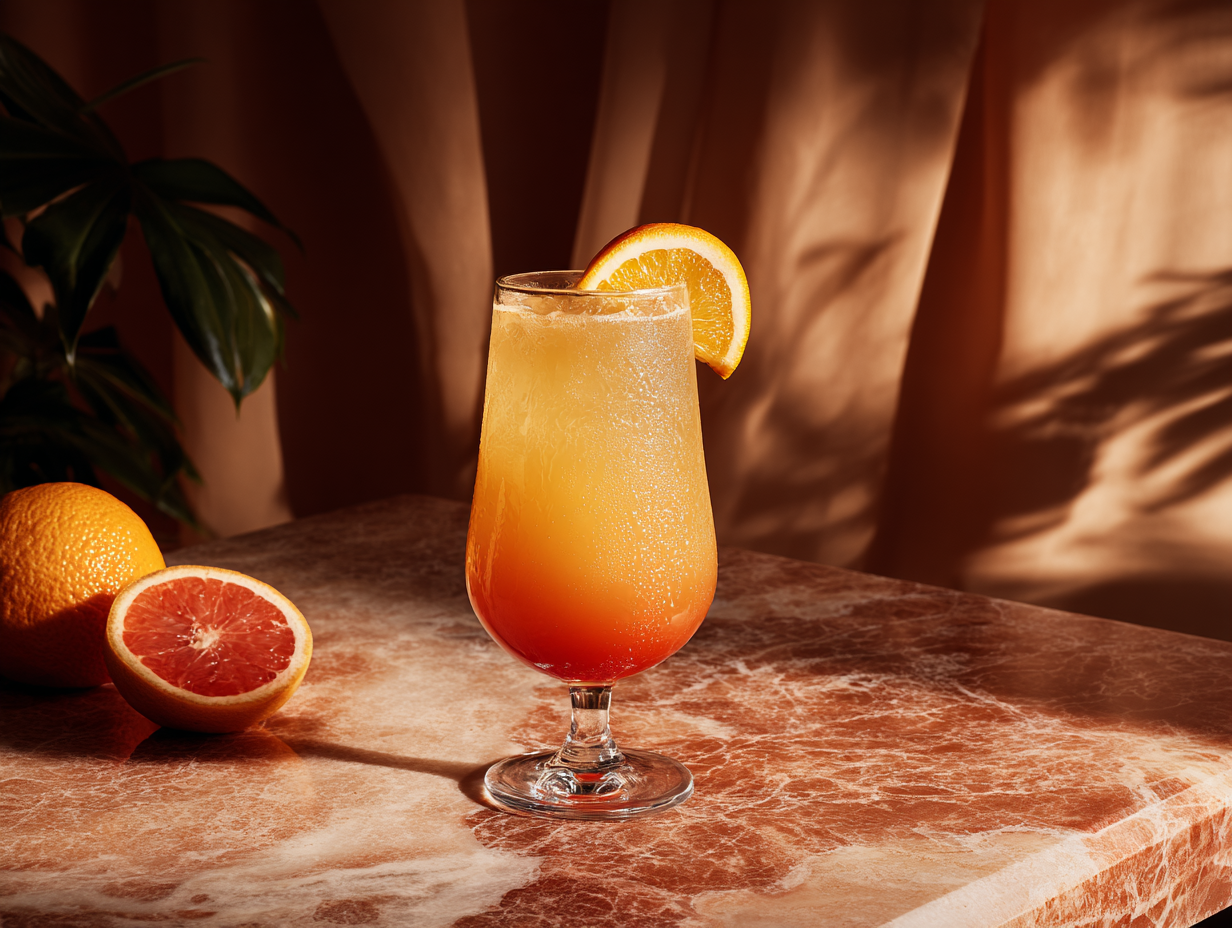
---
Brunch classic
### Tequila Sunrise
A bright, layered cocktail — five minutes, no shaker.
---
Cocktail · Easy
{% /card %}<div data-rune="card" data-rune-fields="{"media-position":"start"}">
<div data-section="media" data-name="media">
<img src="https://assets.refrakt.md/tequila-sunrise.png" alt="A tequila sunrise cocktail">
</div>
<p data-name="eyebrow">Brunch classic</p>
<div data-name="body">
<h3 id="tequila-sunrise" data-name="title">Tequila Sunrise</h3>
<p>A bright, layered cocktail — five minutes, no shaker.</p>
</div>
<footer data-name="footer">
<p>Cocktail · Easy</p>
</footer>
<a data-name="link" href="/runes/learning/recipe" aria-hidden="true" tabindex="-1"></a>
</div>
Brunch classic
Tequila Sunrise
A bright, layered cocktail — five minutes, no shaker.
<div class="rf-card" data-media-position="start" data-rune="card" data-density="full">
  <div data-section="media" data-name="media" class="rf-card__media" data-guest-fit="clip" data-guest-posture="presentational">
    <img src="https://assets.refrakt.md/tequila-sunrise.png" alt="A tequila sunrise cocktail" />
  </div>
  <div data-name="content" class="rf-card__content">
    <p data-name="eyebrow" class="rf-card__eyebrow">Brunch classic</p>
    <div data-name="body" class="rf-card__body" data-section="body">
      <h3 id="tequila-sunrise" data-name="title" class="rf-card__title">Tequila Sunrise</h3>
      <p>A bright, layered cocktail — five minutes, no shaker.</p>
    </div>
    <footer data-name="footer" class="rf-card__footer">
      <p>Cocktail · Easy</p>
    </footer>
  </div>
  <a data-name="link" href="/runes/learning/recipe" aria-hidden="true" tabindex="-1" class="rf-card__link"></a>
</div>- media (optional, leading zone) — laid out beside the body on wide screens and as a full-bleed header on small screens.
- body — the main content.
- footer (optional, trailing zone) — a muted meta row.
Zones are assigned by count: 1 zone → body; 2 → media + body; 3 → media + body + footer. To have a footer with no media, lead with an empty zone (--- body --- footer).
In the body zone, a leading paragraph immediately followed by a heading is treated as an eyebrow — the small uppercase kicker above the title (the same pattern as page-section and recipe). Above, Brunch classic is the eyebrow over the Tequila Sunrise heading.
The media zone isn't just images
The media zone holds any content — it's ordinary markdown, transformed in place. An image is the common case, but a {% codegroup %}, a {% sandbox %}, a chart, or a video embed work equally well:
{% card %}
{% codegroup %}
```js
export const sum = (a, b) => a + b;
```
```py
def sum(a, b): return a + b
```
{% /codegroup %}

---

### Tiny utilities
A starter kit of one-liners.
{% /card %}<div data-rune="card" data-rune-fields="{"media-position":"top"}">
<div data-section="media" data-name="media">
<section data-rune="code-group">
<div role="tablist" data-name="tabs">
<button data-name="tab" role="tab">
<span>JavaScript</span>
</button>
<button data-name="tab" role="tab">
<span>Python</span>
</button>
</div>
<div data-name="panels">
<div role="tabpanel" data-name="panel">
<div class="rf-codeblock">
<pre data-language="js">
<code data-language="js">export const sum = (a, b) => a + b;
</code>
</pre>
</div>
</div>
<div role="tabpanel" data-name="panel">
<div class="rf-codeblock">
<pre data-language="py">
<code data-language="py">def sum(a, b): return a + b
</code>
</pre>
</div>
</div>
</div>
</section>
</div>
<div data-name="body">
<h3 id="tiny-utilities" data-name="title">Tiny utilities</h3>
<p>A starter kit of one-liners.</p>
</div>
</div>export const sum = (a, b) => a + b;
def sum(a, b): return a + b
Tiny utilities
A starter kit of one-liners.
<div class="rf-card" data-media-position="top" data-rune="card" data-density="full">
<div data-section="media" data-name="media" class="rf-card__media" data-guest-fit="clip">
<section class="rf-codegroup rf-codegroup--scroll" data-overflow="scroll" data-elevation="flat" data-rune="code-group" data-density="compact" data-code-host="true">
<div role="tablist" data-name="tabs" class="rf-codegroup__tabs">
<button data-name="tab" role="tab" class="rf-codegroup__tab">
<span>JavaScript</span>
</button>
<button data-name="tab" role="tab" class="rf-codegroup__tab">
<span>Python</span>
</button>
</div>
<div data-name="panels" class="rf-codegroup__panels">
<div role="tabpanel" data-name="panel" class="rf-codegroup__panel">
<div class="rf-codeblock">
<pre data-language="js"><code data-language="js">export const sum = (a, b) => a + b;
</code></pre>
</div>
</div>
<div role="tabpanel" data-name="panel" class="rf-codegroup__panel">
<div class="rf-codeblock">
<pre data-language="py"><code data-language="py">def sum(a, b): return a + b
</code></pre>
</div>
</div>
</div>
</section>
</div>
<div data-name="content" class="rf-card__content">
<div data-name="body" class="rf-card__body" data-section="body">
<h3 id="tiny-utilities" data-name="title" class="rf-card__title">Tiny utilities</h3>
<p>A starter kit of one-liners.</p>
</div>
</div>
</div>Whole-card links
href makes the entire card clickable. It's rendered as a stretched-link overlay, so real links inside the body or footer stay clickable too (no invalid nested <a>).
{% card href="/guide/getting-started/" %}
### Getting started
Read the five-minute guide.
{% /card %}
Media guests in a linked card
A linked card is one interaction target, so its media guest is presentational. An interactive guest in the media zone — a codegroup, tabs, a live map — is demoted: its controls go pointer-events: none (clicks fall through to the card link) and it renders its static fallback rather than live chrome. The demotion is scoped to the media zone only — a button or link in the body/footer stays clickable. Authoring an interactive guest in a linked card emits a build warning; drop href or the interactivity. In cover mode the media is always an inert backdrop, linked or not. See the interaction-posture contract for the full model.
Layout attributes
card shares the media+content layout vocabulary with bento-cell and every other media-bearing rune. The body splits on --- into media → body → footer (media-first, in source order); media-position decides where the media sits visually, independently of source order.
| Attribute | Type | Default | Description |
|---|---|---|---|
media-position | string | top | Where the media sits: top, bottom, start (left), end (right), or cover (media fills the card, content overlays — see below) |
media-ratio | string | — | Media zone's share of the row when beside content (start/end): 1/3, 2/5, 1/2, 3/5, 2/3 |
valign | string | — | Cross-axis alignment when media is beside content: top, center, bottom, stretch |
collapse | string | — | Breakpoint at which beside layouts collapse to a stack: sm, md, lg, never |
content-place | string | auto | Cover only. Where the overlaid content anchors: <block> <inline> (each start/center/end), or auto to adapt to orientation |
height | string | — | Intrinsic card height (named scale sm/md/lg/xl) — gives a cover or bg-only card a poster shape |
aspect | string | — | Intrinsic card aspect ratio (e.g. 16/9, 3/4) — the proportional alternative to height |
href | string | — | Optional whole-card link target |
Elevation & frame
A card exposes two decorable surfaces (surface model): the self surface (the card box) takes elevation — a box-shadow that floats the whole tile — and the media surface (the [data-section="media"] zone) takes frame chrome: aspect, crop anchor, a silhouette drop-shadow, displacement, and oversize. The two never collide — elevation is the card's z-shadow, frame-shadow is the photo's silhouette.
{% card elevation="raised" frame-aspect="16/9" frame-anchor="top left" %}

---
### Framed media
`elevation` floats the card; `frame-*` presents the image in its media zone.
{% /card %}<div data-rune="card" data-rune-fields="{"media-position":"top"}" elevation="raised">
<div data-section="media" data-name="media">
<img src="https://picsum.photos/seed/carddash/800/450" alt="Dashboard">
</div>
<div data-name="body">
<h3 id="framed-media" data-name="title">Framed media</h3>
<p>
<code>elevation</code>
floats the card;
<code>frame-*</code>
presents the image in its media zone.
</p>
</div>
<meta data-field="frame-aspect" content="16/9">
<meta data-field="frame-anchor" content="top left">
</div>Framed media
elevation floats the card; frame-* presents the image in its media zone.
<div class="rf-card" data-media-position="top" data-elevation="raised" data-rune="card" data-density="full">
  <div data-section="media" data-name="media" class="rf-card__media" data-guest-fit="clip" style="--frame-aspect: 16/9; --frame-anchor: top left">
    <img src="https://picsum.photos/seed/carddash/800/450" alt="Dashboard" />
  </div>
  <div data-name="content" class="rf-card__content">
    <div data-name="body" class="rf-card__body" data-section="body">
      <h3 id="framed-media" data-name="title" class="rf-card__title">Framed media</h3>
      <p>
        <code>elevation</code>
         floats the card;
        <code>frame-*</code>
         presents the image in its media zone.
      </p>
    </div>
  </div>
</div>
elevation floats the card box (none/sm/md/lg); frame (or a named preset from theme/project config) decorates the media zone. Because the media zone is a clipping host, a displaced or oversized guest is cropped into a peek — frame-anchor picks the focal point. See surfaces for the full facet list.
Cover mode
media-position="cover" is the poster layout: the media well fills the card interior and the body overlays it. It's a one-attribute switch from top/bottom/start/end — the same content, restacked. The media stays a media guest, so the thin edge and --rf-radius-media are preserved; nothing else about the card changes.
{% card href="/runes/learning/recipe" media-position="cover" scrim-type="frost" scrim-blur="md" height="lg" %}

---
Brunch classic
### Tequila Sunrise
A bright, layered cocktail — five minutes, no shaker.
{% /card %}<div data-rune="card" data-rune-fields="{"media-position":"cover","height":"lg"}">
<div data-section="media" data-name="media">
<img src="https://assets.refrakt.md/tequila-sunrise.png" alt="A tequila sunrise cocktail">
</div>
<p data-name="eyebrow">Brunch classic</p>
<div data-name="body">
<h3 id="tequila-sunrise" data-name="title">Tequila Sunrise</h3>
<p>A bright, layered cocktail — five minutes, no shaker.</p>
</div>
<a data-name="link" href="/runes/learning/recipe" aria-hidden="true" tabindex="-1"></a>
<meta data-field="scrim-type" content="frost">
<meta data-field="scrim-blur" content="md">
</div>Brunch classic
Tequila Sunrise
A bright, layered cocktail — five minutes, no shaker.
<div class="rf-card rf-card--cover" data-media-position="cover" data-height="lg" data-scrim-type="frost" data-scrim-blur="md" data-rune="card" data-density="full" data-cover-scope="full">
  <div data-section="media" data-name="media" class="rf-card__media" data-guest-fit="clip" data-guest-posture="presentational">
    <img src="https://assets.refrakt.md/tequila-sunrise.png" alt="A tequila sunrise cocktail" />
  </div>
  <div data-name="content" class="rf-card__content" data-color-scheme="dark">
    <p data-name="eyebrow" class="rf-card__eyebrow">Brunch classic</p>
    <div data-name="body" class="rf-card__body" data-section="body">
      <h3 id="tequila-sunrise" data-name="title" class="rf-card__title">Tequila Sunrise</h3>
      <p>A bright, layered cocktail — five minutes, no shaker.</p>
    </div>
  </div>
  <a data-name="link" href="/runes/learning/recipe" aria-hidden="true" tabindex="-1" class="rf-card__link"></a>
</div>
A cover card has no natural height (there's no side-by-side content to set it), so give it one with height (the named scale sm/md/lg/xl) or aspect (e.g. aspect="3/4"). When the card sits in an external grid track (a bento cell, a collection row), the track wins; otherwise height/aspect set the shape, falling back to a portrait default. height/aspect are also the standalone analog of a bento row-span for a bg-only card — a card with no media at all, just a background fill, needs an intrinsic height to show.
Placing the overlay — content-place
content-place anchors the overlaid content. It's a two-axis logical value — <block> <inline>, each start / center / end — mapping to align/justify. The default, auto, adapts to the card's own orientation via a container query: a portrait card drops the content to the block end (a caption band), a landscape card pulls it to the inline start (a side panel). Pin it with an explicit value, e.g. content-place="center center" for a centred hero.
content-place is inert outside cover mode — there's no overlay to anchor — and the engine warns if you set it on a non-cover card.
The cover scrim
Overlaying text on an arbitrary photo is a legibility footgun, so cover mode turns on a default scrim on the media surface — a gradient weighted toward the content edge (it follows content-place, and you can pin it with an explicit scrim="top|bottom|left|right"). The example above instead uses the frost treatment (scrim-type="frost", with scrim-blur on the none/sm/md/lg scale): a frosted-glass blur banded behind the text rather than a gradient. Either way the scrim is masked to the content edge so it never blurs or darkens the whole image, and the foreground reads against the darkened media automatically (scrim-tone controls the polarity — a dark scrim yields light text). Opt out with scrim="none", or set a tint for a bespoke overlay colour.
The scheme is scoped to the overlaid text, not the whole card: the card's own surface — the padded edge framing the media well — keeps the page palette (light in light mode, dark in dark mode), while only the text sitting on the image flips to stay legible.
In a recipe, cover mode uses header scope: only the title block overlays the image (a poster header), and the ingredients/steps flow below on the page palette — the same media-position="cover" switch, scoped to the part that should sit on the image.
Feeding a card from a collection
Because the card is plain, a collection body template wires entity fields into it — the card neither knows nor cares that it's in a collection:
{% collection type="page" filter="url:/blog/*" sort="date-desc" layout="grid" %}
{% card href=$item.url %}
### {% $item.data.title %}
{% date($item.data.date) %} — {% $item.data.description %}
{% /card %}
{% /collection %}
See collection → per-item templates for the $item contract.
In a grid, every card in a row shares the height of the tallest one, and the body stretches to fill that height — so the footers line up along a common baseline regardless of how much body each card has.
Output contract
<div class="rf-card" data-rune="card" data-media-position="top">
  <div data-section="media" data-name="media">…</div>
  <div data-name="content">
    <div data-name="body">
      <p data-name="eyebrow">…</p>  <!-- leading paragraph before a heading -->
      <h3 data-name="title">…</h3>  <!-- the body's leading heading -->
      …
    </div>
    <footer data-name="footer">…</footer>
  </div>
  <!-- only when href is set -->
  <a data-name="link" href="…" aria-hidden="true" tabindex="-1"></a>
</div>
The media / content split, responsive collapse, and mobile full-bleed media header all come from the shared layouts/split.css (keyed off data-layout / data-section="media" / data-media-position), so card ships only its box chrome.
In cover mode the root carries data-media-position="cover" plus data-cover-scope="full" (and rf-card--cover); content-place emits data-content-place and the --cover-place-block/--cover-place-inline custom properties, height emits data-height, and aspect an inline aspect-ratio. The default scrim is added unless scrim="none" or a tint opts out; scrim-type="frost" adds data-scrim-type/data-scrim-blur (the scrim renders on the media well's ::after, never the self-surface bg layer). The overlay foreground scheme (data-color-scheme) lands on the [data-name="content"] overlay — not the root — so the card box surface keeps the page palette.
Attributes
| Attribute | Type | Required | Description |
|---|---|---|---|
href | string | — | Optional link target; makes the whole card clickable. |
content-place | string | — | Cover overlay anchor: "<block> <inline>" (e.g. "end start") or "auto" |
height | "sm" | "md" | "lg" | "xl" | — | Intrinsic card height (named scale) for cover / bg-only cards |
aspect | string | — | Intrinsic card aspect ratio (e.g. "16/9", "3/4") for cover / bg-only cards |
Inherited from the split layout preset
| Attribute | Type | Required | Description |
|---|---|---|---|
media-position | "top" | "bottom" | "start" | "end" | "cover" | — | Where the media zone sits relative to the content: above (top), below (bottom), or beside (start/end) |
media-ratio | "1/3" | "2/5" | "1/2" | "3/5" | "2/3" | — | Media zone’s share of the row width when media is beside content (start/end) |
valign | "top" | "center" | "bottom" | "stretch" | — | Cross-axis alignment when media is beside content (start/end); applies to the shorter zone |
collapse | "sm" | "md" | "lg" | "never" | — | Breakpoint at which side-by-side layouts collapse to a single stacked column |
Universal attributes
bg
The background layer (SPEC-088): image, video, gradient, flat overlay wash and legibility scrim, in a single injected layer behind the rune's content.
| Attribute | Type | Required | Description |
|---|---|---|---|
bg | string | — | Background preset applied to this block |
bg-from | string | — | Gradient start colour — a semantic token name (→ var(--rf-color-*)) |
bg-gradient | "to-t" | "to-b" | "to-l" | "to-r" | "to-tr" | "to-br" | "to-bl" | "to-tl" | — | Gradient direction (bounded named set) |
bg-gradient-type | "linear" | "radial" | "conic" | — | Gradient type |
bg-to | string | — | Gradient end colour — a semantic token name |
bg-via | string | — | Optional middle gradient stop — a semantic token name |
scrim | "top" | "bottom" | "left" | "right" | "none" | — | Scrim direction (heaviest edge); presence turns the scrim on, "none" opts out of the default cover scrim |
scrim-blur | "none" | "sm" | "md" | "lg" | — | Frost scrim blur amount |
scrim-strength | "sm" | "md" | "lg" | — | Gradient scrim strength |
scrim-tone | "dark" | "light" | — | Whether the scrim darkens (for light text) or lightens (for dark text) |
scrim-type | "gradient" | "frost" | — | Scrim treatment: gradient (default) or frost (backdrop blur) |
dropcap
Per-instance drop-cap opt-in (SPEC-108).
| Attribute | Type | Required | Description |
|---|---|---|---|
dropcap | boolean | — | Style the opening letter of a prose body as a drop cap (SPEC-108). Honoured only when the body reads as prose; ignored otherwise. |
elevation
The chrome/depth ladder (SPEC-107). The skin maps each rung to a chrome bundle by attribute, so there is no BEM class.
| Attribute | Type | Required | Description |
|---|---|---|---|
elevation | "sunken" | "flush" | "flat" | "raised" | "floating" | "overlay" | "none" | "sm" | "md" | "lg" | — | Surface depth on the SPEC-107 ladder (sunken→overlay); none/sm/md/lg are deprecated aliases |
frame
Surface chrome (SPEC-086): a named preset from the theme registry with inline `frame-*` overrides layered on top.
| Attribute | Type | Required | Description |
|---|---|---|---|
frame | string | — | Named frame preset presenting this block's media surface |
frame-anchor | string | — | Crop focal point when the guest is cut (object-position) |
frame-aspect | string | — | Aspect ratio of the framed media, e.g. "16/9" |
frame-displace | "top" | "bottom" | "end" | "bottom-end" | "top-end" | — | Edge/corner the framed guest moves toward |
frame-displace-mode | "peek" | "bleed" | — | How displacement renders: `peek` (default) translates the guest visually inside its frame target; `bleed` uses negative margin on the media zone so following layout pulls up — extends past a section like a hero without leaving a gap above |
frame-offset | "none" | "sm" | "md" | "lg" | "xl" | "2xl" | "3xl" | "4xl" | — | Displacement distance (non-linear named scale: sm…xl ride the block-spacing tokens, 2xl/3xl/4xl step up to section-spacing for bleed-mode displacements that clear a section edge) |
frame-overflow | "clip" | "bleed" | — | How the frame handles a guest whose content is wider than it: `clip` (default) keeps it inside the rounded frame; `bleed` runs an overflowing guest out to the layout edge on a narrow viewport so it reads as cropped by the screen (a bleed host only — hero/feature) |
frame-oversize | string | — | How far the guest exceeds its slot (scale factor) |
frame-place | string | — | Guest-box alignment in the slot (e.g. "left top") |
frame-shadow | "none" | "sm" | "md" | "lg" | — | Silhouette drop-shadow strength for the framed media |
inset
Internal padding override.
| Attribute | Type | Required | Description |
|---|---|---|---|
inset | "flush" | "tight" | "default" | "loose" | "breathe" | — | Inner padding of this block |
motion
Scroll-reveal entrance (SPEC-105). The author declares the character, the theme owns the choreography, a behaviour owns the timing.
| Attribute | Type | Required | Description |
|---|---|---|---|
reveal | "none" | "fade" | "slide" | "scale" | "blur" | — | Scroll-reveal entrance character (none|fade|slide|scale|blur); the theme owns the choreography |
stagger | boolean | — | Cascade this block's items in as it reveals (no-op on single-child runes) |
reading
Editorial register for body text (SPEC-108). The author picks the register; the theme owns the magnitude.
| Attribute | Type | Required | Description |
|---|---|---|---|
reading | "fine" | "ui" | "prose" | — | Reading register for this block’s body (SPEC-108): fine | ui | prose. The theme owns the editorial treatment. |
spacing
Block-level rhythm override.
| Attribute | Type | Required | Description |
|---|---|---|---|
spacing | "flush" | "tight" | "default" | "loose" | "breathe" | — | Vertical spacing above and below this block |
substrate
Generated pattern fills (SPEC-087). Markers only — the engine sets the attributes and cell/opacity custom properties, CSS draws the pattern.
| Attribute | Type | Required | Description |
|---|---|---|---|
substrate | "dots" | "grid" | "lines" | "cross" | "checker" | "none" | — | Generated surface pattern |
substrate-fill | "inherit" | "inset" | — | Surface fill the pattern sits on (full colour stays with tint) |
substrate-opacity | "sm" | "md" | "lg" | — | Pattern ink strength |
substrate-size | "sm" | "md" | "lg" | — | Pattern cell size |
substrate-target | "self" | "media" | — | Which surface the pattern fills (overrides the rune/theme default) |
tint
Per-rune colour override (SPEC-053): a named tint from the theme registry, with inline per-token overrides layered on top.
| Attribute | Type | Required | Description |
|---|---|---|---|
tint | string | — | Color tint preset applied to this block |
tint-mode | "auto" | "dark" | "light" | — | Whether the tint adapts to auto, dark, or light mode |
width
The track a block rune occupies.
| Attribute | Type | Required | Description |
|---|---|---|---|
width | "compact" | "narrow" | "content" | "wide" | "full" | — | Maximum width constraint for this block |
| Not available | Why |
|---|---|
| prominence | this rune has no page-section header |
See also
- collection — feeds cards from registry entities via a body template.
- The
reciperune is built on the same split-layout skeleton (media zone + delimited content).