This rune is part of @refrakt-md/marketing. Install with npm install @refrakt-md/marketing and add "@refrakt-md/marketing" to the plugins array in your refrakt.config.json.
Hero
Full-width intro section for the top of a page. Headings and paragraphs become the header, links become action buttons, and code fences become copyable command blocks. The first link is styled as a primary button. For smaller, focused action blocks that can appear anywhere, use CTA instead.
Basic usage
A centered hero section with headline, description, and action buttons.
{% hero %}

Whats new [Version 1.0](#)

# Build with refrakt.md

A content framework that turns Markdown into rich, semantic pages. Write standard Markdown — runes decide how it's interpreted.

- [Get started](/docs/getting-started)
- [View on GitHub](https://github.com/refrakt-md/refrakt)
{% /hero %}<section data-field="content-section" data-rune="hero" data-rune-fields="{"align":"center","media-position":"bottom"}">
<div data-name="content">
<header>
<p data-name="eyebrow">
Whats new
<a href="#">Version 1.0</a>
</p>
<h1 id="build-with-refraktmd" data-name="headline">Build with refrakt.md</h1>
<p data-name="blurb">A content framework that turns Markdown into rich, semantic pages. Write standard Markdown — runes decide how it's interpreted.</p>
</header>
<div data-name="actions">
<ul>
<li data-name="action">
<a href="/docs/getting-started">
<span>Get started</span>
</a>
</li>
<li data-name="action">
<a href="https://github.com/refrakt-md/refrakt">
<span>View on GitHub</span>
</a>
</li>
</ul>
</div>
</div>
</section>Whats new Version 1.0
Build with refrakt.md
A content framework that turns Markdown into rich, semantic pages. Write standard Markdown — runes decide how it's interpreted.
<section data-field="content-section" class="rf-hero rf-hero--center rf-hero--full" data-media-position="bottom" data-align="center" data-width="full" data-content-measure="anchored" data-elevation="flush" data-rune="hero" data-density="full">
  <div data-name="content" class="rf-hero__content">
    <header data-name="preamble" class="rf-hero__preamble" data-section="preamble">
      <p data-name="eyebrow" class="rf-hero__eyebrow">
        Whats new
        <a href="#">Version 1.0</a>
      </p>
      <h1 id="build-with-refraktmd" data-name="headline" class="rf-hero__headline" data-section="title">Build with refrakt.md</h1>
      <p data-name="blurb" class="rf-hero__blurb" data-section="description">A content framework that turns Markdown into rich, semantic pages. Write standard Markdown — runes decide how it's interpreted.</p>
    </header>
    <div data-name="actions" class="rf-hero__actions">
      <ul>
        <li data-name="action">
          <a href="/docs/getting-started">
            <span>Get started</span>
          </a>
        </li>
        <li data-name="action">
          <a href="https://github.com/refrakt-md/refrakt">
            <span>View on GitHub</span>
          </a>
        </li>
      </ul>
    </div>
  </div>
</section>
With command block
Code fences inside a hero become copyable command blocks — great for install commands on landing pages.
{% hero %}
# Get started in seconds

Scaffold a project and start writing.

```shell
npm create refrakt
```

- [Documentation](/docs/getting-started)
{% /hero %}<section data-field="content-section" data-rune="hero" data-rune-fields="{"align":"center","media-position":"bottom"}">
<div data-name="content">
<header>
<h1 id="get-started-in-seconds" data-name="headline">Get started in seconds</h1>
<p data-name="blurb">Scaffold a project and start writing.</p>
</header>
<div data-name="actions">
<div data-name="command">
<div class="rf-codeblock" data-name="command">
<pre data-language="shell">
<code data-language="shell">npm create refrakt
</code>
</pre>
</div>
</div>
<ul>
<li data-name="action">
<a href="/docs/getting-started">
<span>Documentation</span>
</a>
</li>
</ul>
</div>
</div>
</section>Get started in seconds
Scaffold a project and start writing.
npm create refrakt
<section data-field="content-section" class="rf-hero rf-hero--center rf-hero--full" data-media-position="bottom" data-align="center" data-width="full" data-content-measure="anchored" data-elevation="flush" data-rune="hero" data-density="full">
  <div data-name="content" class="rf-hero__content">
    <header data-name="preamble" class="rf-hero__preamble" data-section="preamble">
      <h1 id="get-started-in-seconds" data-name="headline" class="rf-hero__headline" data-section="title">Get started in seconds</h1>
      <p data-name="blurb" class="rf-hero__blurb" data-section="description">Scaffold a project and start writing.</p>
    </header>
    <div data-name="actions" class="rf-hero__actions">
      <div data-name="command" class="rf-hero__command">
        <div class="rf-hero__command rf-codeblock" data-name="command">
          <pre data-language="shell"><code data-language="shell">npm create refrakt
</code></pre>
        </div>
      </div>
      <ul>
        <li data-name="action">
          <a href="/docs/getting-started">
            <span>Documentation</span>
          </a>
        </li>
      </ul>
    </div>
  </div>
</section>
Left-aligned
Use align="left" for a more editorial feel.
{% hero align="left" %}
# Documentation that writes itself

Semantic runes transform your Markdown into structured, accessible content.

- [Quick start](/docs/getting-started)
{% /hero %}<section data-field="content-section" data-rune="hero" data-rune-fields="{"align":"left","media-position":"bottom"}">
<div data-name="content">
<header>
<h1 id="documentation-that-writes-itself" data-name="headline">Documentation that writes itself</h1>
<p data-name="blurb">Semantic runes transform your Markdown into structured, accessible content.</p>
</header>
<div data-name="actions">
<ul>
<li data-name="action">
<a href="/docs/getting-started">
<span>Quick start</span>
</a>
</li>
</ul>
</div>
</div>
</section>Documentation that writes itself
Semantic runes transform your Markdown into structured, accessible content.
<section data-field="content-section" class="rf-hero rf-hero--left rf-hero--full" data-media-position="bottom" data-align="left" data-width="full" data-content-measure="anchored" data-elevation="flush" data-rune="hero" data-density="full">
  <div data-name="content" class="rf-hero__content">
    <header data-name="preamble" class="rf-hero__preamble" data-section="preamble">
      <h1 id="documentation-that-writes-itself" data-name="headline" class="rf-hero__headline" data-section="title">Documentation that writes itself</h1>
      <p data-name="blurb" class="rf-hero__blurb" data-section="description">Semantic runes transform your Markdown into structured, accessible content.</p>
    </header>
    <div data-name="actions" class="rf-hero__actions">
      <ul>
        <li data-name="action">
          <a href="/docs/getting-started">
            <span>Quick start</span>
          </a>
        </li>
      </ul>
    </div>
  </div>
</section>
Attributes
| Attribute | Type | Required | Description |
|---|---|---|---|
align | "left" | "center" | "right" | — | Horizontal alignment of headline and body text |
content-place | string | — | Cover overlay anchor: "<block> <inline>" (e.g. "end start") or "auto" |
height | "sm" | "md" | "lg" | "xl" | — | Intrinsic hero band height (named scale) for cover mode |
aspect | string | — | Intrinsic hero aspect ratio (e.g. "21/9", "16/9") for cover mode |
justify | string | — |
Inherited from the split layout preset
| Attribute | Type | Required | Description |
|---|---|---|---|
media-position | "top" | "bottom" | "start" | "end" | "cover" | — | Where the media zone sits relative to the content: above (top), below (bottom), or beside (start/end) |
media-ratio | "1/3" | "2/5" | "1/2" | "3/5" | "2/3" | — | Media zone’s share of the row width when media is beside content (start/end) |
valign | "top" | "center" | "bottom" | "stretch" | — | Cross-axis alignment when media is beside content (start/end); applies to the shorter zone |
collapse | "sm" | "md" | "lg" | "never" | — | Breakpoint at which side-by-side layouts collapse to a single stacked column |
Universal attributes
bg
The background layer (SPEC-088): image, video, gradient, flat overlay wash and legibility scrim, in a single injected layer behind the rune's content.
| Attribute | Type | Required | Description |
|---|---|---|---|
bg | string | — | Background preset applied to this block |
bg-from | string | — | Gradient start colour — a semantic token name (→ var(--rf-color-*)) |
bg-gradient | "to-t" | "to-b" | "to-l" | "to-r" | "to-tr" | "to-br" | "to-bl" | "to-tl" | — | Gradient direction (bounded named set) |
bg-gradient-type | "linear" | "radial" | "conic" | — | Gradient type |
bg-to | string | — | Gradient end colour — a semantic token name |
bg-via | string | — | Optional middle gradient stop — a semantic token name |
scrim | "top" | "bottom" | "left" | "right" | "none" | — | Scrim direction (heaviest edge); presence turns the scrim on, "none" opts out of the default cover scrim |
scrim-blur | "none" | "sm" | "md" | "lg" | — | Frost scrim blur amount |
scrim-strength | "sm" | "md" | "lg" | — | Gradient scrim strength |
scrim-tone | "dark" | "light" | — | Whether the scrim darkens (for light text) or lightens (for dark text) |
scrim-type | "gradient" | "frost" | — | Scrim treatment: gradient (default) or frost (backdrop blur) |
elevation
The chrome/depth ladder (SPEC-107). The skin maps each rung to a chrome bundle by attribute, so there is no BEM class.
| Attribute | Type | Required | Description |
|---|---|---|---|
elevation | "sunken" | "flush" | "flat" | "raised" | "floating" | "overlay" | "none" | "sm" | "md" | "lg" | — | Surface depth on the SPEC-107 ladder (sunken→overlay); none/sm/md/lg are deprecated aliases |
frame
Surface chrome (SPEC-086): a named preset from the theme registry with inline `frame-*` overrides layered on top.
| Attribute | Type | Required | Description |
|---|---|---|---|
frame | string | — | Named frame preset presenting this block's media surface |
frame-anchor | string | — | Crop focal point when the guest is cut (object-position) |
frame-aspect | string | — | Aspect ratio of the framed media, e.g. "16/9" |
frame-displace | "top" | "bottom" | "end" | "bottom-end" | "top-end" | — | Edge/corner the framed guest moves toward |
frame-displace-mode | "peek" | "bleed" | — | How displacement renders: `peek` (default) translates the guest visually inside its frame target; `bleed` uses negative margin on the media zone so following layout pulls up — extends past a section like a hero without leaving a gap above |
frame-offset | "none" | "sm" | "md" | "lg" | "xl" | "2xl" | "3xl" | "4xl" | — | Displacement distance (non-linear named scale: sm…xl ride the block-spacing tokens, 2xl/3xl/4xl step up to section-spacing for bleed-mode displacements that clear a section edge) |
frame-overflow | "clip" | "bleed" | — | How the frame handles a guest whose content is wider than it: `clip` (default) keeps it inside the rounded frame; `bleed` runs an overflowing guest out to the layout edge on a narrow viewport so it reads as cropped by the screen (a bleed host only — hero/feature) |
frame-oversize | string | — | How far the guest exceeds its slot (scale factor) |
frame-place | string | — | Guest-box alignment in the slot (e.g. "left top") |
frame-shadow | "none" | "sm" | "md" | "lg" | — | Silhouette drop-shadow strength for the framed media |
inset
Internal padding override.
| Attribute | Type | Required | Description |
|---|---|---|---|
inset | "flush" | "tight" | "default" | "loose" | "breathe" | — | Inner padding of this block |
motion
Scroll-reveal entrance (SPEC-105). The author declares the character, the theme owns the choreography, a behaviour owns the timing.
| Attribute | Type | Required | Description |
|---|---|---|---|
reveal | "none" | "fade" | "slide" | "scale" | "blur" | — | Scroll-reveal entrance character (none|fade|slide|scale|blur); the theme owns the choreography |
stagger | boolean | — | Cascade this block's items in as it reveals (no-op on single-child runes) |
prominence
Header emphasis (SPEC-107). Scales a rune's page-section header; the skin maps it to a type register by attribute, so there is no BEM class.
| Attribute | Type | Required | Description |
|---|---|---|---|
prominence | "quiet" | "normal" | "prominent" | "display" | — | Section-header emphasis (only on page-section-header family runes) |
spacing
Block-level rhythm override.
| Attribute | Type | Required | Description |
|---|---|---|---|
spacing | "flush" | "tight" | "default" | "loose" | "breathe" | — | Vertical spacing above and below this block |
substrate
Generated pattern fills (SPEC-087). Markers only — the engine sets the attributes and cell/opacity custom properties, CSS draws the pattern.
| Attribute | Type | Required | Description |
|---|---|---|---|
substrate | "dots" | "grid" | "lines" | "cross" | "checker" | "none" | — | Generated surface pattern |
substrate-fill | "inherit" | "inset" | — | Surface fill the pattern sits on (full colour stays with tint) |
substrate-opacity | "sm" | "md" | "lg" | — | Pattern ink strength |
substrate-size | "sm" | "md" | "lg" | — | Pattern cell size |
substrate-target | "self" | "media" | — | Which surface the pattern fills (overrides the rune/theme default) |
tint
Per-rune colour override (SPEC-053): a named tint from the theme registry, with inline per-token overrides layered on top.
| Attribute | Type | Required | Description |
|---|---|---|---|
tint | string | — | Color tint preset applied to this block |
tint-mode | "auto" | "dark" | "light" | — | Whether the tint adapts to auto, dark, or light mode |
width
The track a block rune occupies.
| Attribute | Type | Required | Description |
|---|---|---|---|
width | "compact" | "narrow" | "content" | "wide" | "full" | — | Maximum width constraint for this block |
| Not available | Why |
|---|---|
| dropcap, reading | this rune declares no prose body |
Cover — content over a full-bleed backdrop
media-position="cover" turns the media zone into a full-bleed backdrop: the media fills the section interior and the headline, blurb, and actions overlay it. A legibility scrim and a light-on-dark foreground are applied automatically — it's a one-attribute switch on the same content.
{% hero media-position="cover" %}
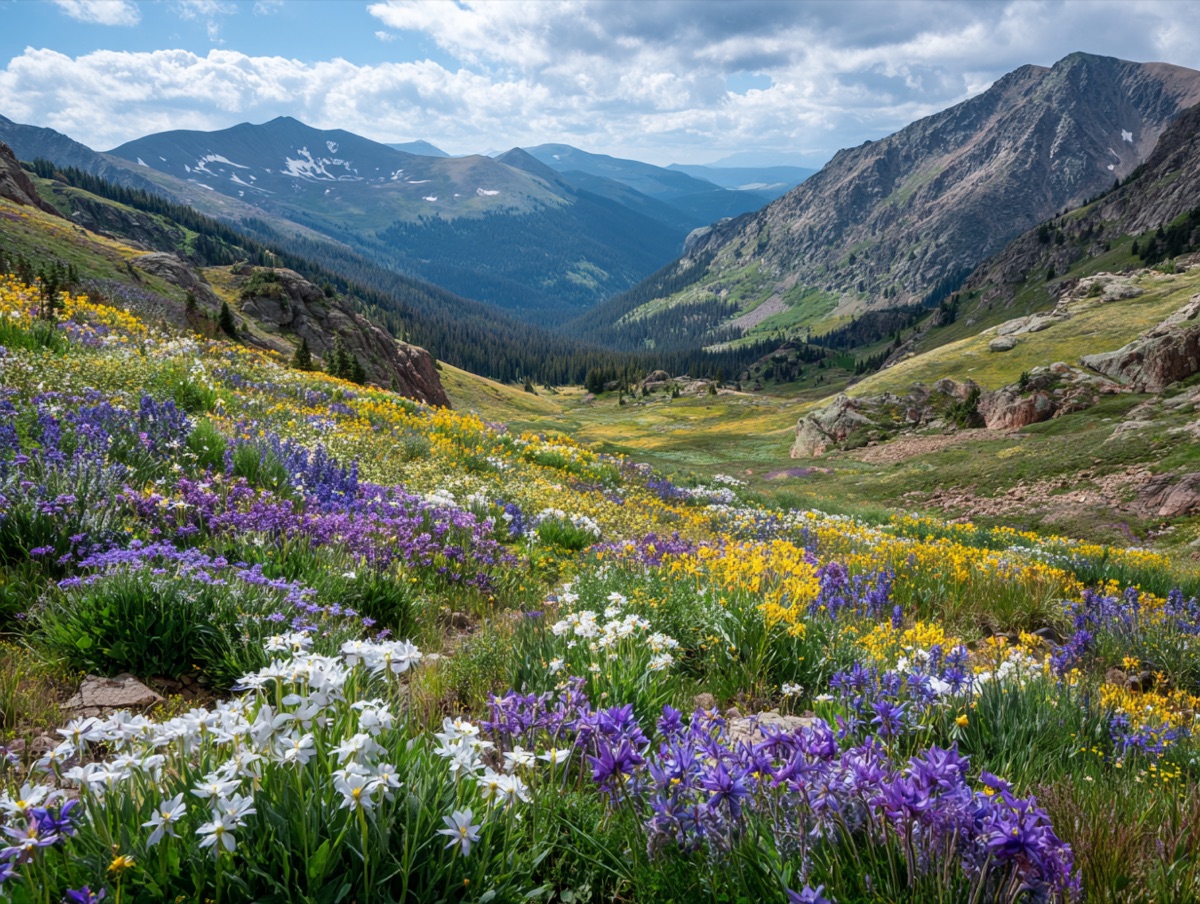
---
# Documentation that reads like it was designed
Semantic runes turn plain Markdown into structured pages.
- [Get started](/docs/getting-started)
- [Explore the runes](/runes/rune-catalog)
{% /hero %}<section data-field="content-section" data-rune="hero" data-rune-fields="{"align":"center","media-position":"cover"}">
<div data-name="content">
<header>
<h1 id="documentation-that-reads-like-it-was-designed" data-name="headline">Documentation that reads like it was designed</h1>
<p data-name="blurb">Semantic runes turn plain Markdown into structured pages.</p>
</header>
<div data-name="actions">
<ul>
<li data-name="action">
<a href="/docs/getting-started">
<span>Get started</span>
</a>
</li>
<li data-name="action">
<a href="/runes/rune-catalog">
<span>Explore the runes</span>
</a>
</li>
</ul>
</div>
</div>
<div data-name="media">
<img src="https://assets.refrakt.md/media-text-valley.jpg" alt="Mountain valley at dusk">
</div>
</section>Documentation that reads like it was designed
Semantic runes turn plain Markdown into structured pages.

<section data-field="content-section" class="rf-hero rf-hero--center rf-hero--cover rf-hero--full" data-media-position="cover" data-align="center" data-width="full" data-content-measure="anchored" data-elevation="flush" data-rune="hero" data-density="full" data-cover-scope="full">
  <div data-name="content" class="rf-hero__content" data-color-scheme="dark">
    <header data-name="preamble" class="rf-hero__preamble" data-section="preamble">
      <h1 id="documentation-that-reads-like-it-was-designed" data-name="headline" class="rf-hero__headline" data-section="title">Documentation that reads like it was designed</h1>
      <p data-name="blurb" class="rf-hero__blurb" data-section="description">Semantic runes turn plain Markdown into structured pages.</p>
    </header>
    <div data-name="actions" class="rf-hero__actions">
      <ul>
        <li data-name="action">
          <a href="/docs/getting-started">
            <span>Get started</span>
          </a>
        </li>
        <li data-name="action">
          <a href="/runes/rune-catalog">
            <span>Explore the runes</span>
          </a>
        </li>
      </ul>
    </div>
  </div>
  <div data-name="media" class="rf-hero__media" data-section="media" data-media="hero" data-guest-fit="bleed" data-guest-posture="presentational">
    <img src="https://assets.refrakt.md/media-text-valley.jpg" alt="Mountain valley at dusk" />
  </div>
</section>
The band's height comes from height (named scale) or aspect (a ratio); with neither, a wide default aspect with a viewport floor applies. content-place anchors the overlay — by default the content sits as a centred band.
Animated background — a live program as the backdrop
The media zone holds any media guest — including a running sandbox. Drop a three.js scene in the media zone and the hero gets an animated background: the sandbox becomes an inert presentational backdrop (no pointer events, no focus stops), the content overlays it, and the scrim keeps the text legible. Here a wireframe terrain rolls in slow swells, its crests picking up the site's own niwaki accent colours:
{% hero media-position="cover" height="lg" %}
{% sandbox src="wireframe-waves" /%}

---

# Markdown in, meaning out

Plain text becomes structured, semantic pages.

- [See how it works](/docs/getting-started)
{% /hero %}<section data-field="content-section" data-rune="hero" data-rune-fields="{"align":"center","media-position":"cover","height":"lg"}">
<div data-name="content">
<header>
<h1 id="markdown-in-meaning-out" data-name="headline">Markdown in, meaning out</h1>
<p data-name="blurb">Plain text becomes structured, semantic pages.</p>
</header>
<div data-name="actions">
<ul>
<li data-name="action">
<a href="/docs/getting-started">
<span>See how it works</span>
</a>
</li>
</ul>
</div>
</div>
<div data-name="media">
<rf-sandbox data-rune="sandbox" data-source-content="<div data-source="HTML">
<style>
html, body { height: 100%; margin: 0; overflow: hidden; }
/* Boot backdrop — the scene fades in over this, so the first paint looks
designed even before three.js arrives (and remains if it never does). */
body { background: linear-gradient(rgb(247 246 242) 0%, rgb(236 234 227) 100%); }
html.dark body, body.dark { background: linear-gradient(rgb(20 20 23) 0%, rgb(13 13 16) 100%); }
/* Pinned to the iframe viewport, NOT height: 100% — directory-mode sandbox
content ships inside a plain wrapper div (auto height), which breaks a
percentage-height chain: the canvas would collapse to its attribute
height and render as a fixed-size strip at the top of the band. */
#scene { position: fixed; inset: 0; width: 100%; height: 100%; display: block; opacity: 0; transition: opacity 0.8s ease; }
#scene.on { opacity: 1; }
/* No-JS / no-WebGL / blocked-CDN fallback: a few soft horizon lines keep
the wave suggestion without competing with overlaid hero content. */
#fallback { display: none; position: fixed; inset: 0; overflow: hidden; }
#fallback.on { display: block; }
#fallback i {
position: absolute; left: -5%; right: -5%; height: 2px; display: block;
background: linear-gradient(90deg, transparent, var(--c), transparent);
border-radius: 2px;
}
</style>
<canvas id="scene"></canvas>
<div id="fallback" aria-hidden="true">
<i style="--c:rgb(138 133 125 / 0.30); top: 58%"></i>
<i style="--c:rgb(138 133 125 / 0.22); top: 66%; transform: scaleX(0.92)"></i>
<i style="--c:rgb(61 107 61 / 0.20); top: 74%; transform: scaleX(0.96)"></i>
<i style="--c:rgb(138 133 125 / 0.16); top: 82%"></i>
</div>
<script type="module">
// ── Wireframe waves (SPEC-101 / WORK-401) ──────────────────────────────
// The hero backdrop: a vertex-displaced wireframe plane rolling in slow
// swells — karesansui by way of a vector terrain. Crests pick up a niwaki
// accent over the stone base. Ambient by contract: the cover posture
// demotion blocks pointer events, so the scene carries itself with no
// interaction.
// Palette of record: packages/lumina/src/presets/niwaki.ts (light/dark pairs).
// Base = ishi (stone); crest accent = matsu (light) / wakaba (dark).
const NIWAKI = {
light: { base: 0x8a857d, crest: 0x3d6b3d, fog: 0xeceae3, opacity: 0.5 },
dark: { base: 0x7d7062, crest: 0xb3d475, fog: 0x101013, opacity: 0.55 },
};
const dark =
document.documentElement.classList.contains('dark') ||
document.body.classList.contains('dark');
const P = dark ? NIWAKI.dark : NIWAKI.light;
const reduce = matchMedia('(prefers-reduced-motion: reduce)').matches;
const canvas = document.getElementById('scene');
const showFallback = () => {
canvas.style.display = 'none';
document.getElementById('fallback').classList.add('on');
};
try {
// Version-pinned for reproducibility.
const THREE = await import('https://cdn.jsdelivr.net/npm/[email protected]/build/three.module.js');
const renderer = new THREE.WebGLRenderer({ canvas, antialias: true, alpha: true });
// Backdrop budget: cap the pixel ratio — the scrim sits over us anyway.
renderer.setPixelRatio(Math.min(window.devicePixelRatio, 1.5));
const scene = new THREE.Scene();
// Fog fades the far edge into the CSS backdrop, so the grid has a horizon
// instead of a hard geometric edge.
scene.fog = new THREE.Fog(P.fog, 9, 26);
const camera = new THREE.PerspectiveCamera(45, 1, 0.1, 100);
camera.position.set(0, 2.4, 9.5);
camera.lookAt(0, 0.2, 0);
// ── The displaced plane ──
const SEG_X = 88, SEG_Y = 46;
const geo = new THREE.PlaneGeometry(38, 22, SEG_X, SEG_Y);
geo.rotateX(-Math.PI / 2);
const count = geo.attributes.position.count;
const colors = new Float32Array(count * 3);
geo.setAttribute('color', new THREE.BufferAttribute(colors, 3));
const base = new THREE.Color(P.base);
const crest = new THREE.Color(P.crest);
const tmp = new THREE.Color();
const mat = new THREE.MeshBasicMaterial({
wireframe: true, vertexColors: true,
transparent: true, opacity: P.opacity,
fog: true, depthWrite: false,
});
const mesh = new THREE.Mesh(geo, mat);
mesh.position.y = -0.6;
scene.add(mesh);
// Swell: a few travelling sines at different scales — cheap, organic, no
// noise library. Amplitude stays modest; this is a ground, not a storm.
const AMP = 0.9;
function heightAt(x, z, t) {
return AMP * (
0.45 * Math.sin(x * 0.32 + t * 0.50) * Math.cos(z * 0.28 + t * 0.32)
+ 0.30 * Math.sin((x + z) * 0.18 - t * 0.40)
+ 0.15 * Math.sin(x * 0.85 + t * 0.90) * Math.sin(z * 0.55 - t * 0.55)
);
}
function displace(t) {
const pos = geo.attributes.position;
for (let i = 0; i < count; i++) {
const x = pos.getX(i), z = pos.getZ(i);
const h = heightAt(x, z, t);
pos.setY(i, h);
// Crest tint: 0 at the troughs, accent at the peaks.
const k = Math.min(Math.max((h / AMP + 1) / 2, 0), 1);
tmp.copy(base).lerp(crest, k * k); // square biases the accent to true crests
colors[i * 3] = tmp.r;
colors[i * 3 + 1] = tmp.g;
colors[i * 3 + 2] = tmp.b;
}
pos.needsUpdate = true;
geo.attributes.color.needsUpdate = true;
}
function resize() {
const w = canvas.clientWidth, h = canvas.clientHeight;
if (!w || !h) return;
renderer.setSize(w, h, false);
camera.aspect = w / h;
camera.updateProjectionMatrix();
}
resize();
window.addEventListener('resize', resize);
canvas.classList.add('on');
if (reduce) {
// Reduced motion: one composed static frame — a mid-swell moment.
displace(2.4);
renderer.render(scene, camera);
} else {
// The RAF loop pauses with the tab — a backdrop must not drain a
// backgrounded battery.
let raf = 0;
let t = 0;
let last = performance.now();
function loop(now) {
const dt = Math.min((now - last) / 1000, 0.05);
last = now;
t += dt;
displace(t);
renderer.render(scene, camera);
raf = requestAnimationFrame(loop);
}
raf = requestAnimationFrame(loop);
document.addEventListener('visibilitychange', () => {
if (document.hidden) {
cancelAnimationFrame(raf);
raf = 0;
} else if (!raf) {
last = performance.now();
raf = requestAnimationFrame(loop);
}
});
}
} catch (err) {
// CDN unreachable / WebGL unavailable → the quiet CSS horizon.
showFallback();
}
</script>
</div>" data-height="auto" data-source-origins="HTML wireframe-waves/index.html" data-security-mode="trusted" data-allow-js="true">
<template data-content="fallback">
<pre data-language="html">
<code data-language="html"><div data-source="HTML">
<style>
html, body { height: 100%; margin: 0; overflow: hidden; }
/* Boot backdrop — the scene fades in over this, so the first paint looks
designed even before three.js arrives (and remains if it never does). */
body { background: linear-gradient(rgb(247 246 242) 0%, rgb(236 234 227) 100%); }
html.dark body, body.dark { background: linear-gradient(rgb(20 20 23) 0%, rgb(13 13 16) 100%); }
/* Pinned to the iframe viewport, NOT height: 100% — directory-mode sandbox
content ships inside a plain wrapper div (auto height), which breaks a
percentage-height chain: the canvas would collapse to its attribute
height and render as a fixed-size strip at the top of the band. */
#scene { position: fixed; inset: 0; width: 100%; height: 100%; display: block; opacity: 0; transition: opacity 0.8s ease; }
#scene.on { opacity: 1; }
/* No-JS / no-WebGL / blocked-CDN fallback: a few soft horizon lines keep
the wave suggestion without competing with overlaid hero content. */
#fallback { display: none; position: fixed; inset: 0; overflow: hidden; }
#fallback.on { display: block; }
#fallback i {
position: absolute; left: -5%; right: -5%; height: 2px; display: block;
background: linear-gradient(90deg, transparent, var(--c), transparent);
border-radius: 2px;
}
</style>
<canvas id="scene"></canvas>
<div id="fallback" aria-hidden="true">
<i style="--c:rgb(138 133 125 / 0.30); top: 58%"></i>
<i style="--c:rgb(138 133 125 / 0.22); top: 66%; transform: scaleX(0.92)"></i>
<i style="--c:rgb(61 107 61 / 0.20); top: 74%; transform: scaleX(0.96)"></i>
<i style="--c:rgb(138 133 125 / 0.16); top: 82%"></i>
</div>
<script type="module">
// ── Wireframe waves (SPEC-101 / WORK-401) ──────────────────────────────
// The hero backdrop: a vertex-displaced wireframe plane rolling in slow
// swells — karesansui by way of a vector terrain. Crests pick up a niwaki
// accent over the stone base. Ambient by contract: the cover posture
// demotion blocks pointer events, so the scene carries itself with no
// interaction.
// Palette of record: packages/lumina/src/presets/niwaki.ts (light/dark pairs).
// Base = ishi (stone); crest accent = matsu (light) / wakaba (dark).
const NIWAKI = {
light: { base: 0x8a857d, crest: 0x3d6b3d, fog: 0xeceae3, opacity: 0.5 },
dark: { base: 0x7d7062, crest: 0xb3d475, fog: 0x101013, opacity: 0.55 },
};
const dark =
document.documentElement.classList.contains('dark') ||
document.body.classList.contains('dark');
const P = dark ? NIWAKI.dark : NIWAKI.light;
const reduce = matchMedia('(prefers-reduced-motion: reduce)').matches;
const canvas = document.getElementById('scene');
const showFallback = () => {
canvas.style.display = 'none';
document.getElementById('fallback').classList.add('on');
};
try {
// Version-pinned for reproducibility.
const THREE = await import('https://cdn.jsdelivr.net/npm/[email protected]/build/three.module.js');
const renderer = new THREE.WebGLRenderer({ canvas, antialias: true, alpha: true });
// Backdrop budget: cap the pixel ratio — the scrim sits over us anyway.
renderer.setPixelRatio(Math.min(window.devicePixelRatio, 1.5));
const scene = new THREE.Scene();
// Fog fades the far edge into the CSS backdrop, so the grid has a horizon
// instead of a hard geometric edge.
scene.fog = new THREE.Fog(P.fog, 9, 26);
const camera = new THREE.PerspectiveCamera(45, 1, 0.1, 100);
camera.position.set(0, 2.4, 9.5);
camera.lookAt(0, 0.2, 0);
// ── The displaced plane ──
const SEG_X = 88, SEG_Y = 46;
const geo = new THREE.PlaneGeometry(38, 22, SEG_X, SEG_Y);
geo.rotateX(-Math.PI / 2);
const count = geo.attributes.position.count;
const colors = new Float32Array(count * 3);
geo.setAttribute('color', new THREE.BufferAttribute(colors, 3));
const base = new THREE.Color(P.base);
const crest = new THREE.Color(P.crest);
const tmp = new THREE.Color();
const mat = new THREE.MeshBasicMaterial({
wireframe: true, vertexColors: true,
transparent: true, opacity: P.opacity,
fog: true, depthWrite: false,
});
const mesh = new THREE.Mesh(geo, mat);
mesh.position.y = -0.6;
scene.add(mesh);
// Swell: a few travelling sines at different scales — cheap, organic, no
// noise library. Amplitude stays modest; this is a ground, not a storm.
const AMP = 0.9;
function heightAt(x, z, t) {
return AMP * (
0.45 * Math.sin(x * 0.32 + t * 0.50) * Math.cos(z * 0.28 + t * 0.32)
+ 0.30 * Math.sin((x + z) * 0.18 - t * 0.40)
+ 0.15 * Math.sin(x * 0.85 + t * 0.90) * Math.sin(z * 0.55 - t * 0.55)
);
}
function displace(t) {
const pos = geo.attributes.position;
for (let i = 0; i < count; i++) {
const x = pos.getX(i), z = pos.getZ(i);
const h = heightAt(x, z, t);
pos.setY(i, h);
// Crest tint: 0 at the troughs, accent at the peaks.
const k = Math.min(Math.max((h / AMP + 1) / 2, 0), 1);
tmp.copy(base).lerp(crest, k * k); // square biases the accent to true crests
colors[i * 3] = tmp.r;
colors[i * 3 + 1] = tmp.g;
colors[i * 3 + 2] = tmp.b;
}
pos.needsUpdate = true;
geo.attributes.color.needsUpdate = true;
}
function resize() {
const w = canvas.clientWidth, h = canvas.clientHeight;
if (!w || !h) return;
renderer.setSize(w, h, false);
camera.aspect = w / h;
camera.updateProjectionMatrix();
}
resize();
window.addEventListener('resize', resize);
canvas.classList.add('on');
if (reduce) {
// Reduced motion: one composed static frame — a mid-swell moment.
displace(2.4);
renderer.render(scene, camera);
} else {
// The RAF loop pauses with the tab — a backdrop must not drain a
// backgrounded battery.
let raf = 0;
let t = 0;
let last = performance.now();
function loop(now) {
const dt = Math.min((now - last) / 1000, 0.05);
last = now;
t += dt;
displace(t);
renderer.render(scene, camera);
raf = requestAnimationFrame(loop);
}
raf = requestAnimationFrame(loop);
document.addEventListener('visibilitychange', () => {
if (document.hidden) {
cancelAnimationFrame(raf);
raf = 0;
} else if (!raf) {
last = performance.now();
raf = requestAnimationFrame(loop);
}
});
}
} catch (err) {
// CDN unreachable / WebGL unavailable → the quiet CSS horizon.
showFallback();
}
</script>
</div></code>
</pre>
</template>
<template data-content="source"><div data-source="HTML">
<style>
html, body { height: 100%; margin: 0; overflow: hidden; }
/* Boot backdrop — the scene fades in over this, so the first paint looks
designed even before three.js arrives (and remains if it never does). */
body { background: linear-gradient(rgb(247 246 242) 0%, rgb(236 234 227) 100%); }
html.dark body, body.dark { background: linear-gradient(rgb(20 20 23) 0%, rgb(13 13 16) 100%); }
/* Pinned to the iframe viewport, NOT height: 100% — directory-mode sandbox
content ships inside a plain wrapper div (auto height), which breaks a
percentage-height chain: the canvas would collapse to its attribute
height and render as a fixed-size strip at the top of the band. */
#scene { position: fixed; inset: 0; width: 100%; height: 100%; display: block; opacity: 0; transition: opacity 0.8s ease; }
#scene.on { opacity: 1; }
/* No-JS / no-WebGL / blocked-CDN fallback: a few soft horizon lines keep
the wave suggestion without competing with overlaid hero content. */
#fallback { display: none; position: fixed; inset: 0; overflow: hidden; }
#fallback.on { display: block; }
#fallback i {
position: absolute; left: -5%; right: -5%; height: 2px; display: block;
background: linear-gradient(90deg, transparent, var(--c), transparent);
border-radius: 2px;
}
</style>
<canvas id="scene"></canvas>
<div id="fallback" aria-hidden="true">
<i style="--c:rgb(138 133 125 / 0.30); top: 58%"></i>
<i style="--c:rgb(138 133 125 / 0.22); top: 66%; transform: scaleX(0.92)"></i>
<i style="--c:rgb(61 107 61 / 0.20); top: 74%; transform: scaleX(0.96)"></i>
<i style="--c:rgb(138 133 125 / 0.16); top: 82%"></i>
</div>
<script type="module">
// ── Wireframe waves (SPEC-101 / WORK-401) ──────────────────────────────
// The hero backdrop: a vertex-displaced wireframe plane rolling in slow
// swells — karesansui by way of a vector terrain. Crests pick up a niwaki
// accent over the stone base. Ambient by contract: the cover posture
// demotion blocks pointer events, so the scene carries itself with no
// interaction.
// Palette of record: packages/lumina/src/presets/niwaki.ts (light/dark pairs).
// Base = ishi (stone); crest accent = matsu (light) / wakaba (dark).
const NIWAKI = {
light: { base: 0x8a857d, crest: 0x3d6b3d, fog: 0xeceae3, opacity: 0.5 },
dark: { base: 0x7d7062, crest: 0xb3d475, fog: 0x101013, opacity: 0.55 },
};
const dark =
document.documentElement.classList.contains('dark') ||
document.body.classList.contains('dark');
const P = dark ? NIWAKI.dark : NIWAKI.light;
const reduce = matchMedia('(prefers-reduced-motion: reduce)').matches;
const canvas = document.getElementById('scene');
const showFallback = () => {
canvas.style.display = 'none';
document.getElementById('fallback').classList.add('on');
};
try {
// Version-pinned for reproducibility.
const THREE = await import('https://cdn.jsdelivr.net/npm/[email protected]/build/three.module.js');
const renderer = new THREE.WebGLRenderer({ canvas, antialias: true, alpha: true });
// Backdrop budget: cap the pixel ratio — the scrim sits over us anyway.
renderer.setPixelRatio(Math.min(window.devicePixelRatio, 1.5));
const scene = new THREE.Scene();
// Fog fades the far edge into the CSS backdrop, so the grid has a horizon
// instead of a hard geometric edge.
scene.fog = new THREE.Fog(P.fog, 9, 26);
const camera = new THREE.PerspectiveCamera(45, 1, 0.1, 100);
camera.position.set(0, 2.4, 9.5);
camera.lookAt(0, 0.2, 0);
// ── The displaced plane ──
const SEG_X = 88, SEG_Y = 46;
const geo = new THREE.PlaneGeometry(38, 22, SEG_X, SEG_Y);
geo.rotateX(-Math.PI / 2);
const count = geo.attributes.position.count;
const colors = new Float32Array(count * 3);
geo.setAttribute('color', new THREE.BufferAttribute(colors, 3));
const base = new THREE.Color(P.base);
const crest = new THREE.Color(P.crest);
const tmp = new THREE.Color();
const mat = new THREE.MeshBasicMaterial({
wireframe: true, vertexColors: true,
transparent: true, opacity: P.opacity,
fog: true, depthWrite: false,
});
const mesh = new THREE.Mesh(geo, mat);
mesh.position.y = -0.6;
scene.add(mesh);
// Swell: a few travelling sines at different scales — cheap, organic, no
// noise library. Amplitude stays modest; this is a ground, not a storm.
const AMP = 0.9;
function heightAt(x, z, t) {
return AMP * (
0.45 * Math.sin(x * 0.32 + t * 0.50) * Math.cos(z * 0.28 + t * 0.32)
+ 0.30 * Math.sin((x + z) * 0.18 - t * 0.40)
+ 0.15 * Math.sin(x * 0.85 + t * 0.90) * Math.sin(z * 0.55 - t * 0.55)
);
}
function displace(t) {
const pos = geo.attributes.position;
for (let i = 0; i < count; i++) {
const x = pos.getX(i), z = pos.getZ(i);
const h = heightAt(x, z, t);
pos.setY(i, h);
// Crest tint: 0 at the troughs, accent at the peaks.
const k = Math.min(Math.max((h / AMP + 1) / 2, 0), 1);
tmp.copy(base).lerp(crest, k * k); // square biases the accent to true crests
colors[i * 3] = tmp.r;
colors[i * 3 + 1] = tmp.g;
colors[i * 3 + 2] = tmp.b;
}
pos.needsUpdate = true;
geo.attributes.color.needsUpdate = true;
}
function resize() {
const w = canvas.clientWidth, h = canvas.clientHeight;
if (!w || !h) return;
renderer.setSize(w, h, false);
camera.aspect = w / h;
camera.updateProjectionMatrix();
}
resize();
window.addEventListener('resize', resize);
canvas.classList.add('on');
if (reduce) {
// Reduced motion: one composed static frame — a mid-swell moment.
displace(2.4);
renderer.render(scene, camera);
} else {
// The RAF loop pauses with the tab — a backdrop must not drain a
// backgrounded battery.
let raf = 0;
let t = 0;
let last = performance.now();
function loop(now) {
const dt = Math.min((now - last) / 1000, 0.05);
last = now;
t += dt;
displace(t);
renderer.render(scene, camera);
raf = requestAnimationFrame(loop);
}
raf = requestAnimationFrame(loop);
document.addEventListener('visibilitychange', () => {
if (document.hidden) {
cancelAnimationFrame(raf);
raf = 0;
} else if (!raf) {
last = performance.now();
raf = requestAnimationFrame(loop);
}
});
}
} catch (err) {
// CDN unreachable / WebGL unavailable → the quiet CSS horizon.
showFallback();
}
</script>
</div></template>
</rf-sandbox>
</div>
</section>Markdown in, meaning out
Plain text becomes structured, semantic pages.
<div data-source="HTML">
<style>
  html, body { height: 100%; margin: 0; overflow: hidden; }
  /* Boot backdrop — the scene fades in over this, so the first paint looks
     designed even before three.js arrives (and remains if it never does). */
  body { background: linear-gradient(rgb(247 246 242) 0%, rgb(236 234 227) 100%); }
  html.dark body, body.dark { background: linear-gradient(rgb(20 20 23) 0%, rgb(13 13 16) 100%); }
  /* Pinned to the iframe viewport, NOT height: 100% — directory-mode sandbox
     content ships inside a plain wrapper div (auto height), which breaks a
     percentage-height chain: the canvas would collapse to its attribute
     height and render as a fixed-size strip at the top of the band. */
  #scene { position: fixed; inset: 0; width: 100%; height: 100%; display: block; opacity: 0; transition: opacity 0.8s ease; }
  #scene.on { opacity: 1; }
  /* No-JS / no-WebGL / blocked-CDN fallback: a few soft horizon lines keep
     the wave suggestion without competing with overlaid hero content. */
  #fallback { display: none; position: fixed; inset: 0; overflow: hidden; }
  #fallback.on { display: block; }
  #fallback i {
    position: absolute; left: -5%; right: -5%; height: 2px; display: block;
    background: linear-gradient(90deg, transparent, var(--c), transparent);
    border-radius: 2px;
  }
</style>

<canvas id="scene"></canvas>
<div id="fallback" aria-hidden="true">
  <i style="--c:rgb(138 133 125 / 0.30); top: 58%"></i>
  <i style="--c:rgb(138 133 125 / 0.22); top: 66%; transform: scaleX(0.92)"></i>
  <i style="--c:rgb(61 107 61 / 0.20); top: 74%; transform: scaleX(0.96)"></i>
  <i style="--c:rgb(138 133 125 / 0.16); top: 82%"></i>
</div>

<script type="module">
  // ── Wireframe waves (SPEC-101 / WORK-401) ──────────────────────────────
  // The hero backdrop: a vertex-displaced wireframe plane rolling in slow
  // swells — karesansui by way of a vector terrain. Crests pick up a niwaki
  // accent over the stone base. Ambient by contract: the cover posture
  // demotion blocks pointer events, so the scene carries itself with no
  // interaction.

  // Palette of record: packages/lumina/src/presets/niwaki.ts (light/dark pairs).
  // Base = ishi (stone); crest accent = matsu (light) / wakaba (dark).
  const NIWAKI = {
    light: { base: 0x8a857d, crest: 0x3d6b3d, fog: 0xeceae3, opacity: 0.5 },
    dark:  { base: 0x7d7062, crest: 0xb3d475, fog: 0x101013, opacity: 0.55 },
  };

  const dark =
    document.documentElement.classList.contains('dark') ||
    document.body.classList.contains('dark');
  const P = dark ? NIWAKI.dark : NIWAKI.light;
  const reduce = matchMedia('(prefers-reduced-motion: reduce)').matches;
  const canvas = document.getElementById('scene');
  const showFallback = () => {
    canvas.style.display = 'none';
    document.getElementById('fallback').classList.add('on');
  };

  try {
    // Version-pinned for reproducibility.
    const THREE = await import('https://cdn.jsdelivr.net/npm/[email protected]/build/three.module.js');

    const renderer = new THREE.WebGLRenderer({ canvas, antialias: true, alpha: true });
    // Backdrop budget: cap the pixel ratio — the scrim sits over us anyway.
    renderer.setPixelRatio(Math.min(window.devicePixelRatio, 1.5));

    const scene = new THREE.Scene();
    // Fog fades the far edge into the CSS backdrop, so the grid has a horizon
    // instead of a hard geometric edge.
    scene.fog = new THREE.Fog(P.fog, 9, 26);
    const camera = new THREE.PerspectiveCamera(45, 1, 0.1, 100);
    camera.position.set(0, 2.4, 9.5);
    camera.lookAt(0, 0.2, 0);

    // ── The displaced plane ──
    const SEG_X = 88, SEG_Y = 46;
    const geo = new THREE.PlaneGeometry(38, 22, SEG_X, SEG_Y);
    geo.rotateX(-Math.PI / 2);
    const count = geo.attributes.position.count;
    const colors = new Float32Array(count * 3);
    geo.setAttribute('color', new THREE.BufferAttribute(colors, 3));
    const base = new THREE.Color(P.base);
    const crest = new THREE.Color(P.crest);
    const tmp = new THREE.Color();

    const mat = new THREE.MeshBasicMaterial({
      wireframe: true, vertexColors: true,
      transparent: true, opacity: P.opacity,
      fog: true, depthWrite: false,
    });
    const mesh = new THREE.Mesh(geo, mat);
    mesh.position.y = -0.6;
    scene.add(mesh);

    // Swell: a few travelling sines at different scales — cheap, organic, no
    // noise library. Amplitude stays modest; this is a ground, not a storm.
    const AMP = 0.9;
    function heightAt(x, z, t) {
      return AMP * (
        0.45 * Math.sin(x * 0.32 + t * 0.50) * Math.cos(z * 0.28 + t * 0.32)
        + 0.30 * Math.sin((x + z) * 0.18 - t * 0.40)
        + 0.15 * Math.sin(x * 0.85 + t * 0.90) * Math.sin(z * 0.55 - t * 0.55)
      );
    }
    function displace(t) {
      const pos = geo.attributes.position;
      for (let i = 0; i < count; i++) {
        const x = pos.getX(i), z = pos.getZ(i);
        const h = heightAt(x, z, t);
        pos.setY(i, h);
        // Crest tint: 0 at the troughs, accent at the peaks.
        const k = Math.min(Math.max((h / AMP + 1) / 2, 0), 1);
        tmp.copy(base).lerp(crest, k * k); // square biases the accent to true crests
        colors[i * 3] = tmp.r;
        colors[i * 3 + 1] = tmp.g;
        colors[i * 3 + 2] = tmp.b;
      }
      pos.needsUpdate = true;
      geo.attributes.color.needsUpdate = true;
    }

    function resize() {
      const w = canvas.clientWidth, h = canvas.clientHeight;
      if (!w || !h) return;
      renderer.setSize(w, h, false);
      camera.aspect = w / h;
      camera.updateProjectionMatrix();
    }
    resize();
    window.addEventListener('resize', resize);

    canvas.classList.add('on');

    if (reduce) {
      // Reduced motion: one composed static frame — a mid-swell moment.
      displace(2.4);
      renderer.render(scene, camera);
    } else {
      // The RAF loop pauses with the tab — a backdrop must not drain a
      // backgrounded battery.
      let raf = 0;
      let t = 0;
      let last = performance.now();
      function loop(now) {
        const dt = Math.min((now - last) / 1000, 0.05);
        last = now;
        t += dt;
        displace(t);
        renderer.render(scene, camera);
        raf = requestAnimationFrame(loop);
      }
      raf = requestAnimationFrame(loop);
      document.addEventListener('visibilitychange', () => {
        if (document.hidden) {
          cancelAnimationFrame(raf);
          raf = 0;
        } else if (!raf) {
          last = performance.now();
          raf = requestAnimationFrame(loop);
        }
      });
    }
  } catch (err) {
    // CDN unreachable / WebGL unavailable → the quiet CSS horizon.
    showFallback();
  }
</script>

</div><section data-field="content-section" class="rf-hero rf-hero--center rf-hero--cover rf-hero--full" data-media-position="cover" data-align="center" data-height="lg" data-width="full" data-content-measure="anchored" data-elevation="flush" data-rune="hero" data-density="full" data-cover-scope="full">
<div data-name="content" class="rf-hero__content" data-color-scheme="dark">
<header data-name="preamble" class="rf-hero__preamble" data-section="preamble">
<h1 id="markdown-in-meaning-out" data-name="headline" class="rf-hero__headline" data-section="title">Markdown in, meaning out</h1>
<p data-name="blurb" class="rf-hero__blurb" data-section="description">Plain text becomes structured, semantic pages.</p>
</header>
<div data-name="actions" class="rf-hero__actions">
<ul>
<li data-name="action">
<a href="/docs/getting-started">
<span>See how it works</span>
</a>
</li>
</ul>
</div>
</div>
<div data-name="media" class="rf-hero__media" data-section="media" data-media="hero" data-guest-fit="bleed" data-guest-posture="presentational">
<rf-sandbox class="rf-sandbox" data-source-content="<div data-source="HTML">
<style>
html, body { height: 100%; margin: 0; overflow: hidden; }
/* Boot backdrop — the scene fades in over this, so the first paint looks
designed even before three.js arrives (and remains if it never does). */
body { background: linear-gradient(rgb(247 246 242) 0%, rgb(236 234 227) 100%); }
html.dark body, body.dark { background: linear-gradient(rgb(20 20 23) 0%, rgb(13 13 16) 100%); }
/* Pinned to the iframe viewport, NOT height: 100% — directory-mode sandbox
content ships inside a plain wrapper div (auto height), which breaks a
percentage-height chain: the canvas would collapse to its attribute
height and render as a fixed-size strip at the top of the band. */
#scene { position: fixed; inset: 0; width: 100%; height: 100%; display: block; opacity: 0; transition: opacity 0.8s ease; }
#scene.on { opacity: 1; }
/* No-JS / no-WebGL / blocked-CDN fallback: a few soft horizon lines keep
the wave suggestion without competing with overlaid hero content. */
#fallback { display: none; position: fixed; inset: 0; overflow: hidden; }
#fallback.on { display: block; }
#fallback i {
position: absolute; left: -5%; right: -5%; height: 2px; display: block;
background: linear-gradient(90deg, transparent, var(--c), transparent);
border-radius: 2px;
}
</style>
<canvas id="scene"></canvas>
<div id="fallback" aria-hidden="true">
<i style="--c:rgb(138 133 125 / 0.30); top: 58%"></i>
<i style="--c:rgb(138 133 125 / 0.22); top: 66%; transform: scaleX(0.92)"></i>
<i style="--c:rgb(61 107 61 / 0.20); top: 74%; transform: scaleX(0.96)"></i>
<i style="--c:rgb(138 133 125 / 0.16); top: 82%"></i>
</div>
<script type="module">
// ── Wireframe waves (SPEC-101 / WORK-401) ──────────────────────────────
// The hero backdrop: a vertex-displaced wireframe plane rolling in slow
// swells — karesansui by way of a vector terrain. Crests pick up a niwaki
// accent over the stone base. Ambient by contract: the cover posture
// demotion blocks pointer events, so the scene carries itself with no
// interaction.
// Palette of record: packages/lumina/src/presets/niwaki.ts (light/dark pairs).
// Base = ishi (stone); crest accent = matsu (light) / wakaba (dark).
const NIWAKI = {
light: { base: 0x8a857d, crest: 0x3d6b3d, fog: 0xeceae3, opacity: 0.5 },
dark: { base: 0x7d7062, crest: 0xb3d475, fog: 0x101013, opacity: 0.55 },
};
const dark =
document.documentElement.classList.contains('dark') ||
document.body.classList.contains('dark');
const P = dark ? NIWAKI.dark : NIWAKI.light;
const reduce = matchMedia('(prefers-reduced-motion: reduce)').matches;
const canvas = document.getElementById('scene');
const showFallback = () => {
canvas.style.display = 'none';
document.getElementById('fallback').classList.add('on');
};
try {
// Version-pinned for reproducibility.
const THREE = await import('https://cdn.jsdelivr.net/npm/[email protected]/build/three.module.js');
const renderer = new THREE.WebGLRenderer({ canvas, antialias: true, alpha: true });
// Backdrop budget: cap the pixel ratio — the scrim sits over us anyway.
renderer.setPixelRatio(Math.min(window.devicePixelRatio, 1.5));
const scene = new THREE.Scene();
// Fog fades the far edge into the CSS backdrop, so the grid has a horizon
// instead of a hard geometric edge.
scene.fog = new THREE.Fog(P.fog, 9, 26);
const camera = new THREE.PerspectiveCamera(45, 1, 0.1, 100);
camera.position.set(0, 2.4, 9.5);
camera.lookAt(0, 0.2, 0);
// ── The displaced plane ──
const SEG_X = 88, SEG_Y = 46;
const geo = new THREE.PlaneGeometry(38, 22, SEG_X, SEG_Y);
geo.rotateX(-Math.PI / 2);
const count = geo.attributes.position.count;
const colors = new Float32Array(count * 3);
geo.setAttribute('color', new THREE.BufferAttribute(colors, 3));
const base = new THREE.Color(P.base);
const crest = new THREE.Color(P.crest);
const tmp = new THREE.Color();
const mat = new THREE.MeshBasicMaterial({
wireframe: true, vertexColors: true,
transparent: true, opacity: P.opacity,
fog: true, depthWrite: false,
});
const mesh = new THREE.Mesh(geo, mat);
mesh.position.y = -0.6;
scene.add(mesh);
// Swell: a few travelling sines at different scales — cheap, organic, no
// noise library. Amplitude stays modest; this is a ground, not a storm.
const AMP = 0.9;
function heightAt(x, z, t) {
return AMP * (
0.45 * Math.sin(x * 0.32 + t * 0.50) * Math.cos(z * 0.28 + t * 0.32)
+ 0.30 * Math.sin((x + z) * 0.18 - t * 0.40)
+ 0.15 * Math.sin(x * 0.85 + t * 0.90) * Math.sin(z * 0.55 - t * 0.55)
);
}
function displace(t) {
const pos = geo.attributes.position;
for (let i = 0; i < count; i++) {
const x = pos.getX(i), z = pos.getZ(i);
const h = heightAt(x, z, t);
pos.setY(i, h);
// Crest tint: 0 at the troughs, accent at the peaks.
const k = Math.min(Math.max((h / AMP + 1) / 2, 0), 1);
tmp.copy(base).lerp(crest, k * k); // square biases the accent to true crests
colors[i * 3] = tmp.r;
colors[i * 3 + 1] = tmp.g;
colors[i * 3 + 2] = tmp.b;
}
pos.needsUpdate = true;
geo.attributes.color.needsUpdate = true;
}
function resize() {
const w = canvas.clientWidth, h = canvas.clientHeight;
if (!w || !h) return;
renderer.setSize(w, h, false);
camera.aspect = w / h;
camera.updateProjectionMatrix();
}
resize();
window.addEventListener('resize', resize);
canvas.classList.add('on');
if (reduce) {
// Reduced motion: one composed static frame — a mid-swell moment.
displace(2.4);
renderer.render(scene, camera);
} else {
// The RAF loop pauses with the tab — a backdrop must not drain a
// backgrounded battery.
let raf = 0;
let t = 0;
let last = performance.now();
function loop(now) {
const dt = Math.min((now - last) / 1000, 0.05);
last = now;
t += dt;
displace(t);
renderer.render(scene, camera);
raf = requestAnimationFrame(loop);
}
raf = requestAnimationFrame(loop);
document.addEventListener('visibilitychange', () => {
if (document.hidden) {
cancelAnimationFrame(raf);
raf = 0;
} else if (!raf) {
last = performance.now();
raf = requestAnimationFrame(loop);
}
});
}
} catch (err) {
// CDN unreachable / WebGL unavailable → the quiet CSS horizon.
showFallback();
}
</script>
</div>" data-height="fill" data-source-origins="HTML wireframe-waves/index.html" data-security-mode="trusted" data-allow-js="true" data-rune="sandbox" data-density="compact">
<template data-content="fallback">
<pre data-language="html"><code data-language="html"><div data-source="HTML">
<style>
html, body { height: 100%; margin: 0; overflow: hidden; }
/* Boot backdrop — the scene fades in over this, so the first paint looks
designed even before three.js arrives (and remains if it never does). */
body { background: linear-gradient(rgb(247 246 242) 0%, rgb(236 234 227) 100%); }
html.dark body, body.dark { background: linear-gradient(rgb(20 20 23) 0%, rgb(13 13 16) 100%); }
/* Pinned to the iframe viewport, NOT height: 100% — directory-mode sandbox
content ships inside a plain wrapper div (auto height), which breaks a
percentage-height chain: the canvas would collapse to its attribute
height and render as a fixed-size strip at the top of the band. */
#scene { position: fixed; inset: 0; width: 100%; height: 100%; display: block; opacity: 0; transition: opacity 0.8s ease; }
#scene.on { opacity: 1; }
/* No-JS / no-WebGL / blocked-CDN fallback: a few soft horizon lines keep
the wave suggestion without competing with overlaid hero content. */
#fallback { display: none; position: fixed; inset: 0; overflow: hidden; }
#fallback.on { display: block; }
#fallback i {
position: absolute; left: -5%; right: -5%; height: 2px; display: block;
background: linear-gradient(90deg, transparent, var(--c), transparent);
border-radius: 2px;
}
</style>
<canvas id="scene"></canvas>
<div id="fallback" aria-hidden="true">
<i style="--c:rgb(138 133 125 / 0.30); top: 58%"></i>
<i style="--c:rgb(138 133 125 / 0.22); top: 66%; transform: scaleX(0.92)"></i>
<i style="--c:rgb(61 107 61 / 0.20); top: 74%; transform: scaleX(0.96)"></i>
<i style="--c:rgb(138 133 125 / 0.16); top: 82%"></i>
</div>
<script type="module">
// ── Wireframe waves (SPEC-101 / WORK-401) ──────────────────────────────
// The hero backdrop: a vertex-displaced wireframe plane rolling in slow
// swells — karesansui by way of a vector terrain. Crests pick up a niwaki
// accent over the stone base. Ambient by contract: the cover posture
// demotion blocks pointer events, so the scene carries itself with no
// interaction.
// Palette of record: packages/lumina/src/presets/niwaki.ts (light/dark pairs).
// Base = ishi (stone); crest accent = matsu (light) / wakaba (dark).
const NIWAKI = {
light: { base: 0x8a857d, crest: 0x3d6b3d, fog: 0xeceae3, opacity: 0.5 },
dark: { base: 0x7d7062, crest: 0xb3d475, fog: 0x101013, opacity: 0.55 },
};
const dark =
document.documentElement.classList.contains('dark') ||
document.body.classList.contains('dark');
const P = dark ? NIWAKI.dark : NIWAKI.light;
const reduce = matchMedia('(prefers-reduced-motion: reduce)').matches;
const canvas = document.getElementById('scene');
const showFallback = () => {
canvas.style.display = 'none';
document.getElementById('fallback').classList.add('on');
};
try {
// Version-pinned for reproducibility.
const THREE = await import('https://cdn.jsdelivr.net/npm/[email protected]/build/three.module.js');
const renderer = new THREE.WebGLRenderer({ canvas, antialias: true, alpha: true });
// Backdrop budget: cap the pixel ratio — the scrim sits over us anyway.
renderer.setPixelRatio(Math.min(window.devicePixelRatio, 1.5));
const scene = new THREE.Scene();
// Fog fades the far edge into the CSS backdrop, so the grid has a horizon
// instead of a hard geometric edge.
scene.fog = new THREE.Fog(P.fog, 9, 26);
const camera = new THREE.PerspectiveCamera(45, 1, 0.1, 100);
camera.position.set(0, 2.4, 9.5);
camera.lookAt(0, 0.2, 0);
// ── The displaced plane ──
const SEG_X = 88, SEG_Y = 46;
const geo = new THREE.PlaneGeometry(38, 22, SEG_X, SEG_Y);
geo.rotateX(-Math.PI / 2);
const count = geo.attributes.position.count;
const colors = new Float32Array(count * 3);
geo.setAttribute('color', new THREE.BufferAttribute(colors, 3));
const base = new THREE.Color(P.base);
const crest = new THREE.Color(P.crest);
const tmp = new THREE.Color();
const mat = new THREE.MeshBasicMaterial({
wireframe: true, vertexColors: true,
transparent: true, opacity: P.opacity,
fog: true, depthWrite: false,
});
const mesh = new THREE.Mesh(geo, mat);
mesh.position.y = -0.6;
scene.add(mesh);
// Swell: a few travelling sines at different scales — cheap, organic, no
// noise library. Amplitude stays modest; this is a ground, not a storm.
const AMP = 0.9;
function heightAt(x, z, t) {
return AMP * (
0.45 * Math.sin(x * 0.32 + t * 0.50) * Math.cos(z * 0.28 + t * 0.32)
+ 0.30 * Math.sin((x + z) * 0.18 - t * 0.40)
+ 0.15 * Math.sin(x * 0.85 + t * 0.90) * Math.sin(z * 0.55 - t * 0.55)
);
}
function displace(t) {
const pos = geo.attributes.position;
for (let i = 0; i < count; i++) {
const x = pos.getX(i), z = pos.getZ(i);
const h = heightAt(x, z, t);
pos.setY(i, h);
// Crest tint: 0 at the troughs, accent at the peaks.
const k = Math.min(Math.max((h / AMP + 1) / 2, 0), 1);
tmp.copy(base).lerp(crest, k * k); // square biases the accent to true crests
colors[i * 3] = tmp.r;
colors[i * 3 + 1] = tmp.g;
colors[i * 3 + 2] = tmp.b;
}
pos.needsUpdate = true;
geo.attributes.color.needsUpdate = true;
}
function resize() {
const w = canvas.clientWidth, h = canvas.clientHeight;
if (!w || !h) return;
renderer.setSize(w, h, false);
camera.aspect = w / h;
camera.updateProjectionMatrix();
}
resize();
window.addEventListener('resize', resize);
canvas.classList.add('on');
if (reduce) {
// Reduced motion: one composed static frame — a mid-swell moment.
displace(2.4);
renderer.render(scene, camera);
} else {
// The RAF loop pauses with the tab — a backdrop must not drain a
// backgrounded battery.
let raf = 0;
let t = 0;
let last = performance.now();
function loop(now) {
const dt = Math.min((now - last) / 1000, 0.05);
last = now;
t += dt;
displace(t);
renderer.render(scene, camera);
raf = requestAnimationFrame(loop);
}
raf = requestAnimationFrame(loop);
document.addEventListener('visibilitychange', () => {
if (document.hidden) {
cancelAnimationFrame(raf);
raf = 0;
} else if (!raf) {
last = performance.now();
raf = requestAnimationFrame(loop);
}
});
}
} catch (err) {
// CDN unreachable / WebGL unavailable → the quiet CSS horizon.
showFallback();
}
</script>
</div></code></pre>
</template>
<template data-content="source"><div data-source="HTML">
<style>
html, body { height: 100%; margin: 0; overflow: hidden; }
/* Boot backdrop — the scene fades in over this, so the first paint looks
designed even before three.js arrives (and remains if it never does). */
body { background: linear-gradient(rgb(247 246 242) 0%, rgb(236 234 227) 100%); }
html.dark body, body.dark { background: linear-gradient(rgb(20 20 23) 0%, rgb(13 13 16) 100%); }
/* Pinned to the iframe viewport, NOT height: 100% — directory-mode sandbox
content ships inside a plain wrapper div (auto height), which breaks a
percentage-height chain: the canvas would collapse to its attribute
height and render as a fixed-size strip at the top of the band. */
#scene { position: fixed; inset: 0; width: 100%; height: 100%; display: block; opacity: 0; transition: opacity 0.8s ease; }
#scene.on { opacity: 1; }
/* No-JS / no-WebGL / blocked-CDN fallback: a few soft horizon lines keep
the wave suggestion without competing with overlaid hero content. */
#fallback { display: none; position: fixed; inset: 0; overflow: hidden; }
#fallback.on { display: block; }
#fallback i {
position: absolute; left: -5%; right: -5%; height: 2px; display: block;
background: linear-gradient(90deg, transparent, var(--c), transparent);
border-radius: 2px;
}
</style>
<canvas id="scene"></canvas>
<div id="fallback" aria-hidden="true">
<i style="--c:rgb(138 133 125 / 0.30); top: 58%"></i>
<i style="--c:rgb(138 133 125 / 0.22); top: 66%; transform: scaleX(0.92)"></i>
<i style="--c:rgb(61 107 61 / 0.20); top: 74%; transform: scaleX(0.96)"></i>
<i style="--c:rgb(138 133 125 / 0.16); top: 82%"></i>
</div>
<script type="module">
// ── Wireframe waves (SPEC-101 / WORK-401) ──────────────────────────────
// The hero backdrop: a vertex-displaced wireframe plane rolling in slow
// swells — karesansui by way of a vector terrain. Crests pick up a niwaki
// accent over the stone base. Ambient by contract: the cover posture
// demotion blocks pointer events, so the scene carries itself with no
// interaction.
// Palette of record: packages/lumina/src/presets/niwaki.ts (light/dark pairs).
// Base = ishi (stone); crest accent = matsu (light) / wakaba (dark).
const NIWAKI = {
light: { base: 0x8a857d, crest: 0x3d6b3d, fog: 0xeceae3, opacity: 0.5 },
dark: { base: 0x7d7062, crest: 0xb3d475, fog: 0x101013, opacity: 0.55 },
};
const dark =
document.documentElement.classList.contains('dark') ||
document.body.classList.contains('dark');
const P = dark ? NIWAKI.dark : NIWAKI.light;
const reduce = matchMedia('(prefers-reduced-motion: reduce)').matches;
const canvas = document.getElementById('scene');
const showFallback = () => {
canvas.style.display = 'none';
document.getElementById('fallback').classList.add('on');
};
try {
// Version-pinned for reproducibility.
const THREE = await import('https://cdn.jsdelivr.net/npm/[email protected]/build/three.module.js');
const renderer = new THREE.WebGLRenderer({ canvas, antialias: true, alpha: true });
// Backdrop budget: cap the pixel ratio — the scrim sits over us anyway.
renderer.setPixelRatio(Math.min(window.devicePixelRatio, 1.5));
const scene = new THREE.Scene();
// Fog fades the far edge into the CSS backdrop, so the grid has a horizon
// instead of a hard geometric edge.
scene.fog = new THREE.Fog(P.fog, 9, 26);
const camera = new THREE.PerspectiveCamera(45, 1, 0.1, 100);
camera.position.set(0, 2.4, 9.5);
camera.lookAt(0, 0.2, 0);
// ── The displaced plane ──
const SEG_X = 88, SEG_Y = 46;
const geo = new THREE.PlaneGeometry(38, 22, SEG_X, SEG_Y);
geo.rotateX(-Math.PI / 2);
const count = geo.attributes.position.count;
const colors = new Float32Array(count * 3);
geo.setAttribute('color', new THREE.BufferAttribute(colors, 3));
const base = new THREE.Color(P.base);
const crest = new THREE.Color(P.crest);
const tmp = new THREE.Color();
const mat = new THREE.MeshBasicMaterial({
wireframe: true, vertexColors: true,
transparent: true, opacity: P.opacity,
fog: true, depthWrite: false,
});
const mesh = new THREE.Mesh(geo, mat);
mesh.position.y = -0.6;
scene.add(mesh);
// Swell: a few travelling sines at different scales — cheap, organic, no
// noise library. Amplitude stays modest; this is a ground, not a storm.
const AMP = 0.9;
function heightAt(x, z, t) {
return AMP * (
0.45 * Math.sin(x * 0.32 + t * 0.50) * Math.cos(z * 0.28 + t * 0.32)
+ 0.30 * Math.sin((x + z) * 0.18 - t * 0.40)
+ 0.15 * Math.sin(x * 0.85 + t * 0.90) * Math.sin(z * 0.55 - t * 0.55)
);
}
function displace(t) {
const pos = geo.attributes.position;
for (let i = 0; i < count; i++) {
const x = pos.getX(i), z = pos.getZ(i);
const h = heightAt(x, z, t);
pos.setY(i, h);
// Crest tint: 0 at the troughs, accent at the peaks.
const k = Math.min(Math.max((h / AMP + 1) / 2, 0), 1);
tmp.copy(base).lerp(crest, k * k); // square biases the accent to true crests
colors[i * 3] = tmp.r;
colors[i * 3 + 1] = tmp.g;
colors[i * 3 + 2] = tmp.b;
}
pos.needsUpdate = true;
geo.attributes.color.needsUpdate = true;
}
function resize() {
const w = canvas.clientWidth, h = canvas.clientHeight;
if (!w || !h) return;
renderer.setSize(w, h, false);
camera.aspect = w / h;
camera.updateProjectionMatrix();
}
resize();
window.addEventListener('resize', resize);
canvas.classList.add('on');
if (reduce) {
// Reduced motion: one composed static frame — a mid-swell moment.
displace(2.4);
renderer.render(scene, camera);
} else {
// The RAF loop pauses with the tab — a backdrop must not drain a
// backgrounded battery.
let raf = 0;
let t = 0;
let last = performance.now();
function loop(now) {
const dt = Math.min((now - last) / 1000, 0.05);
last = now;
t += dt;
displace(t);
renderer.render(scene, camera);
raf = requestAnimationFrame(loop);
}
raf = requestAnimationFrame(loop);
document.addEventListener('visibilitychange', () => {
if (document.hidden) {
cancelAnimationFrame(raf);
raf = 0;
} else if (!raf) {
last = performance.now();
raf = requestAnimationFrame(loop);
}
});
}
} catch (err) {
// CDN unreachable / WebGL unavailable → the quiet CSS horizon.
showFallback();
}
</script>
</div></template>
<meta data-field="design-tokens" content="{"fonts":[{"role":"heading","family":"Inter","weights":[400,600,700],"category":"sans-serif"},{"role":"body","family":"Source Sans Pro","weights":[400,600],"category":"sans-serif"},{"role":"mono","family":"Fira Code","weights":[400],"category":"monospace"}],"colors":[{"name":"Primary","value":"#2563EB","group":"Brand"},{"name":"Secondary","value":"#7C3AED","group":"Brand"},{"name":"Accent","value":"#F59E0B","group":"Brand"},{"name":"Gray","value":"#F9FAFB","group":"Neutral"},{"name":"Gray","value":"#E5E7EB","group":"Neutral"},{"name":"Gray","value":"#9CA3AF","group":"Neutral"},{"name":"Gray","value":"#374151","group":"Neutral"},{"name":"Gray","value":"#111827","group":"Neutral"}],"spacing":{"unit":"4px","scale":["4","8","12","16","24","32","48","64"]},"radii":[{"name":"sm","value":"4px"},{"name":"md","value":"8px"},{"name":"lg","value":"12px"},{"name":"full","value":"9999px"}]}" />
</rf-sandbox>
</div>
</section>The mechanism: the cover layout stacks the content over the media well; the interaction-posture contract demotes any cover guest to presentational; and the sandbox automatically switches to height="fill" so the iframe fills the band. No sandbox-side configuration is needed.
The authoring contract for an animated backdrop:
- Eager only.
activation="visible"or"click"contradicts an inert backdrop — the Run control would be unreachable — and produces a build warning. The cost lands on first paint, so keep the scene lean. - Design dim. The scene sits under the scrim; darker than feels right in isolation is right.
- Respect motion. Render a single static frame under
prefers-reduced-motion(the waves scene does). - Cap the budget. Pin the dependency version, cap
devicePixelRatio, pause the animation loop when the tab is hidden, and put a CSS gradient behind the canvas so the boot frame looks designed. Ship a static fallback for no-WebGL / blocked-CDN visitors. - Pin the canvas to the viewport. Size it with
position: fixed; inset: 0rather than aheight: 100%chain — sandbox content renders inside a plain wrapper element with auto height, which breaks percentage heights and leaves the canvas as a fixed-size strip.
Cover attributes
| Attribute | Type | Default | Description |
|---|---|---|---|
content-place | string | auto | Overlay anchor: "<block> <inline>" (e.g. "end start"), or auto — a centred band |
height | string | — | Band height (named scale): sm, md, lg, xl |
aspect | string | — | Band aspect ratio (e.g. "21/9"); without height/aspect, a wide default with a viewport floor applies |
scrim | string | on | Scrim edge (top, bottom, left, right) or none to opt out |
scrim-type | string | gradient | Scrim treatment: gradient or frost (with scrim-blur: none, sm, md, lg) |
Backdrop and a subject — a live bg behind positioned media
Cover (above) turns the single media zone into the backdrop, so the hero can't also carry a positioned subject. When you want both — an animated backdrop and a framed code sample or screenshot — put the live scene in the bg layer instead, leaving the media zone free for the subject. The bg body takes one bare sandbox: it renders full-bleed behind the content (out of flow, inert), while the media guest stays in flow, framed and placed by media-position. The visualiser is the ambiance; the code sample is the subject — they stop competing for one slot.
{% hero media-position="end" tint-mode="dark" collapse="lg" %}
{% bg overlay="dark" overlay-opacity="0.4" %}
{% sandbox src="wireframe-waves" /%}
{% /bg %}
{% codegroup %}
```shell
npm create refrakt@latest
```
```js
import { defineConfig } from '@refrakt-md/sveltekit';

export default defineConfig({
  plugins: ['@refrakt-md/marketing'],
});
```
{% /codegroup %}

---

# Backdrop and subject, at once

The wireframe terrain is a `bg` sandbox; the install snippet is the positioned media guest. One surface, two media intents.

- [How surfaces compose](/runes/surfaces)
{% /hero %}<section data-field="content-section" data-rune="hero" data-rune-fields="{"align":"center","media-position":"end","collapse":"lg"}">
<div data-name="content">
<header>
<h1 id="backdrop-and-subject-at-once" data-name="headline">Backdrop and subject, at once</h1>
<p data-name="blurb">
The wireframe terrain is a
<code>bg</code>
sandbox; the install snippet is the positioned media guest. One surface, two media intents.
</p>
</header>
<div data-name="actions">
<ul>
<li data-name="action">
<a href="/runes/surfaces">
<span>How surfaces compose</span>
</a>
</li>
</ul>
</div>
</div>
<div data-name="media">
<section data-rune="code-group">
<div role="tablist" data-name="tabs">
<button data-name="tab" role="tab">
<span>Shell</span>
</button>
<button data-name="tab" role="tab">
<span>JavaScript</span>
</button>
</div>
<div data-name="panels">
<div role="tabpanel" data-name="panel">
<div class="rf-codeblock">
<pre data-language="shell">
<code data-language="shell">npm create refrakt@latest
</code>
</pre>
</div>
</div>
<div role="tabpanel" data-name="panel">
<div class="rf-codeblock">
<pre data-language="js">
<code data-language="js">import { defineConfig } from '@refrakt-md/sveltekit';
export default defineConfig({
plugins: ['@refrakt-md/marketing'],
});
</code>
</pre>
</div>
</div>
</div>
</section>
</div>
<meta data-field="tint-mode" content="dark">
<meta data-field="bg-overlay" content="dark">
<meta data-field="bg-overlay-opacity" content="0.4">
<rf-sandbox data-rune="sandbox" data-source-content="<div data-source="HTML">
<style>
html, body { height: 100%; margin: 0; overflow: hidden; }
/* Boot backdrop — the scene fades in over this, so the first paint looks
designed even before three.js arrives (and remains if it never does). */
body { background: linear-gradient(rgb(247 246 242) 0%, rgb(236 234 227) 100%); }
html.dark body, body.dark { background: linear-gradient(rgb(20 20 23) 0%, rgb(13 13 16) 100%); }
/* Pinned to the iframe viewport, NOT height: 100% — directory-mode sandbox
content ships inside a plain wrapper div (auto height), which breaks a
percentage-height chain: the canvas would collapse to its attribute
height and render as a fixed-size strip at the top of the band. */
#scene { position: fixed; inset: 0; width: 100%; height: 100%; display: block; opacity: 0; transition: opacity 0.8s ease; }
#scene.on { opacity: 1; }
/* No-JS / no-WebGL / blocked-CDN fallback: a few soft horizon lines keep
the wave suggestion without competing with overlaid hero content. */
#fallback { display: none; position: fixed; inset: 0; overflow: hidden; }
#fallback.on { display: block; }
#fallback i {
position: absolute; left: -5%; right: -5%; height: 2px; display: block;
background: linear-gradient(90deg, transparent, var(--c), transparent);
border-radius: 2px;
}
</style>
<canvas id="scene"></canvas>
<div id="fallback" aria-hidden="true">
<i style="--c:rgb(138 133 125 / 0.30); top: 58%"></i>
<i style="--c:rgb(138 133 125 / 0.22); top: 66%; transform: scaleX(0.92)"></i>
<i style="--c:rgb(61 107 61 / 0.20); top: 74%; transform: scaleX(0.96)"></i>
<i style="--c:rgb(138 133 125 / 0.16); top: 82%"></i>
</div>
<script type="module">
// ── Wireframe waves (SPEC-101 / WORK-401) ──────────────────────────────
// The hero backdrop: a vertex-displaced wireframe plane rolling in slow
// swells — karesansui by way of a vector terrain. Crests pick up a niwaki
// accent over the stone base. Ambient by contract: the cover posture
// demotion blocks pointer events, so the scene carries itself with no
// interaction.
// Palette of record: packages/lumina/src/presets/niwaki.ts (light/dark pairs).
// Base = ishi (stone); crest accent = matsu (light) / wakaba (dark).
const NIWAKI = {
light: { base: 0x8a857d, crest: 0x3d6b3d, fog: 0xeceae3, opacity: 0.5 },
dark: { base: 0x7d7062, crest: 0xb3d475, fog: 0x101013, opacity: 0.55 },
};
const dark =
document.documentElement.classList.contains('dark') ||
document.body.classList.contains('dark');
const P = dark ? NIWAKI.dark : NIWAKI.light;
const reduce = matchMedia('(prefers-reduced-motion: reduce)').matches;
const canvas = document.getElementById('scene');
const showFallback = () => {
canvas.style.display = 'none';
document.getElementById('fallback').classList.add('on');
};
try {
// Version-pinned for reproducibility.
const THREE = await import('https://cdn.jsdelivr.net/npm/[email protected]/build/three.module.js');
const renderer = new THREE.WebGLRenderer({ canvas, antialias: true, alpha: true });
// Backdrop budget: cap the pixel ratio — the scrim sits over us anyway.
renderer.setPixelRatio(Math.min(window.devicePixelRatio, 1.5));
const scene = new THREE.Scene();
// Fog fades the far edge into the CSS backdrop, so the grid has a horizon
// instead of a hard geometric edge.
scene.fog = new THREE.Fog(P.fog, 9, 26);
const camera = new THREE.PerspectiveCamera(45, 1, 0.1, 100);
camera.position.set(0, 2.4, 9.5);
camera.lookAt(0, 0.2, 0);
// ── The displaced plane ──
const SEG_X = 88, SEG_Y = 46;
const geo = new THREE.PlaneGeometry(38, 22, SEG_X, SEG_Y);
geo.rotateX(-Math.PI / 2);
const count = geo.attributes.position.count;
const colors = new Float32Array(count * 3);
geo.setAttribute('color', new THREE.BufferAttribute(colors, 3));
const base = new THREE.Color(P.base);
const crest = new THREE.Color(P.crest);
const tmp = new THREE.Color();
const mat = new THREE.MeshBasicMaterial({
wireframe: true, vertexColors: true,
transparent: true, opacity: P.opacity,
fog: true, depthWrite: false,
});
const mesh = new THREE.Mesh(geo, mat);
mesh.position.y = -0.6;
scene.add(mesh);
// Swell: a few travelling sines at different scales — cheap, organic, no
// noise library. Amplitude stays modest; this is a ground, not a storm.
const AMP = 0.9;
function heightAt(x, z, t) {
return AMP * (
0.45 * Math.sin(x * 0.32 + t * 0.50) * Math.cos(z * 0.28 + t * 0.32)
+ 0.30 * Math.sin((x + z) * 0.18 - t * 0.40)
+ 0.15 * Math.sin(x * 0.85 + t * 0.90) * Math.sin(z * 0.55 - t * 0.55)
);
}
function displace(t) {
const pos = geo.attributes.position;
for (let i = 0; i < count; i++) {
const x = pos.getX(i), z = pos.getZ(i);
const h = heightAt(x, z, t);
pos.setY(i, h);
// Crest tint: 0 at the troughs, accent at the peaks.
const k = Math.min(Math.max((h / AMP + 1) / 2, 0), 1);
tmp.copy(base).lerp(crest, k * k); // square biases the accent to true crests
colors[i * 3] = tmp.r;
colors[i * 3 + 1] = tmp.g;
colors[i * 3 + 2] = tmp.b;
}
pos.needsUpdate = true;
geo.attributes.color.needsUpdate = true;
}
function resize() {
const w = canvas.clientWidth, h = canvas.clientHeight;
if (!w || !h) return;
renderer.setSize(w, h, false);
camera.aspect = w / h;
camera.updateProjectionMatrix();
}
resize();
window.addEventListener('resize', resize);
canvas.classList.add('on');
if (reduce) {
// Reduced motion: one composed static frame — a mid-swell moment.
displace(2.4);
renderer.render(scene, camera);
} else {
// The RAF loop pauses with the tab — a backdrop must not drain a
// backgrounded battery.
let raf = 0;
let t = 0;
let last = performance.now();
function loop(now) {
const dt = Math.min((now - last) / 1000, 0.05);
last = now;
t += dt;
displace(t);
renderer.render(scene, camera);
raf = requestAnimationFrame(loop);
}
raf = requestAnimationFrame(loop);
document.addEventListener('visibilitychange', () => {
if (document.hidden) {
cancelAnimationFrame(raf);
raf = 0;
} else if (!raf) {
last = performance.now();
raf = requestAnimationFrame(loop);
}
});
}
} catch (err) {
// CDN unreachable / WebGL unavailable → the quiet CSS horizon.
showFallback();
}
</script>
</div>" data-height="fill" data-source-origins="HTML wireframe-waves/index.html" data-security-mode="trusted" data-allow-js="true" data-bg-guest="" data-guest-posture="backdrop" data-activation="eager">
<template data-content="fallback">
<pre data-language="html">
<code data-language="html"><div data-source="HTML">
<style>
html, body { height: 100%; margin: 0; overflow: hidden; }
/* Boot backdrop — the scene fades in over this, so the first paint looks
designed even before three.js arrives (and remains if it never does). */
body { background: linear-gradient(rgb(247 246 242) 0%, rgb(236 234 227) 100%); }
html.dark body, body.dark { background: linear-gradient(rgb(20 20 23) 0%, rgb(13 13 16) 100%); }
/* Pinned to the iframe viewport, NOT height: 100% — directory-mode sandbox
content ships inside a plain wrapper div (auto height), which breaks a
percentage-height chain: the canvas would collapse to its attribute
height and render as a fixed-size strip at the top of the band. */
#scene { position: fixed; inset: 0; width: 100%; height: 100%; display: block; opacity: 0; transition: opacity 0.8s ease; }
#scene.on { opacity: 1; }
/* No-JS / no-WebGL / blocked-CDN fallback: a few soft horizon lines keep
the wave suggestion without competing with overlaid hero content. */
#fallback { display: none; position: fixed; inset: 0; overflow: hidden; }
#fallback.on { display: block; }
#fallback i {
position: absolute; left: -5%; right: -5%; height: 2px; display: block;
background: linear-gradient(90deg, transparent, var(--c), transparent);
border-radius: 2px;
}
</style>
<canvas id="scene"></canvas>
<div id="fallback" aria-hidden="true">
<i style="--c:rgb(138 133 125 / 0.30); top: 58%"></i>
<i style="--c:rgb(138 133 125 / 0.22); top: 66%; transform: scaleX(0.92)"></i>
<i style="--c:rgb(61 107 61 / 0.20); top: 74%; transform: scaleX(0.96)"></i>
<i style="--c:rgb(138 133 125 / 0.16); top: 82%"></i>
</div>
<script type="module">
// ── Wireframe waves (SPEC-101 / WORK-401) ──────────────────────────────
// The hero backdrop: a vertex-displaced wireframe plane rolling in slow
// swells — karesansui by way of a vector terrain. Crests pick up a niwaki
// accent over the stone base. Ambient by contract: the cover posture
// demotion blocks pointer events, so the scene carries itself with no
// interaction.
// Palette of record: packages/lumina/src/presets/niwaki.ts (light/dark pairs).
// Base = ishi (stone); crest accent = matsu (light) / wakaba (dark).
const NIWAKI = {
light: { base: 0x8a857d, crest: 0x3d6b3d, fog: 0xeceae3, opacity: 0.5 },
dark: { base: 0x7d7062, crest: 0xb3d475, fog: 0x101013, opacity: 0.55 },
};
const dark =
document.documentElement.classList.contains('dark') ||
document.body.classList.contains('dark');
const P = dark ? NIWAKI.dark : NIWAKI.light;
const reduce = matchMedia('(prefers-reduced-motion: reduce)').matches;
const canvas = document.getElementById('scene');
const showFallback = () => {
canvas.style.display = 'none';
document.getElementById('fallback').classList.add('on');
};
try {
// Version-pinned for reproducibility.
const THREE = await import('https://cdn.jsdelivr.net/npm/[email protected]/build/three.module.js');
const renderer = new THREE.WebGLRenderer({ canvas, antialias: true, alpha: true });
// Backdrop budget: cap the pixel ratio — the scrim sits over us anyway.
renderer.setPixelRatio(Math.min(window.devicePixelRatio, 1.5));
const scene = new THREE.Scene();
// Fog fades the far edge into the CSS backdrop, so the grid has a horizon
// instead of a hard geometric edge.
scene.fog = new THREE.Fog(P.fog, 9, 26);
const camera = new THREE.PerspectiveCamera(45, 1, 0.1, 100);
camera.position.set(0, 2.4, 9.5);
camera.lookAt(0, 0.2, 0);
// ── The displaced plane ──
const SEG_X = 88, SEG_Y = 46;
const geo = new THREE.PlaneGeometry(38, 22, SEG_X, SEG_Y);
geo.rotateX(-Math.PI / 2);
const count = geo.attributes.position.count;
const colors = new Float32Array(count * 3);
geo.setAttribute('color', new THREE.BufferAttribute(colors, 3));
const base = new THREE.Color(P.base);
const crest = new THREE.Color(P.crest);
const tmp = new THREE.Color();
const mat = new THREE.MeshBasicMaterial({
wireframe: true, vertexColors: true,
transparent: true, opacity: P.opacity,
fog: true, depthWrite: false,
});
const mesh = new THREE.Mesh(geo, mat);
mesh.position.y = -0.6;
scene.add(mesh);
// Swell: a few travelling sines at different scales — cheap, organic, no
// noise library. Amplitude stays modest; this is a ground, not a storm.
const AMP = 0.9;
function heightAt(x, z, t) {
return AMP * (
0.45 * Math.sin(x * 0.32 + t * 0.50) * Math.cos(z * 0.28 + t * 0.32)
+ 0.30 * Math.sin((x + z) * 0.18 - t * 0.40)
+ 0.15 * Math.sin(x * 0.85 + t * 0.90) * Math.sin(z * 0.55 - t * 0.55)
);
}
function displace(t) {
const pos = geo.attributes.position;
for (let i = 0; i < count; i++) {
const x = pos.getX(i), z = pos.getZ(i);
const h = heightAt(x, z, t);
pos.setY(i, h);
// Crest tint: 0 at the troughs, accent at the peaks.
const k = Math.min(Math.max((h / AMP + 1) / 2, 0), 1);
tmp.copy(base).lerp(crest, k * k); // square biases the accent to true crests
colors[i * 3] = tmp.r;
colors[i * 3 + 1] = tmp.g;
colors[i * 3 + 2] = tmp.b;
}
pos.needsUpdate = true;
geo.attributes.color.needsUpdate = true;
}
function resize() {
const w = canvas.clientWidth, h = canvas.clientHeight;
if (!w || !h) return;
renderer.setSize(w, h, false);
camera.aspect = w / h;
camera.updateProjectionMatrix();
}
resize();
window.addEventListener('resize', resize);
canvas.classList.add('on');
if (reduce) {
// Reduced motion: one composed static frame — a mid-swell moment.
displace(2.4);
renderer.render(scene, camera);
} else {
// The RAF loop pauses with the tab — a backdrop must not drain a
// backgrounded battery.
let raf = 0;
let t = 0;
let last = performance.now();
function loop(now) {
const dt = Math.min((now - last) / 1000, 0.05);
last = now;
t += dt;
displace(t);
renderer.render(scene, camera);
raf = requestAnimationFrame(loop);
}
raf = requestAnimationFrame(loop);
document.addEventListener('visibilitychange', () => {
if (document.hidden) {
cancelAnimationFrame(raf);
raf = 0;
} else if (!raf) {
last = performance.now();
raf = requestAnimationFrame(loop);
}
});
}
} catch (err) {
// CDN unreachable / WebGL unavailable → the quiet CSS horizon.
showFallback();
}
</script>
</div></code>
</pre>
</template>
<template data-content="source"><div data-source="HTML">
<style>
html, body { height: 100%; margin: 0; overflow: hidden; }
/* Boot backdrop — the scene fades in over this, so the first paint looks
designed even before three.js arrives (and remains if it never does). */
body { background: linear-gradient(rgb(247 246 242) 0%, rgb(236 234 227) 100%); }
html.dark body, body.dark { background: linear-gradient(rgb(20 20 23) 0%, rgb(13 13 16) 100%); }
/* Pinned to the iframe viewport, NOT height: 100% — directory-mode sandbox
content ships inside a plain wrapper div (auto height), which breaks a
percentage-height chain: the canvas would collapse to its attribute
height and render as a fixed-size strip at the top of the band. */
#scene { position: fixed; inset: 0; width: 100%; height: 100%; display: block; opacity: 0; transition: opacity 0.8s ease; }
#scene.on { opacity: 1; }
/* No-JS / no-WebGL / blocked-CDN fallback: a few soft horizon lines keep
the wave suggestion without competing with overlaid hero content. */
#fallback { display: none; position: fixed; inset: 0; overflow: hidden; }
#fallback.on { display: block; }
#fallback i {
position: absolute; left: -5%; right: -5%; height: 2px; display: block;
background: linear-gradient(90deg, transparent, var(--c), transparent);
border-radius: 2px;
}
</style>
<canvas id="scene"></canvas>
<div id="fallback" aria-hidden="true">
<i style="--c:rgb(138 133 125 / 0.30); top: 58%"></i>
<i style="--c:rgb(138 133 125 / 0.22); top: 66%; transform: scaleX(0.92)"></i>
<i style="--c:rgb(61 107 61 / 0.20); top: 74%; transform: scaleX(0.96)"></i>
<i style="--c:rgb(138 133 125 / 0.16); top: 82%"></i>
</div>
<script type="module">
// ── Wireframe waves (SPEC-101 / WORK-401) ──────────────────────────────
// The hero backdrop: a vertex-displaced wireframe plane rolling in slow
// swells — karesansui by way of a vector terrain. Crests pick up a niwaki
// accent over the stone base. Ambient by contract: the cover posture
// demotion blocks pointer events, so the scene carries itself with no
// interaction.
// Palette of record: packages/lumina/src/presets/niwaki.ts (light/dark pairs).
// Base = ishi (stone); crest accent = matsu (light) / wakaba (dark).
const NIWAKI = {
light: { base: 0x8a857d, crest: 0x3d6b3d, fog: 0xeceae3, opacity: 0.5 },
dark: { base: 0x7d7062, crest: 0xb3d475, fog: 0x101013, opacity: 0.55 },
};
const dark =
document.documentElement.classList.contains('dark') ||
document.body.classList.contains('dark');
const P = dark ? NIWAKI.dark : NIWAKI.light;
const reduce = matchMedia('(prefers-reduced-motion: reduce)').matches;
const canvas = document.getElementById('scene');
const showFallback = () => {
canvas.style.display = 'none';
document.getElementById('fallback').classList.add('on');
};
try {
// Version-pinned for reproducibility.
const THREE = await import('https://cdn.jsdelivr.net/npm/[email protected]/build/three.module.js');
const renderer = new THREE.WebGLRenderer({ canvas, antialias: true, alpha: true });
// Backdrop budget: cap the pixel ratio — the scrim sits over us anyway.
renderer.setPixelRatio(Math.min(window.devicePixelRatio, 1.5));
const scene = new THREE.Scene();
// Fog fades the far edge into the CSS backdrop, so the grid has a horizon
// instead of a hard geometric edge.
scene.fog = new THREE.Fog(P.fog, 9, 26);
const camera = new THREE.PerspectiveCamera(45, 1, 0.1, 100);
camera.position.set(0, 2.4, 9.5);
camera.lookAt(0, 0.2, 0);
// ── The displaced plane ──
const SEG_X = 88, SEG_Y = 46;
const geo = new THREE.PlaneGeometry(38, 22, SEG_X, SEG_Y);
geo.rotateX(-Math.PI / 2);
const count = geo.attributes.position.count;
const colors = new Float32Array(count * 3);
geo.setAttribute('color', new THREE.BufferAttribute(colors, 3));
const base = new THREE.Color(P.base);
const crest = new THREE.Color(P.crest);
const tmp = new THREE.Color();
const mat = new THREE.MeshBasicMaterial({
wireframe: true, vertexColors: true,
transparent: true, opacity: P.opacity,
fog: true, depthWrite: false,
});
const mesh = new THREE.Mesh(geo, mat);
mesh.position.y = -0.6;
scene.add(mesh);
// Swell: a few travelling sines at different scales — cheap, organic, no
// noise library. Amplitude stays modest; this is a ground, not a storm.
const AMP = 0.9;
function heightAt(x, z, t) {
return AMP * (
0.45 * Math.sin(x * 0.32 + t * 0.50) * Math.cos(z * 0.28 + t * 0.32)
+ 0.30 * Math.sin((x + z) * 0.18 - t * 0.40)
+ 0.15 * Math.sin(x * 0.85 + t * 0.90) * Math.sin(z * 0.55 - t * 0.55)
);
}
function displace(t) {
const pos = geo.attributes.position;
for (let i = 0; i < count; i++) {
const x = pos.getX(i), z = pos.getZ(i);
const h = heightAt(x, z, t);
pos.setY(i, h);
// Crest tint: 0 at the troughs, accent at the peaks.
const k = Math.min(Math.max((h / AMP + 1) / 2, 0), 1);
tmp.copy(base).lerp(crest, k * k); // square biases the accent to true crests
colors[i * 3] = tmp.r;
colors[i * 3 + 1] = tmp.g;
colors[i * 3 + 2] = tmp.b;
}
pos.needsUpdate = true;
geo.attributes.color.needsUpdate = true;
}
function resize() {
const w = canvas.clientWidth, h = canvas.clientHeight;
if (!w || !h) return;
renderer.setSize(w, h, false);
camera.aspect = w / h;
camera.updateProjectionMatrix();
}
resize();
window.addEventListener('resize', resize);
canvas.classList.add('on');
if (reduce) {
// Reduced motion: one composed static frame — a mid-swell moment.
displace(2.4);
renderer.render(scene, camera);
} else {
// The RAF loop pauses with the tab — a backdrop must not drain a
// backgrounded battery.
let raf = 0;
let t = 0;
let last = performance.now();
function loop(now) {
const dt = Math.min((now - last) / 1000, 0.05);
last = now;
t += dt;
displace(t);
renderer.render(scene, camera);
raf = requestAnimationFrame(loop);
}
raf = requestAnimationFrame(loop);
document.addEventListener('visibilitychange', () => {
if (document.hidden) {
cancelAnimationFrame(raf);
raf = 0;
} else if (!raf) {
last = performance.now();
raf = requestAnimationFrame(loop);
}
});
}
} catch (err) {
// CDN unreachable / WebGL unavailable → the quiet CSS horizon.
showFallback();
}
</script>
</div></template>
</rf-sandbox>
</section><div data-source="HTML">
<style>
html, body { height: 100%; margin: 0; overflow: hidden; }
/* Boot backdrop — the scene fades in over this, so the first paint looks
designed even before three.js arrives (and remains if it never does). */
body { background: linear-gradient(rgb(247 246 242) 0%, rgb(236 234 227) 100%); }
html.dark body, body.dark { background: linear-gradient(rgb(20 20 23) 0%, rgb(13 13 16) 100%); }
/* Pinned to the iframe viewport, NOT height: 100% — directory-mode sandbox
content ships inside a plain wrapper div (auto height), which breaks a
percentage-height chain: the canvas would collapse to its attribute
height and render as a fixed-size strip at the top of the band. */
#scene { position: fixed; inset: 0; width: 100%; height: 100%; display: block; opacity: 0; transition: opacity 0.8s ease; }
#scene.on { opacity: 1; }
/* No-JS / no-WebGL / blocked-CDN fallback: a few soft horizon lines keep
the wave suggestion without competing with overlaid hero content. */
#fallback { display: none; position: fixed; inset: 0; overflow: hidden; }
#fallback.on { display: block; }
#fallback i {
position: absolute; left: -5%; right: -5%; height: 2px; display: block;
background: linear-gradient(90deg, transparent, var(--c), transparent);
border-radius: 2px;
}
</style>
<canvas id="scene"></canvas>
<div id="fallback" aria-hidden="true">
<i style="--c:rgb(138 133 125 / 0.30); top: 58%"></i>
<i style="--c:rgb(138 133 125 / 0.22); top: 66%; transform: scaleX(0.92)"></i>
<i style="--c:rgb(61 107 61 / 0.20); top: 74%; transform: scaleX(0.96)"></i>
<i style="--c:rgb(138 133 125 / 0.16); top: 82%"></i>
</div>
<script type="module">
// ── Wireframe waves (SPEC-101 / WORK-401) ──────────────────────────────
// The hero backdrop: a vertex-displaced wireframe plane rolling in slow
// swells — karesansui by way of a vector terrain. Crests pick up a niwaki
// accent over the stone base. Ambient by contract: the cover posture
// demotion blocks pointer events, so the scene carries itself with no
// interaction.
// Palette of record: packages/lumina/src/presets/niwaki.ts (light/dark pairs).
// Base = ishi (stone); crest accent = matsu (light) / wakaba (dark).
const NIWAKI = {
light: { base: 0x8a857d, crest: 0x3d6b3d, fog: 0xeceae3, opacity: 0.5 },
dark: { base: 0x7d7062, crest: 0xb3d475, fog: 0x101013, opacity: 0.55 },
};
const dark =
document.documentElement.classList.contains('dark') ||
document.body.classList.contains('dark');
const P = dark ? NIWAKI.dark : NIWAKI.light;
const reduce = matchMedia('(prefers-reduced-motion: reduce)').matches;
const canvas = document.getElementById('scene');
const showFallback = () => {
canvas.style.display = 'none';
document.getElementById('fallback').classList.add('on');
};
try {
// Version-pinned for reproducibility.
const THREE = await import('https://cdn.jsdelivr.net/npm/[email protected]/build/three.module.js');
const renderer = new THREE.WebGLRenderer({ canvas, antialias: true, alpha: true });
// Backdrop budget: cap the pixel ratio — the scrim sits over us anyway.
renderer.setPixelRatio(Math.min(window.devicePixelRatio, 1.5));
const scene = new THREE.Scene();
// Fog fades the far edge into the CSS backdrop, so the grid has a horizon
// instead of a hard geometric edge.
scene.fog = new THREE.Fog(P.fog, 9, 26);
const camera = new THREE.PerspectiveCamera(45, 1, 0.1, 100);
camera.position.set(0, 2.4, 9.5);
camera.lookAt(0, 0.2, 0);
// ── The displaced plane ──
const SEG_X = 88, SEG_Y = 46;
const geo = new THREE.PlaneGeometry(38, 22, SEG_X, SEG_Y);
geo.rotateX(-Math.PI / 2);
const count = geo.attributes.position.count;
const colors = new Float32Array(count * 3);
geo.setAttribute('color', new THREE.BufferAttribute(colors, 3));
const base = new THREE.Color(P.base);
const crest = new THREE.Color(P.crest);
const tmp = new THREE.Color();
const mat = new THREE.MeshBasicMaterial({
wireframe: true, vertexColors: true,
transparent: true, opacity: P.opacity,
fog: true, depthWrite: false,
});
const mesh = new THREE.Mesh(geo, mat);
mesh.position.y = -0.6;
scene.add(mesh);
// Swell: a few travelling sines at different scales — cheap, organic, no
// noise library. Amplitude stays modest; this is a ground, not a storm.
const AMP = 0.9;
function heightAt(x, z, t) {
return AMP * (
0.45 * Math.sin(x * 0.32 + t * 0.50) * Math.cos(z * 0.28 + t * 0.32)
+ 0.30 * Math.sin((x + z) * 0.18 - t * 0.40)
+ 0.15 * Math.sin(x * 0.85 + t * 0.90) * Math.sin(z * 0.55 - t * 0.55)
);
}
function displace(t) {
const pos = geo.attributes.position;
for (let i = 0; i < count; i++) {
const x = pos.getX(i), z = pos.getZ(i);
const h = heightAt(x, z, t);
pos.setY(i, h);
// Crest tint: 0 at the troughs, accent at the peaks.
const k = Math.min(Math.max((h / AMP + 1) / 2, 0), 1);
tmp.copy(base).lerp(crest, k * k); // square biases the accent to true crests
colors[i * 3] = tmp.r;
colors[i * 3 + 1] = tmp.g;
colors[i * 3 + 2] = tmp.b;
}
pos.needsUpdate = true;
geo.attributes.color.needsUpdate = true;
}
function resize() {
const w = canvas.clientWidth, h = canvas.clientHeight;
if (!w || !h) return;
renderer.setSize(w, h, false);
camera.aspect = w / h;
camera.updateProjectionMatrix();
}
resize();
window.addEventListener('resize', resize);
canvas.classList.add('on');
if (reduce) {
// Reduced motion: one composed static frame — a mid-swell moment.
displace(2.4);
renderer.render(scene, camera);
} else {
// The RAF loop pauses with the tab — a backdrop must not drain a
// backgrounded battery.
let raf = 0;
let t = 0;
let last = performance.now();
function loop(now) {
const dt = Math.min((now - last) / 1000, 0.05);
last = now;
t += dt;
displace(t);
renderer.render(scene, camera);
raf = requestAnimationFrame(loop);
}
raf = requestAnimationFrame(loop);
document.addEventListener('visibilitychange', () => {
if (document.hidden) {
cancelAnimationFrame(raf);
raf = 0;
} else if (!raf) {
last = performance.now();
raf = requestAnimationFrame(loop);
}
});
}
} catch (err) {
// CDN unreachable / WebGL unavailable → the quiet CSS horizon.
showFallback();
}
</script>
</div>Backdrop and subject, at once
The wireframe terrain is a bg sandbox; the install snippet is the positioned media guest. One surface, two media intents.
npm create refrakt@latest
import { defineConfig } from '@refrakt-md/sveltekit';

export default defineConfig({
  plugins: ['@refrakt-md/marketing'],
});
<section data-field="content-section" class="rf-hero rf-hero--center rf-hero--full rf-hero--has-bg" data-media-position="end" data-align="center" data-collapse="lg" data-width="full" data-content-measure="anchored" data-elevation="flush" data-color-scheme="dark" data-bg="" data-rune="hero" data-density="full">
<div data-name="bg" class="rf-hero__bg">
<rf-sandbox class="rf-sandbox" data-source-content="<div data-source="HTML">
<style>
html, body { height: 100%; margin: 0; overflow: hidden; }
/* Boot backdrop — the scene fades in over this, so the first paint looks
designed even before three.js arrives (and remains if it never does). */
body { background: linear-gradient(rgb(247 246 242) 0%, rgb(236 234 227) 100%); }
html.dark body, body.dark { background: linear-gradient(rgb(20 20 23) 0%, rgb(13 13 16) 100%); }
/* Pinned to the iframe viewport, NOT height: 100% — directory-mode sandbox
content ships inside a plain wrapper div (auto height), which breaks a
percentage-height chain: the canvas would collapse to its attribute
height and render as a fixed-size strip at the top of the band. */
#scene { position: fixed; inset: 0; width: 100%; height: 100%; display: block; opacity: 0; transition: opacity 0.8s ease; }
#scene.on { opacity: 1; }
/* No-JS / no-WebGL / blocked-CDN fallback: a few soft horizon lines keep
the wave suggestion without competing with overlaid hero content. */
#fallback { display: none; position: fixed; inset: 0; overflow: hidden; }
#fallback.on { display: block; }
#fallback i {
position: absolute; left: -5%; right: -5%; height: 2px; display: block;
background: linear-gradient(90deg, transparent, var(--c), transparent);
border-radius: 2px;
}
</style>
<canvas id="scene"></canvas>
<div id="fallback" aria-hidden="true">
<i style="--c:rgb(138 133 125 / 0.30); top: 58%"></i>
<i style="--c:rgb(138 133 125 / 0.22); top: 66%; transform: scaleX(0.92)"></i>
<i style="--c:rgb(61 107 61 / 0.20); top: 74%; transform: scaleX(0.96)"></i>
<i style="--c:rgb(138 133 125 / 0.16); top: 82%"></i>
</div>
<script type="module">
// ── Wireframe waves (SPEC-101 / WORK-401) ──────────────────────────────
// The hero backdrop: a vertex-displaced wireframe plane rolling in slow
// swells — karesansui by way of a vector terrain. Crests pick up a niwaki
// accent over the stone base. Ambient by contract: the cover posture
// demotion blocks pointer events, so the scene carries itself with no
// interaction.
// Palette of record: packages/lumina/src/presets/niwaki.ts (light/dark pairs).
// Base = ishi (stone); crest accent = matsu (light) / wakaba (dark).
const NIWAKI = {
light: { base: 0x8a857d, crest: 0x3d6b3d, fog: 0xeceae3, opacity: 0.5 },
dark: { base: 0x7d7062, crest: 0xb3d475, fog: 0x101013, opacity: 0.55 },
};
const dark =
document.documentElement.classList.contains('dark') ||
document.body.classList.contains('dark');
const P = dark ? NIWAKI.dark : NIWAKI.light;
const reduce = matchMedia('(prefers-reduced-motion: reduce)').matches;
const canvas = document.getElementById('scene');
const showFallback = () => {
canvas.style.display = 'none';
document.getElementById('fallback').classList.add('on');
};
try {
// Version-pinned for reproducibility.
const THREE = await import('https://cdn.jsdelivr.net/npm/[email protected]/build/three.module.js');
const renderer = new THREE.WebGLRenderer({ canvas, antialias: true, alpha: true });
// Backdrop budget: cap the pixel ratio — the scrim sits over us anyway.
renderer.setPixelRatio(Math.min(window.devicePixelRatio, 1.5));
const scene = new THREE.Scene();
// Fog fades the far edge into the CSS backdrop, so the grid has a horizon
// instead of a hard geometric edge.
scene.fog = new THREE.Fog(P.fog, 9, 26);
const camera = new THREE.PerspectiveCamera(45, 1, 0.1, 100);
camera.position.set(0, 2.4, 9.5);
camera.lookAt(0, 0.2, 0);
// ── The displaced plane ──
const SEG_X = 88, SEG_Y = 46;
const geo = new THREE.PlaneGeometry(38, 22, SEG_X, SEG_Y);
geo.rotateX(-Math.PI / 2);
const count = geo.attributes.position.count;
const colors = new Float32Array(count * 3);
geo.setAttribute('color', new THREE.BufferAttribute(colors, 3));
const base = new THREE.Color(P.base);
const crest = new THREE.Color(P.crest);
const tmp = new THREE.Color();
const mat = new THREE.MeshBasicMaterial({
wireframe: true, vertexColors: true,
transparent: true, opacity: P.opacity,
fog: true, depthWrite: false,
});
const mesh = new THREE.Mesh(geo, mat);
mesh.position.y = -0.6;
scene.add(mesh);
// Swell: a few travelling sines at different scales — cheap, organic, no
// noise library. Amplitude stays modest; this is a ground, not a storm.
const AMP = 0.9;
function heightAt(x, z, t) {
return AMP * (
0.45 * Math.sin(x * 0.32 + t * 0.50) * Math.cos(z * 0.28 + t * 0.32)
+ 0.30 * Math.sin((x + z) * 0.18 - t * 0.40)
+ 0.15 * Math.sin(x * 0.85 + t * 0.90) * Math.sin(z * 0.55 - t * 0.55)
);
}
function displace(t) {
const pos = geo.attributes.position;
for (let i = 0; i < count; i++) {
const x = pos.getX(i), z = pos.getZ(i);
const h = heightAt(x, z, t);
pos.setY(i, h);
// Crest tint: 0 at the troughs, accent at the peaks.
const k = Math.min(Math.max((h / AMP + 1) / 2, 0), 1);
tmp.copy(base).lerp(crest, k * k); // square biases the accent to true crests
colors[i * 3] = tmp.r;
colors[i * 3 + 1] = tmp.g;
colors[i * 3 + 2] = tmp.b;
}
pos.needsUpdate = true;
geo.attributes.color.needsUpdate = true;
}
function resize() {
const w = canvas.clientWidth, h = canvas.clientHeight;
if (!w || !h) return;
renderer.setSize(w, h, false);
camera.aspect = w / h;
camera.updateProjectionMatrix();
}
resize();
window.addEventListener('resize', resize);
canvas.classList.add('on');
if (reduce) {
// Reduced motion: one composed static frame — a mid-swell moment.
displace(2.4);
renderer.render(scene, camera);
} else {
// The RAF loop pauses with the tab — a backdrop must not drain a
// backgrounded battery.
let raf = 0;
let t = 0;
let last = performance.now();
function loop(now) {
const dt = Math.min((now - last) / 1000, 0.05);
last = now;
t += dt;
displace(t);
renderer.render(scene, camera);
raf = requestAnimationFrame(loop);
}
raf = requestAnimationFrame(loop);
document.addEventListener('visibilitychange', () => {
if (document.hidden) {
cancelAnimationFrame(raf);
raf = 0;
} else if (!raf) {
last = performance.now();
raf = requestAnimationFrame(loop);
}
});
}
} catch (err) {
// CDN unreachable / WebGL unavailable → the quiet CSS horizon.
showFallback();
}
</script>
</div>" data-height="fill" data-source-origins="HTML wireframe-waves/index.html" data-security-mode="trusted" data-allow-js="true" data-bg-guest="" data-guest-posture="backdrop" data-activation="eager" data-rune="sandbox" data-density="compact">
<template data-content="fallback">
<pre data-language="html"><code data-language="html"><div data-source="HTML">
<style>
html, body { height: 100%; margin: 0; overflow: hidden; }
/* Boot backdrop — the scene fades in over this, so the first paint looks
designed even before three.js arrives (and remains if it never does). */
body { background: linear-gradient(rgb(247 246 242) 0%, rgb(236 234 227) 100%); }
html.dark body, body.dark { background: linear-gradient(rgb(20 20 23) 0%, rgb(13 13 16) 100%); }
/* Pinned to the iframe viewport, NOT height: 100% — directory-mode sandbox
content ships inside a plain wrapper div (auto height), which breaks a
percentage-height chain: the canvas would collapse to its attribute
height and render as a fixed-size strip at the top of the band. */
#scene { position: fixed; inset: 0; width: 100%; height: 100%; display: block; opacity: 0; transition: opacity 0.8s ease; }
#scene.on { opacity: 1; }
/* No-JS / no-WebGL / blocked-CDN fallback: a few soft horizon lines keep
the wave suggestion without competing with overlaid hero content. */
#fallback { display: none; position: fixed; inset: 0; overflow: hidden; }
#fallback.on { display: block; }
#fallback i {
position: absolute; left: -5%; right: -5%; height: 2px; display: block;
background: linear-gradient(90deg, transparent, var(--c), transparent);
border-radius: 2px;
}
</style>
<canvas id="scene"></canvas>
<div id="fallback" aria-hidden="true">
<i style="--c:rgb(138 133 125 / 0.30); top: 58%"></i>
<i style="--c:rgb(138 133 125 / 0.22); top: 66%; transform: scaleX(0.92)"></i>
<i style="--c:rgb(61 107 61 / 0.20); top: 74%; transform: scaleX(0.96)"></i>
<i style="--c:rgb(138 133 125 / 0.16); top: 82%"></i>
</div>
<script type="module">
// ── Wireframe waves (SPEC-101 / WORK-401) ──────────────────────────────
// The hero backdrop: a vertex-displaced wireframe plane rolling in slow
// swells — karesansui by way of a vector terrain. Crests pick up a niwaki
// accent over the stone base. Ambient by contract: the cover posture
// demotion blocks pointer events, so the scene carries itself with no
// interaction.
// Palette of record: packages/lumina/src/presets/niwaki.ts (light/dark pairs).
// Base = ishi (stone); crest accent = matsu (light) / wakaba (dark).
const NIWAKI = {
light: { base: 0x8a857d, crest: 0x3d6b3d, fog: 0xeceae3, opacity: 0.5 },
dark: { base: 0x7d7062, crest: 0xb3d475, fog: 0x101013, opacity: 0.55 },
};
const dark =
document.documentElement.classList.contains('dark') ||
document.body.classList.contains('dark');
const P = dark ? NIWAKI.dark : NIWAKI.light;
const reduce = matchMedia('(prefers-reduced-motion: reduce)').matches;
const canvas = document.getElementById('scene');
const showFallback = () => {
canvas.style.display = 'none';
document.getElementById('fallback').classList.add('on');
};
try {
// Version-pinned for reproducibility.
const THREE = await import('https://cdn.jsdelivr.net/npm/[email protected]/build/three.module.js');
const renderer = new THREE.WebGLRenderer({ canvas, antialias: true, alpha: true });
// Backdrop budget: cap the pixel ratio — the scrim sits over us anyway.
renderer.setPixelRatio(Math.min(window.devicePixelRatio, 1.5));
const scene = new THREE.Scene();
// Fog fades the far edge into the CSS backdrop, so the grid has a horizon
// instead of a hard geometric edge.
scene.fog = new THREE.Fog(P.fog, 9, 26);
const camera = new THREE.PerspectiveCamera(45, 1, 0.1, 100);
camera.position.set(0, 2.4, 9.5);
camera.lookAt(0, 0.2, 0);
// ── The displaced plane ──
const SEG_X = 88, SEG_Y = 46;
const geo = new THREE.PlaneGeometry(38, 22, SEG_X, SEG_Y);
geo.rotateX(-Math.PI / 2);
const count = geo.attributes.position.count;
const colors = new Float32Array(count * 3);
geo.setAttribute('color', new THREE.BufferAttribute(colors, 3));
const base = new THREE.Color(P.base);
const crest = new THREE.Color(P.crest);
const tmp = new THREE.Color();
const mat = new THREE.MeshBasicMaterial({
wireframe: true, vertexColors: true,
transparent: true, opacity: P.opacity,
fog: true, depthWrite: false,
});
const mesh = new THREE.Mesh(geo, mat);
mesh.position.y = -0.6;
scene.add(mesh);
// Swell: a few travelling sines at different scales — cheap, organic, no
// noise library. Amplitude stays modest; this is a ground, not a storm.
const AMP = 0.9;
function heightAt(x, z, t) {
return AMP * (
0.45 * Math.sin(x * 0.32 + t * 0.50) * Math.cos(z * 0.28 + t * 0.32)
+ 0.30 * Math.sin((x + z) * 0.18 - t * 0.40)
+ 0.15 * Math.sin(x * 0.85 + t * 0.90) * Math.sin(z * 0.55 - t * 0.55)
);
}
function displace(t) {
const pos = geo.attributes.position;
for (let i = 0; i < count; i++) {
const x = pos.getX(i), z = pos.getZ(i);
const h = heightAt(x, z, t);
pos.setY(i, h);
// Crest tint: 0 at the troughs, accent at the peaks.
const k = Math.min(Math.max((h / AMP + 1) / 2, 0), 1);
tmp.copy(base).lerp(crest, k * k); // square biases the accent to true crests
colors[i * 3] = tmp.r;
colors[i * 3 + 1] = tmp.g;
colors[i * 3 + 2] = tmp.b;
}
pos.needsUpdate = true;
geo.attributes.color.needsUpdate = true;
}
function resize() {
const w = canvas.clientWidth, h = canvas.clientHeight;
if (!w || !h) return;
renderer.setSize(w, h, false);
camera.aspect = w / h;
camera.updateProjectionMatrix();
}
resize();
window.addEventListener('resize', resize);
canvas.classList.add('on');
if (reduce) {
// Reduced motion: one composed static frame — a mid-swell moment.
displace(2.4);
renderer.render(scene, camera);
} else {
// The RAF loop pauses with the tab — a backdrop must not drain a
// backgrounded battery.
let raf = 0;
let t = 0;
let last = performance.now();
function loop(now) {
const dt = Math.min((now - last) / 1000, 0.05);
last = now;
t += dt;
displace(t);
renderer.render(scene, camera);
raf = requestAnimationFrame(loop);
}
raf = requestAnimationFrame(loop);
document.addEventListener('visibilitychange', () => {
if (document.hidden) {
cancelAnimationFrame(raf);
raf = 0;
} else if (!raf) {
last = performance.now();
raf = requestAnimationFrame(loop);
}
});
}
} catch (err) {
// CDN unreachable / WebGL unavailable → the quiet CSS horizon.
showFallback();
}
</script>
</div></code></pre>
</template>
<template data-content="source"><div data-source="HTML">
<style>
html, body { height: 100%; margin: 0; overflow: hidden; }
/* Boot backdrop — the scene fades in over this, so the first paint looks
designed even before three.js arrives (and remains if it never does). */
body { background: linear-gradient(rgb(247 246 242) 0%, rgb(236 234 227) 100%); }
html.dark body, body.dark { background: linear-gradient(rgb(20 20 23) 0%, rgb(13 13 16) 100%); }
/* Pinned to the iframe viewport, NOT height: 100% — directory-mode sandbox
content ships inside a plain wrapper div (auto height), which breaks a
percentage-height chain: the canvas would collapse to its attribute
height and render as a fixed-size strip at the top of the band. */
#scene { position: fixed; inset: 0; width: 100%; height: 100%; display: block; opacity: 0; transition: opacity 0.8s ease; }
#scene.on { opacity: 1; }
/* No-JS / no-WebGL / blocked-CDN fallback: a few soft horizon lines keep
the wave suggestion without competing with overlaid hero content. */
#fallback { display: none; position: fixed; inset: 0; overflow: hidden; }
#fallback.on { display: block; }
#fallback i {
position: absolute; left: -5%; right: -5%; height: 2px; display: block;
background: linear-gradient(90deg, transparent, var(--c), transparent);
border-radius: 2px;
}
</style>
<canvas id="scene"></canvas>
<div id="fallback" aria-hidden="true">
<i style="--c:rgb(138 133 125 / 0.30); top: 58%"></i>
<i style="--c:rgb(138 133 125 / 0.22); top: 66%; transform: scaleX(0.92)"></i>
<i style="--c:rgb(61 107 61 / 0.20); top: 74%; transform: scaleX(0.96)"></i>
<i style="--c:rgb(138 133 125 / 0.16); top: 82%"></i>
</div>
<script type="module">
// ── Wireframe waves (SPEC-101 / WORK-401) ──────────────────────────────
// The hero backdrop: a vertex-displaced wireframe plane rolling in slow
// swells — karesansui by way of a vector terrain. Crests pick up a niwaki
// accent over the stone base. Ambient by contract: the cover posture
// demotion blocks pointer events, so the scene carries itself with no
// interaction.
// Palette of record: packages/lumina/src/presets/niwaki.ts (light/dark pairs).
// Base = ishi (stone); crest accent = matsu (light) / wakaba (dark).
const NIWAKI = {
light: { base: 0x8a857d, crest: 0x3d6b3d, fog: 0xeceae3, opacity: 0.5 },
dark: { base: 0x7d7062, crest: 0xb3d475, fog: 0x101013, opacity: 0.55 },
};
const dark =
document.documentElement.classList.contains('dark') ||
document.body.classList.contains('dark');
const P = dark ? NIWAKI.dark : NIWAKI.light;
const reduce = matchMedia('(prefers-reduced-motion: reduce)').matches;
const canvas = document.getElementById('scene');
const showFallback = () => {
canvas.style.display = 'none';
document.getElementById('fallback').classList.add('on');
};
try {
// Version-pinned for reproducibility.
const THREE = await import('https://cdn.jsdelivr.net/npm/[email protected]/build/three.module.js');
const renderer = new THREE.WebGLRenderer({ canvas, antialias: true, alpha: true });
// Backdrop budget: cap the pixel ratio — the scrim sits over us anyway.
renderer.setPixelRatio(Math.min(window.devicePixelRatio, 1.5));
const scene = new THREE.Scene();
// Fog fades the far edge into the CSS backdrop, so the grid has a horizon
// instead of a hard geometric edge.
scene.fog = new THREE.Fog(P.fog, 9, 26);
const camera = new THREE.PerspectiveCamera(45, 1, 0.1, 100);
camera.position.set(0, 2.4, 9.5);
camera.lookAt(0, 0.2, 0);
// ── The displaced plane ──
const SEG_X = 88, SEG_Y = 46;
const geo = new THREE.PlaneGeometry(38, 22, SEG_X, SEG_Y);
geo.rotateX(-Math.PI / 2);
const count = geo.attributes.position.count;
const colors = new Float32Array(count * 3);
geo.setAttribute('color', new THREE.BufferAttribute(colors, 3));
const base = new THREE.Color(P.base);
const crest = new THREE.Color(P.crest);
const tmp = new THREE.Color();
const mat = new THREE.MeshBasicMaterial({
wireframe: true, vertexColors: true,
transparent: true, opacity: P.opacity,
fog: true, depthWrite: false,
});
const mesh = new THREE.Mesh(geo, mat);
mesh.position.y = -0.6;
scene.add(mesh);
// Swell: a few travelling sines at different scales — cheap, organic, no
// noise library. Amplitude stays modest; this is a ground, not a storm.
const AMP = 0.9;
function heightAt(x, z, t) {
return AMP * (
0.45 * Math.sin(x * 0.32 + t * 0.50) * Math.cos(z * 0.28 + t * 0.32)
+ 0.30 * Math.sin((x + z) * 0.18 - t * 0.40)
+ 0.15 * Math.sin(x * 0.85 + t * 0.90) * Math.sin(z * 0.55 - t * 0.55)
);
}
function displace(t) {
const pos = geo.attributes.position;
for (let i = 0; i < count; i++) {
const x = pos.getX(i), z = pos.getZ(i);
const h = heightAt(x, z, t);
pos.setY(i, h);
// Crest tint: 0 at the troughs, accent at the peaks.
const k = Math.min(Math.max((h / AMP + 1) / 2, 0), 1);
tmp.copy(base).lerp(crest, k * k); // square biases the accent to true crests
colors[i * 3] = tmp.r;
colors[i * 3 + 1] = tmp.g;
colors[i * 3 + 2] = tmp.b;
}
pos.needsUpdate = true;
geo.attributes.color.needsUpdate = true;
}
function resize() {
const w = canvas.clientWidth, h = canvas.clientHeight;
if (!w || !h) return;
renderer.setSize(w, h, false);
camera.aspect = w / h;
camera.updateProjectionMatrix();
}
resize();
window.addEventListener('resize', resize);
canvas.classList.add('on');
if (reduce) {
// Reduced motion: one composed static frame — a mid-swell moment.
displace(2.4);
renderer.render(scene, camera);
} else {
// The RAF loop pauses with the tab — a backdrop must not drain a
// backgrounded battery.
let raf = 0;
let t = 0;
let last = performance.now();
function loop(now) {
const dt = Math.min((now - last) / 1000, 0.05);
last = now;
t += dt;
displace(t);
renderer.render(scene, camera);
raf = requestAnimationFrame(loop);
}
raf = requestAnimationFrame(loop);
document.addEventListener('visibilitychange', () => {
if (document.hidden) {
cancelAnimationFrame(raf);
raf = 0;
} else if (!raf) {
last = performance.now();
raf = requestAnimationFrame(loop);
}
});
}
} catch (err) {
// CDN unreachable / WebGL unavailable → the quiet CSS horizon.
showFallback();
}
</script>
</div></template>
<meta data-field="design-tokens" content="{"fonts":[{"role":"heading","family":"Inter","weights":[400,600,700],"category":"sans-serif"},{"role":"body","family":"Source Sans Pro","weights":[400,600],"category":"sans-serif"},{"role":"mono","family":"Fira Code","weights":[400],"category":"monospace"}],"colors":[{"name":"Primary","value":"#2563EB","group":"Brand"},{"name":"Secondary","value":"#7C3AED","group":"Brand"},{"name":"Accent","value":"#F59E0B","group":"Brand"},{"name":"Gray","value":"#F9FAFB","group":"Neutral"},{"name":"Gray","value":"#E5E7EB","group":"Neutral"},{"name":"Gray","value":"#9CA3AF","group":"Neutral"},{"name":"Gray","value":"#374151","group":"Neutral"},{"name":"Gray","value":"#111827","group":"Neutral"}],"spacing":{"unit":"4px","scale":["4","8","12","16","24","32","48","64"]},"radii":[{"name":"sm","value":"4px"},{"name":"md","value":"8px"},{"name":"lg","value":"12px"},{"name":"full","value":"9999px"}]}" />
</rf-sandbox>
<div data-name="bg-overlay" data-bg-overlay="dark" style="opacity: 0.4" class="rf-hero__bg-overlay"></div>
</div>
<div data-name="content" class="rf-hero__content">
<header data-name="preamble" class="rf-hero__preamble" data-section="preamble">
<h1 id="backdrop-and-subject-at-once" data-name="headline" class="rf-hero__headline" data-section="title">Backdrop and subject, at once</h1>
<p data-name="blurb" class="rf-hero__blurb" data-section="description">
The wireframe terrain is a
<code>bg</code>
sandbox; the install snippet is the positioned media guest. One surface, two media intents.
</p>
</header>
<div data-name="actions" class="rf-hero__actions">
<ul>
<li data-name="action">
<a href="/runes/surfaces">
<span>How surfaces compose</span>
</a>
</li>
</ul>
</div>
</div>
<div data-name="media" class="rf-hero__media" data-section="media" data-media="hero" data-guest-fit="bleed">
<section class="rf-codegroup rf-codegroup--scroll" data-overflow="scroll" data-elevation="flat" data-rune="code-group" data-density="compact" data-code-host="true">
<div role="tablist" data-name="tabs" class="rf-codegroup__tabs">
<button data-name="tab" role="tab" class="rf-codegroup__tab">
<span>Shell</span>
</button>
<button data-name="tab" role="tab" class="rf-codegroup__tab">
<span>JavaScript</span>
</button>
</div>
<div data-name="panels" class="rf-codegroup__panels">
<div role="tabpanel" data-name="panel" class="rf-codegroup__panel">
<div class="rf-codeblock">
<pre data-language="shell"><code data-language="shell">npm create refrakt@latest
</code></pre>
</div>
</div>
<div role="tabpanel" data-name="panel" class="rf-codegroup__panel">
<div class="rf-codeblock">
<pre data-language="js"><code data-language="js">import { defineConfig } from '@refrakt-md/sveltekit';
export default defineConfig({
plugins: ['@refrakt-md/marketing'],
});
</code></pre>
</div>
</div>
</div>
</section>
</div>
</section>The backdrop sandbox is forced to height="fill" and the backdrop posture — mounted and running, but pointer-inert, not mounted under prefers-reduced-motion (the boot frame stands in), and suspended off-screen. The still subject media remains the crawlable / share representation. See bg and media guests for the full model.
Section header
Hero supports an optional eyebrow, headline, and blurb above the headline and description. Place a short paragraph or heading before the main content to use them. See Page sections for the full syntax.
Layout attributes
The body splits on --- into media → content zones (media-first in source). media-position controls visual placement independently of source order — a landing-page hero typically uses media-position="end" to put the screenshot on the right.
| Attribute | Type | Default | Description |
|---|---|---|---|
media-position | string | bottom | Where the media sits: top, bottom (the default — media beneath the text, the classic hero), start (left), end (right), or cover (full-bleed backdrop — see Cover) |
media-ratio | string | — | Media's share of the row when beside content (start/end): 1/3, 2/5, 1/2, 3/5, 2/3 |
valign | string | — | Cross-axis alignment when media is beside content: top, center, bottom, stretch |
collapse | string | — | Breakpoint at which beside layouts collapse to a stack: sm, md, lg, never |